URL Shortener
Turn a long web link into a short one on HueFold's own address, ready for a bio, a poster, a text message or a slide. Each short link counts its clicks, can carry campaign tags for your analytics, and can be deleted whenever you like.
Updated
How do you shorten a URL?
Paste the long link into the box, give it a name only you will see, and press Shorten. You get a link such as www.huefold.com/l/D3QfDBr: seven letters and digits after /l/, 33 characters in all, whatever the length of the link it stands for. Anyone who opens it is sent straight on, and the click is counted for you.
The five sample links on this page went from 73 to 190 characters down to 33 each. Short links are free with a HueFold account, which is what lets you see each link's clicks and delete it.
How to make a short link
- Paste the long link Any web page; https:// is added if missing.
- Add tags if you like Source, medium and campaign, for analytics.
- Shorten and copy Share it anywhere; each click is counted.
Shorten a link and count its clicks
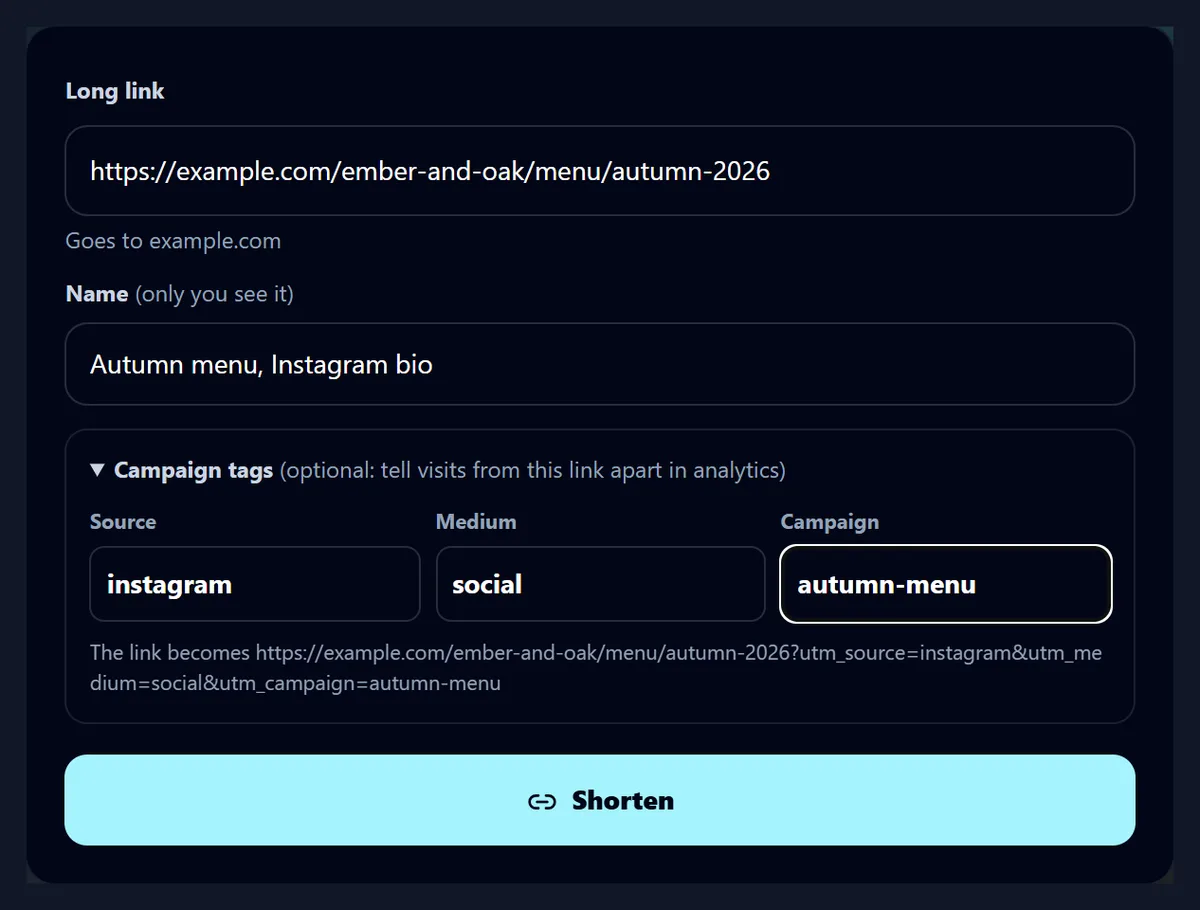
A real recording of this tool: a long menu link pasted, campaign tags added, the link shortened, then opened three times by the recording script and its clicks updated.
- A long link to an autumn menu is pasted and named.
- Campaign tags for Instagram are added.
- Shorten makes the short link.
- The link is opened three times and Update clicks shows 3 clicks.
How do I shorten a link?
Paste it into Long link. While you type, the line under the box checks it: Goes to example.com means it is a link that can be shortened, and a red line says what is wrong when it is not. A bare address such as example.com/menu is fine: https:// is put in front of it. Add a name if you will make several links, such as Autumn menu, Instagram bio; only you see it, in your list of links.
Press Shorten. If you are not signed in, a sign-in box opens, and the link is made as soon as you are in; nothing you typed is lost.
How much shorter do links get?
Every short link is the same length: https://www.huefold.com/l/ and seven letters and digits, 33 characters. So the longer the link, the more it saves. The table shows the five sample links made for this page, of the kinds people most often shorten: a map pin saved 157 characters, a shop page with tracking tags 134, a link with three campaign tags 81.
Short links are not only shorter: they are the same shape every time, so they fit on a poster, in a text message, under a photo or on a slide, and nobody has to type a code that runs across two lines.
| Sample link | Long link | Short link | Characters saved |
|---|---|---|---|
| A map pin | 190 | 33 | 157 |
| A shop page with tracking tags | 167 | 33 | 134 |
| A menu page with three campaign tags | 114 | 33 | 81 |
| A shared spreadsheet | 100 | 33 | 67 |
| A video from a moment | 73 | 33 | 40 |
What do I get?
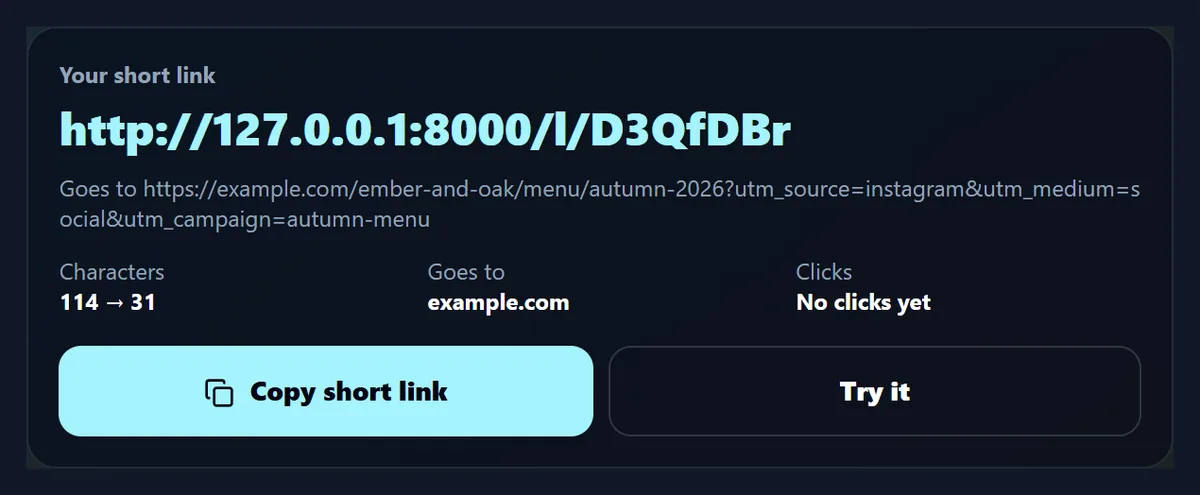
The short link, in large type, with the link it goes to under it, how many characters it saved, the site it leads to and its clicks so far. Copy short link puts it on your clipboard; Try it opens it in a new tab, so you can check where it goes before you share it.
The figure was made on HueFold's test server, so its link starts http://127.0.0.1:8000 and counts 31 characters; on HueFold the same link starts https://www.huefold.com and counts 33.
How are clicks counted?
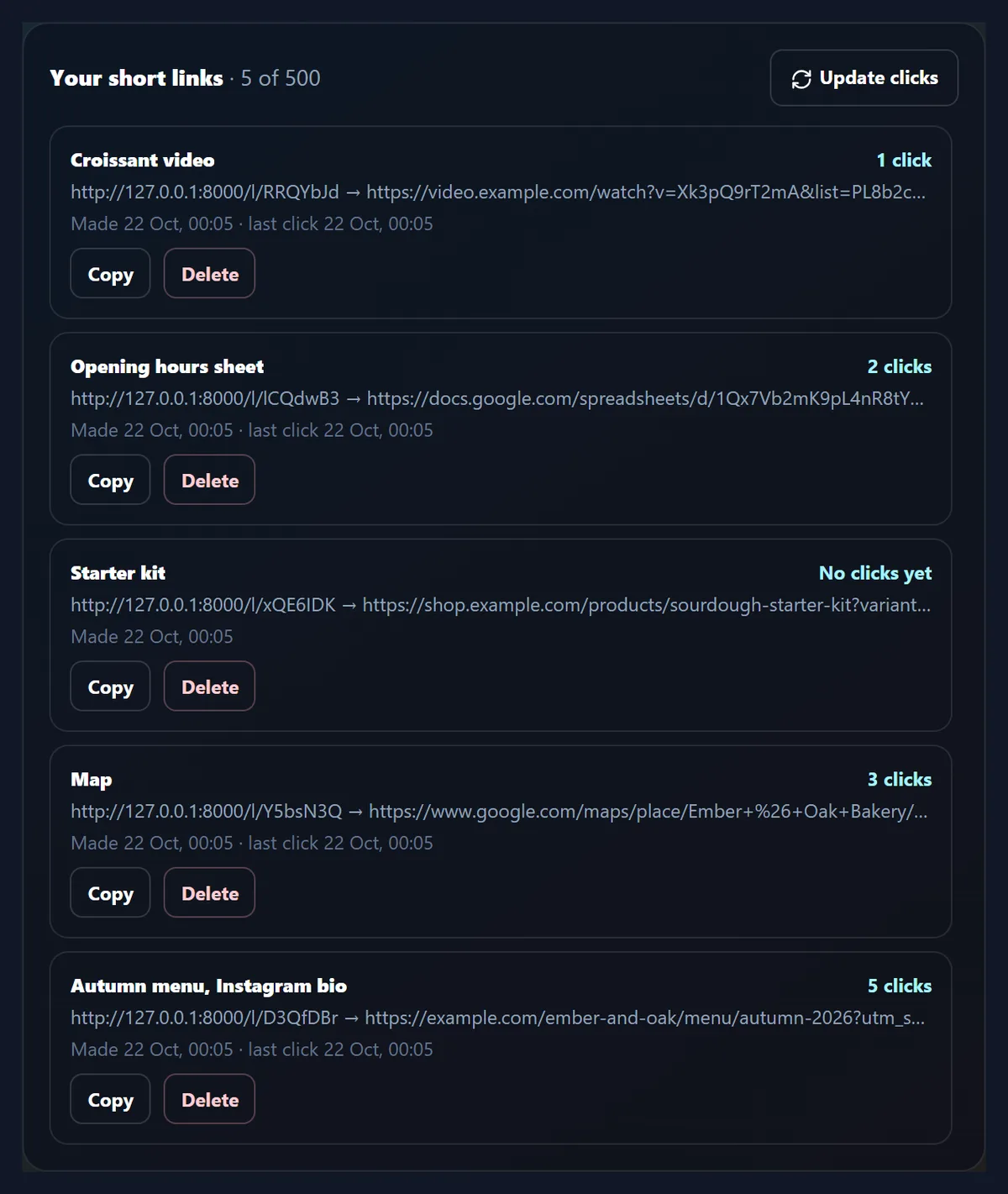
Each time someone opens a short link, HueFold adds one to its clicks and notes the time, then sends the visitor on. Your short links are listed under the tool, newest first, each with its name, its clicks and the time of its last click; Update clicks fetches the latest counts. The figure shows the five sample links after the script that made this page opened them 5, 3, 0, 2 and 1 times.
The count goes up for every opening, including yours and any made by apps that check links before showing them, so read it as how often a link is opened, not as a count of different people.
What happens when someone opens a short link?
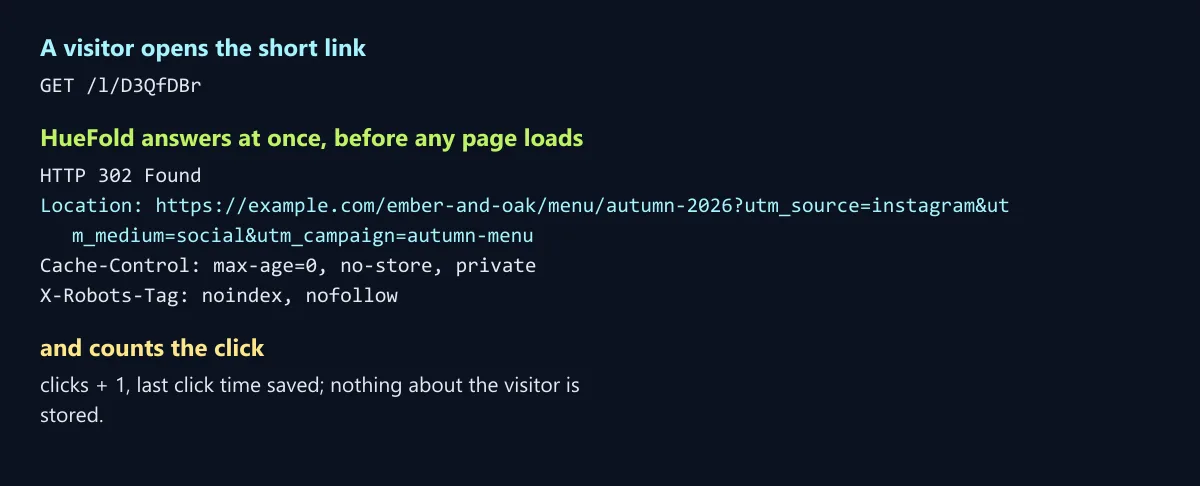
HueFold answers at once with a redirect, before any page is drawn: a 302 response whose Location is your long link, which the browser follows straight away. The response is marked not to be stored (Cache-Control: no-store), so a browser asks HueFold again next time and the click is counted again, and it tells search engines not to index the short link itself (X-Robots-Tag: noindex, nofollow), so search results show your page, not the short link.
A permanent redirect (301) would be cached by browsers for good, and later clicks would never reach HueFold to be counted; that is why short links here use 302.
Which links cannot be shortened?
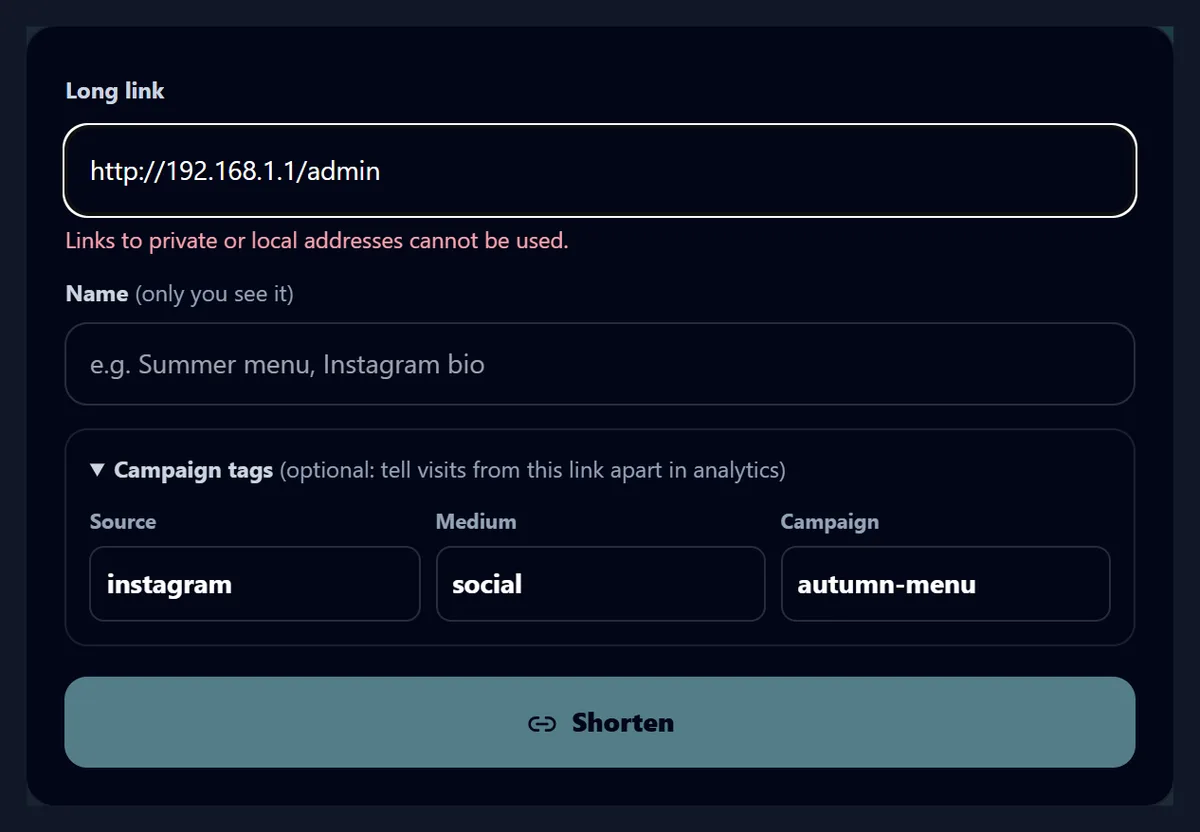
Only web links (http and https) to public sites. Links that run code (javascript:), file and FTP links, and links to private or local addresses, such as a home router at 192.168.1.1 or localhost, are refused, because a short link hides where it goes and those are the kinds of link that can be used to trick people. The tool says so as you type, and HueFold's server checks every link again, which is the check that counts.
Links with a user name and password written before the address are refused too, as are links of more than 2,048 characters.
| Link tried | As you type | HueFold's server |
|---|---|---|
| javascript:alert(1) | Only web links (http:// or https://) can be used. | Refused, same reason |
| ftp://files.example.com/menu.pdf | Only web links (http:// or https://) can be used. | Refused, same reason |
| http://192.168.1.1/admin | Links to private or local addresses cannot be used. | Refused, same reason |
| http://localhost:3000/dashboard | Links to private or local addresses cannot be used. | Refused, same reason |
| https://www.huefold.com/l/AbC1234 | Goes to www.huefold.com | Refused: already a HueFold short link |
Why can't I shorten a short link?
Because a short link that leads to another short link hides its real destination twice, and chains of short links are a common way to slip a harmful page past link checks. HueFold refuses a link to one of its own short links or bio page buttons and asks for the link it points to instead. Shortening a link from another shortening service works, but it is better to shorten the real link, so you know where yours goes.
Links to ordinary HueFold pages, such as a template or a feature page, can be shortened like any other.
Can I delete a short link?
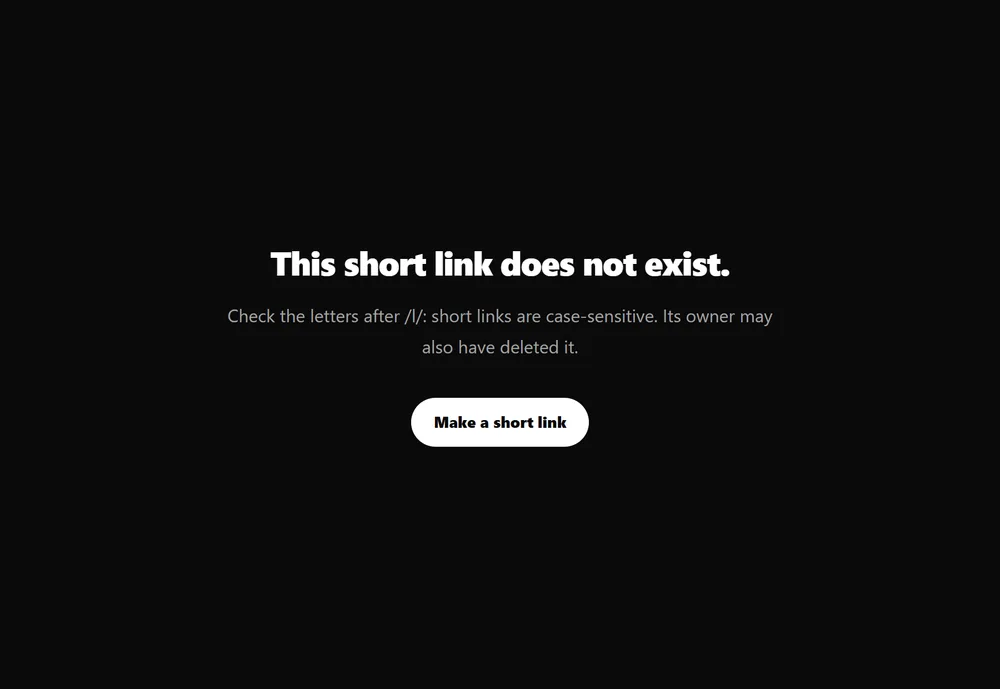
Yes. Press Delete next to it in your list and Delete it? to confirm. The short link stops working at once: when the sample Starter kit link was deleted, opening it gave the page in the figure, with a 404 status, the answer for a page that does not exist. Deleting cannot be undone, so check printed menus and posters for the link first.
A short link cannot be pointed somewhere else after it is made. To change where a link goes, make a new one and delete the old one.
Are short links case-sensitive?
Yes: D3QfDBr and d3qFdbR are different links, and only the exact letters open yours, so copy the link rather than retyping it. To make retyping safer, no two short links differ only in their capitals, so a code typed in the wrong case finds nobody else's link: it shows the page for a link that does not exist.
Seven characters from 62 letters and digits, with no two codes differing only in case, still leave about 78 billion possible codes.
Why do I need an account?
So every short link has an owner who can see its clicks and delete it, and so a link that is misused can be traced to an account. The account is free. One account keeps up to 500 short links at a time and can make up to 20 a minute; delete links you no longer use to make room.
Your list of short links is private: nobody else can see it, open it or delete your links, and the name you give a link is never shown to the people who click it.
What is kept about the people who click?
Nothing about them. A click adds one to the link's count and saves the time of the last click, and that is all: no address, no location, no device and no cookie are stored by the short link. The visitor's browser goes straight on to your link, and whatever that site does is up to that site.
That also means the counts cannot tell you who clicked or where they were. For that, use campaign tags and the analytics of the site the link goes to.
Where are short links useful?
Anywhere a long link is awkward: in an Instagram or TikTok bio, in a text message, on a printed menu or poster, on a slide, in a podcast's show notes or read out loud. Give each place its own short link, with campaign tags if you use analytics, and the click counts show which places bring people.
For one link to all of yours, make a Link in Bio page; for a link people can scan, put the short link in a QR code, which keeps the code simple and small.
What does it not do?
It does not let you choose the letters after /l/, change where a link goes after it is made, or count clicks by country or device. Links expire only when you delete them, and they are not hidden behind an advert or a waiting page: visitors go straight to your link.
Each short link's clicks are counted by HueFold; the site the link leads to may count visits too, often differently, because it sees only the people whose browsers reached it.
What else helps with sharing links?
Link in Bio gives you one page with all your links; Content Planner plans the posts you will share them in; QR Code turns a link into a code to print; Share Video makes a video small enough to send.
Brand Kit keeps your colours and fonts in one place for the posts and posters your short links go on.
Frequently asked questions
Is the URL shortener free?
Yes, with a free HueFold account: up to 500 short links at a time.
How long is a short link?
33 characters: https://www.huefold.com/l/ and seven letters and digits.
Do short links expire?
No. A short link works until you delete it.
Can I see how many people clicked?
Yes: each link shows how many times it was opened and when it was last opened.
Is anything stored about the people who click?
No: only the count and the time of the last click.
Can I change where a short link goes?
No. Make a new short link and delete the old one.
Can I choose the letters after /l/?
No: each code is seven random letters and digits.
Which links can I shorten?
Web links (http and https) to public sites, up to 2,048 characters, but not other HueFold short links.
What are campaign tags?
utm_source, utm_medium and utm_campaign added to the link, so analytics tools can tell visits apart.
Related tools
- Link In Bio — One page for all your links, with clicks.
- QR Code — Turn a link into a code to print.
- Content Planner — Plan the posts you share links in.
- Share Video — A video small enough to send.
- Brand Kit — Your colours and fonts in one place.
- Resize Video for Instagram — Reels, posts and stories at the right size.