AI Generated Video
Make a short video from a description: wide, tall or square, 4 to 8 seconds, 480p or 720p, with sound made by the model. See the price in credits before you make it.
Updated
How do you make a video with AI?
Describe the shot (what is in it, where, the light and how the camera moves), choose a shape, length and quality, see the price, and press Make it. The clip arrives in the player with its sound, ready to download.
Four clips made on this page took 47 to 223 seconds and came back exactly the size asked for, from 480 × 480 to 1280 × 720, each with a soundtrack.
How to make an AI video
- Describe the shot Subject, place, light and camera movement.
- Choose the format Shape, length and quality.
- See the price The credits for exactly this video.
- Make it Watch it, then download the MP4.
Make a video from text with AI
A real recording of this tool: the cosy fireplace idea chosen, a 4-second 480p wide clip set up and priced, the video made and played.
- The cosy fireplace description is chosen.
- A wide, 4-second, 480p clip is set up.
- See the price shows the credits it will cost.
- The video is made and plays in the tool.
How long does an AI video take to make?
Between under a minute and a few minutes in our tests. The 4-second 480p coffee clip arrived in 47 seconds and the 5-second 720p ocean clip in 57; the 8-second 720p city clip took 104. The 5-second square clip at 480p took 223 seconds, longer than the 8-second one: the wait depends on how busy the model is as well as on the clip.
The page shows how long it has been waiting, and the clip appears in the player when it is ready. Keep the tab open until then.
| Video | Asked for | Size | Made in | Credits | File |
|---|---|---|---|---|---|
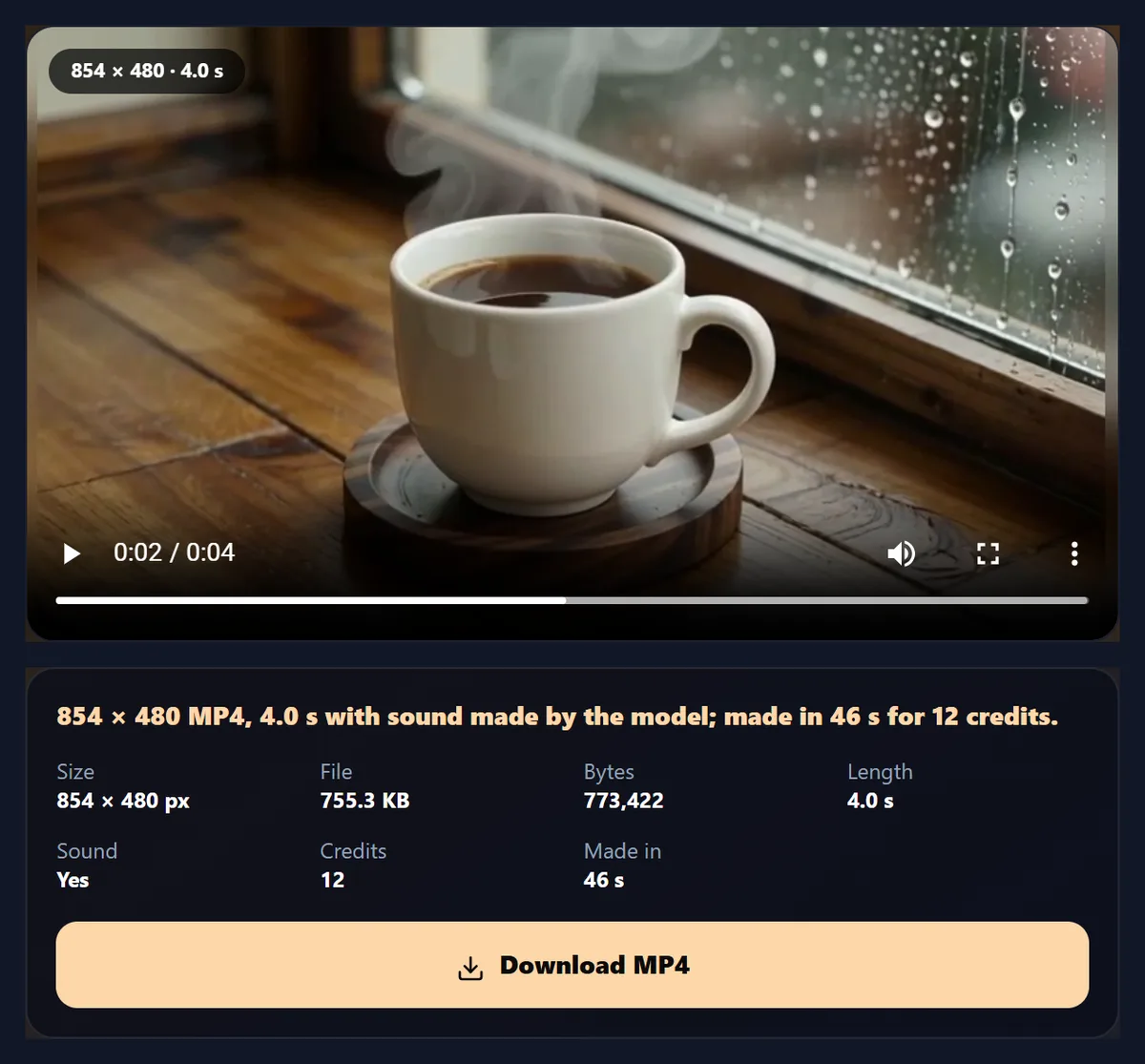
| Coffee and rain | 16:9, 4 s, 480p | 854 × 480 | 47 s | 12 | 755.3 KB |
| Ocean at sunrise | 9:16, 5 s, 720p | 720 × 1280 | 57 s | 32 | 6.73 MB |
| Product spin | 1:1, 5 s, 480p | 480 × 480 | 223 s | 15 | 523.8 KB |
| City at night | 16:9, 8 s, 720p | 1280 × 720 | 104 s | 51 | 11.42 MB |

How do I make a video from text?
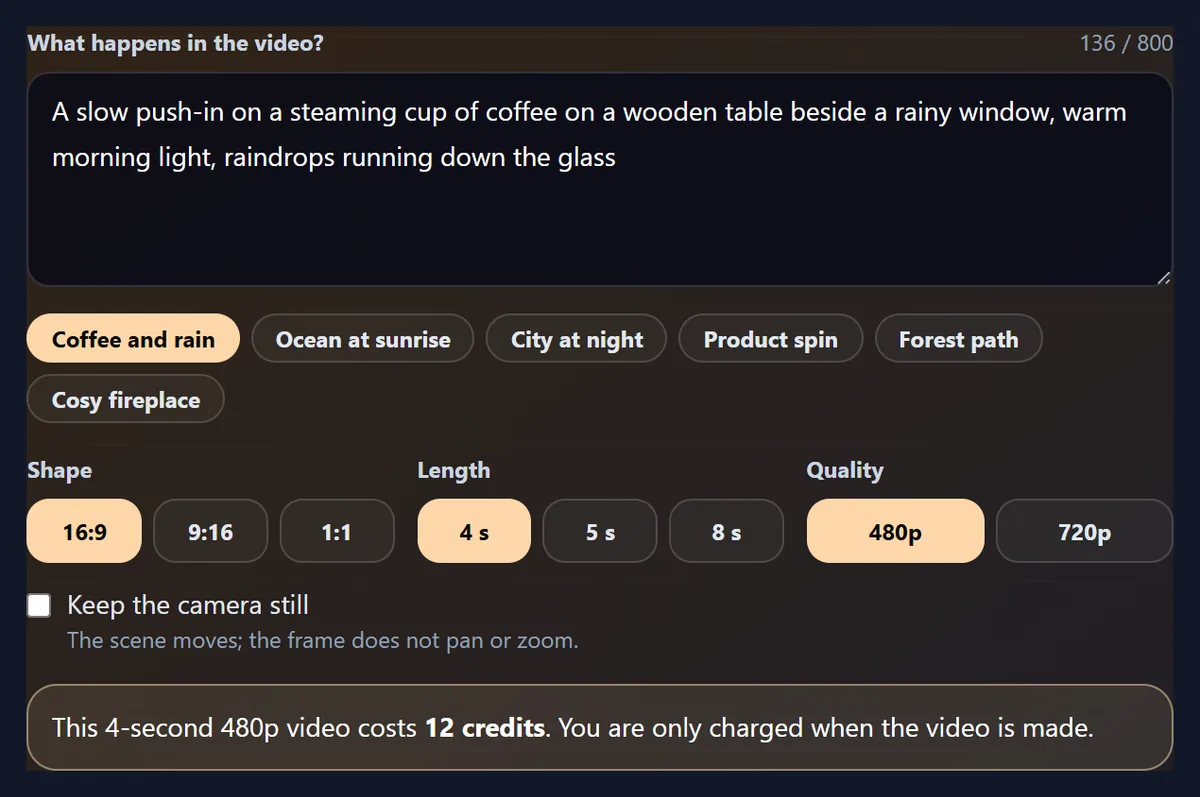
Describe what happens: the subject, the place, the light and how the camera moves. Choose a shape (wide, tall or square), a length (4, 5 or 8 seconds) and a quality (480p or 720p), and press See the price. The page shows what the video will cost in credits; press Make it to start, and the clip appears in the player with its size, length and sound.
The coffee clip in the figure came from “a slow push-in on a steaming cup of coffee on a wooden table beside a rainy window”: a 854 × 480 MP4 of 4.0 seconds with sound, made in 47 seconds for 12 credits.
How should I describe the video?
Like a shot in a film script: who or what is in it, where, what moves, the light, and the camera. “A slow push-in on…”, “a drone flight low along…” or “a white sneaker slowly turning on a plinth” tell the model how the shot moves; “warm morning light”, “neon reflections” or “soft shadows” set the look. One clear action works better than a story: a clip is a single shot of a few seconds.
The camera did what was asked in our tests: the coffee cup grew in the frame as the camera pushed in, and the sneaker turned about half a turn in 5 seconds. Tick Keep the camera still when only the scene should move.
Which shapes and sizes can I make?
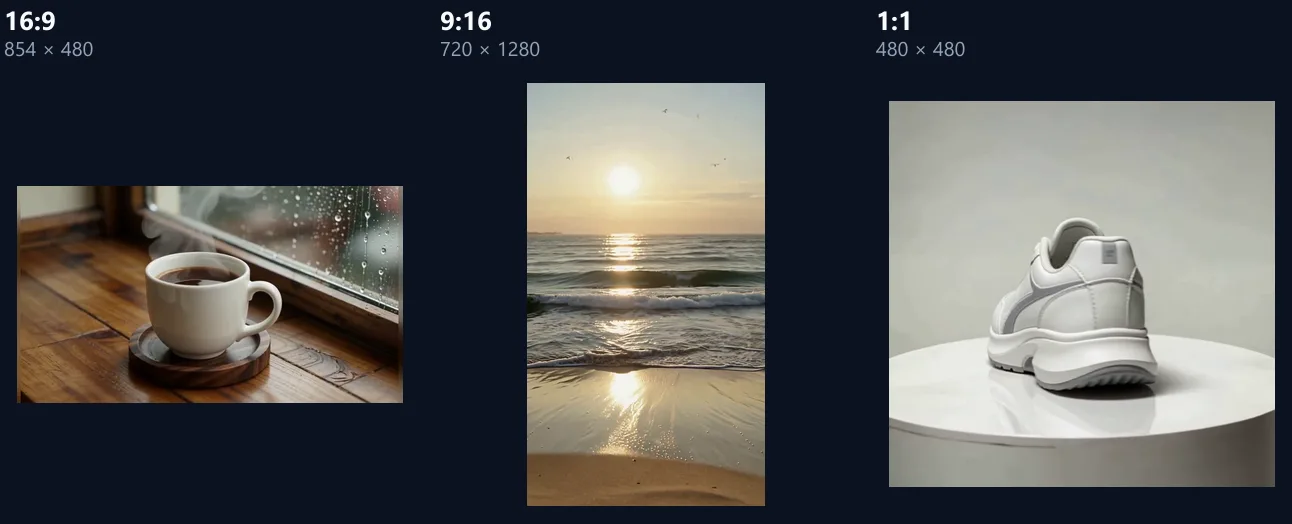
Wide 16:9 for YouTube, websites and presentations, tall 9:16 for Reels, TikTok, Shorts and Stories, and square 1:1 for feeds. At 480p the wide clip was 854 × 480 and the square one 480 × 480; at 720p the tall clip was 720 × 1280 and the wide one 1280 × 720.
Every clip was 24 frames a second, H.264 video with AAC sound, so it opens in any player or editor.
480p or 720p?
480p for drafts, previews and small screens; 720p when the clip will be watched full screen or edited into a longer video. 720p costs more credits and makes a bigger file: the 4-second 480p coffee clip was 12 credits and 755.3 KB, the 5-second 720p ocean clip 32 credits and 6.73 MB.
A good habit is to try a description at 480p, and make it at 720p once the shot is right.
How much does an AI video cost?
It depends on the length and quality, and the page tells you before anything is made: See the price shows the credits for the exact video you set up. Our four clips cost 12, 32, 15, 51 credits. You are only charged when the video is made; a run that fails is not charged.
Making a video needs a free sign-in to price it, and an account whose plan includes premium AI models to make it; the page tells you if yours does not, before any credits are used.
Does the video have sound?
Yes: every clip came with a soundtrack made by the model to match the scene, as AAC stereo at 44.1 kHz. It is quiet: the clips averaged between -37.4 dB (coffee and rain) and -26.1 dB (product spin), well below the level of speech or music.
Turn the sound up in your editor, or replace it with music or a voiceover using add music to video and the AI voice generator.
What does AI video get wrong?
Text in the scene: the shop signs in the city clip came out as nonsense lettering, as they often do in AI video, so add titles and captions afterwards with add text to video rather than asking for them. Fine details such as hands, faces in a crowd and small moving objects can also look odd, and a clip can drift from the description.
Look at the clip before using it, and make it again with a clearer or simpler description if it is not right; each run gives a different result.
What are AI videos good for?
Short shots to fill gaps in an edit, such as a city at night, a sunrise or a cup of coffee; backgrounds for text and products; mood shots for reels and ads; and quick drafts of an idea before filming it. Several clips can be joined into a longer video with merge videos, with transitions, music and captions added afterwards.
Avoid real people's names and brands in descriptions: the request is checked before it runs, and such requests can be refused.
Can I edit the video afterwards?
Yes: the MP4 is an ordinary video. Trim it with the video splitter, change its shape with the video resizer, add text, music or captions, slow it down, or join it with other clips. Each of those pages works on the downloaded file in your browser.
Every video you make is also saved in your HueFold account.
How long can an AI video be?
4, 5 or 8 seconds here, which is what a single AI shot does best. For a longer video, make several shots that follow on from each other, with the same setting and light in each description, and join them with merge videos.
Longer shots give the model more time to drift from the description.
Which camera words work in a description?
The words a director would use: a push-in or pull-out (the camera moves closer or away), a pan or tilt (it turns sideways or up and down), a drone flight or aerial shot, an orbit around the subject, a handheld shot, or a static shot. Light words help too: golden hour, overcast, neon, candlelight.
Put the camera movement first, as in the ideas on the page, so it is not lost in the details.
Can I make several clips that match?
Roughly: describe the same place, light and style in each, and change only the action, such as the same café at the same time of day with a different shot each time. Each run is made independently, so people and objects will not be identical from clip to clip.
Join the clips with merge videos and a crossfade from video transitions to smooth the cuts.
Can I turn a photo into a video?
Not on this page: it makes videos from a description. To animate a photo, the images to video page makes a video from photos with transitions and a slow zoom, without AI.
Describing what the photo shows also works as a starting point here.
Why did my video not start?
The page says why. It may need a sign-in, the AI policy to be accepted on your first run, more credits, or a plan that includes premium AI models; or the description may have been refused because it names real people or brands or asks for content the service does not make. You are not charged for a video that is not made.
If a run starts but fails, the credits reserved for it are released.
How do I get a good clip in fewer tries?
Start at 480p and 4 seconds, the cheapest setting, until the description gives the shot you want; then make it at 720p. Keep each description to one shot, put the camera movement first, and change one thing at a time between tries so you can tell what made the difference.
The ideas under the description box are complete, tested descriptions to start from.
Should I make a wide clip and crop it later?
Make it in the shape you need instead: a tall 9:16 clip is composed for a tall frame, while a wide clip cropped to tall keeps only a slice of the middle and can lose the subject. If you need both, make two clips with the same description.
For an existing wide video, the video resizer can fit it on a blurred copy instead of cropping.
Can I make AI videos on my phone?
Yes, in a current browser on Android or an iPhone. The video is made on HueFold's side, so your phone only waits for it; keep the page open, then play and download the MP4.
Tall 9:16 is the shape for phone-first videos.
What is sent, and where?
Your description and settings are sent to HueFold, which asks the video model (Seedance 1.5 Pro, from ByteDance) to make the clip; the MP4 is saved in your HueFold account. Nothing else from your device is sent.
Do not put private information in a description.
Frequently asked questions
How do I make a video from text?
Describe the shot, choose a shape, length and quality, see the price and press Make it.
How long does it take?
47 to 223 seconds in our tests.
How long can the video be?
4, 5 or 8 seconds; join several with merge videos.
Does it have sound?
Yes, a soundtrack made by the model, which is quiet.
Which shapes can I make?
16:9, 9:16 and 1:1, at 480p or 720p.
How much does it cost?
It depends on length and quality: our clips cost 12, 32, 15, 51 credits. The price shows first.
Can it write text in the video?
Not reliably: add text afterwards with add text to video.
Which AI model makes the videos?
Seedance 1.5 Pro, from ByteDance.
Related tools
- Merge Videos — Join several clips.
- Add Text to Video — Titles and captions.
- Add Music to Video — Music under the clip.
- AI Voice Generator — A voiceover for it.
- AI Reel Maker — A reel from your photos.
- Free Stock Videos — Real footage, free.