AI Headshot Generator
Turn a casual photo into a professional head-and-shoulders headshot: corporate grey, office window, outdoor soft light, dark studio, creative bright or medical white coat, or describe your own. HueFold’s AI is told to keep your face, features and hair.
Updated

How do you make a professional headshot from a photo?
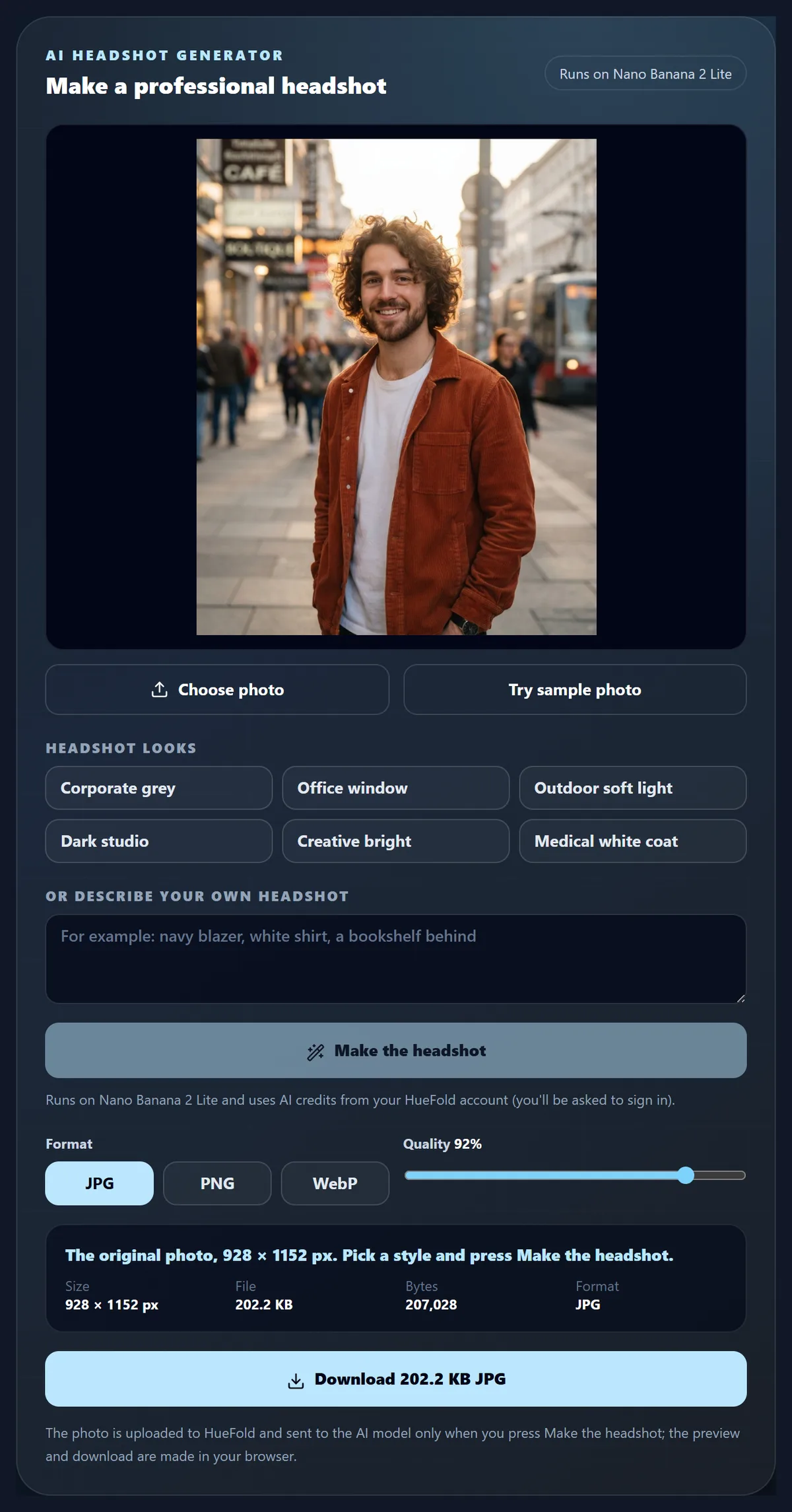
Choose a clear photo of yourself, or try the sample, pick a look or describe your own, and press Make the headshot. HueFold sends the photo to an image model with an instruction to make a head-and-shoulders headshot of the same person, keeping the face, features, skin tone, hairstyle and age unchanged. Compare it with your photo and download the one you like.
The street sample became three headshots on Nano Banana 2 Lite in 7 to 17 seconds each, using 5 credits a run.
You need an account; each run uses AI credits, and refused runs use none. Not for passports or IDs.
How to make a headshot
- Choose a photo A clear, well-lit photo of your face.
- Pick a look Six looks, or describe your own.
- Make the headshot Sign in; the AI makes the headshot.
- Compare and download Check it looks like you; save as JPG, PNG or WebP.
Make a headshot from a casual photo
A real recording of this tool: the street portrait, the Outdoor soft light look, the AI run on Nano Banana 2 Lite, the comparison with the original, and the download.
- The AI headshot generator opens with the street portrait.
- The Outdoor soft light look is chosen.
- Make the headshot sends the photo to Nano Banana 2 Lite and the headshot comes back.
- Hold to compare shows the original, and the headshot is downloaded.
What does an AI headshot change?
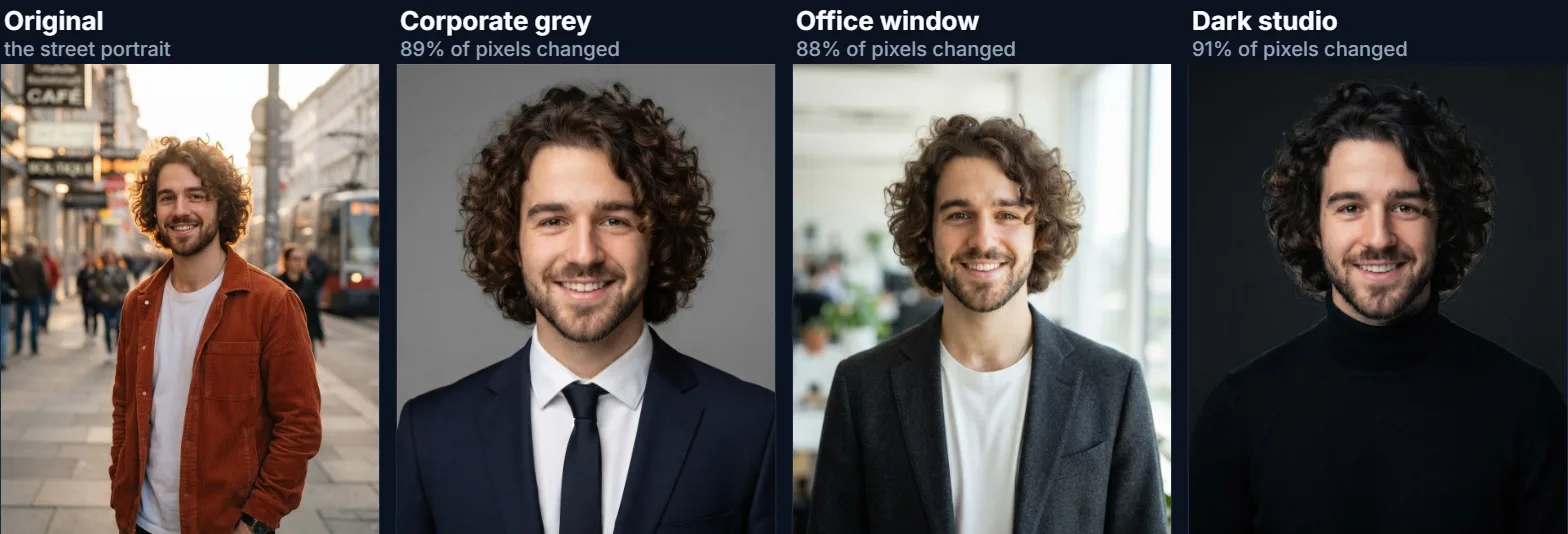
Nearly everything except you. The street portrait, a full-length photo on a busy street, was turned into three headshot looks on Nano Banana 2 Lite and each was compared with the original pixel by pixel: 89%, 88% and 91% of the pixels changed, because the framing moves in to the head and shoulders and the clothes, backdrop and light are all replaced.
What the instruction asks the model to keep is the person: the face, features, skin tone, hairstyle and age, exactly as in the photo. In the three results the curly hair, beard and smile carried through each look, while the corduroy jacket became a suit, a blazer or a turtleneck as chosen.
| Look | Pixels changed | Time | Credits |
|---|---|---|---|
| Corporate grey | 89% | 17.3 s | 5 |
| Office window | 88% | 9.1 s | 5 |
| Dark studio | 91% | 7.2 s | 5 |
How does the AI headshot generator work?
It sends your photo to an image model with an instruction: turn this photo into a professional head-and-shoulders headshot of the same person, with the attire, backdrop and light of the chosen look, keeping the face, features, skin tone, hairstyle, age and identity exactly as in the photo and not changing the face. The model draws a new photo that follows those rules.
Because the model draws the result, the face is redrawn too, closely but not pixel for pixel: always check that the headshot looks like you before using it.
Which headshot looks are there?
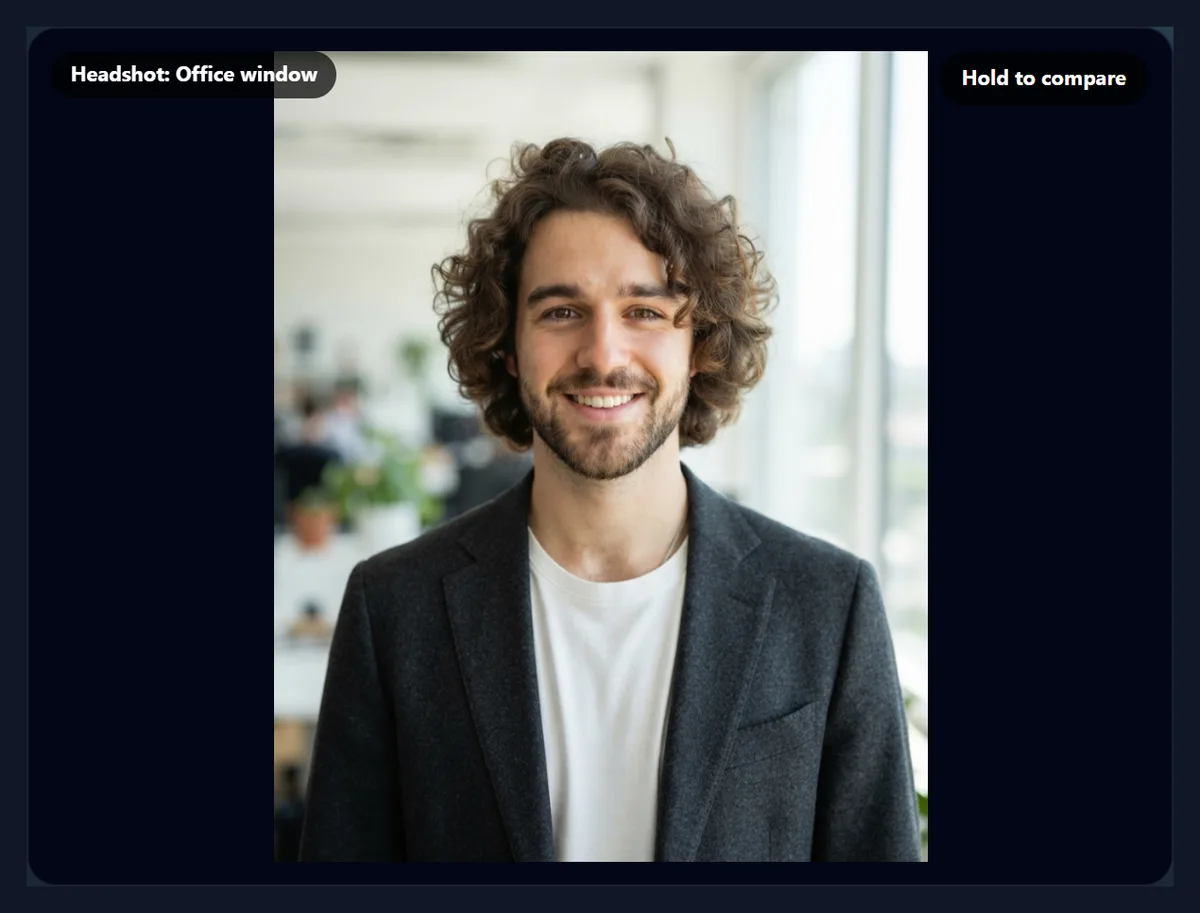
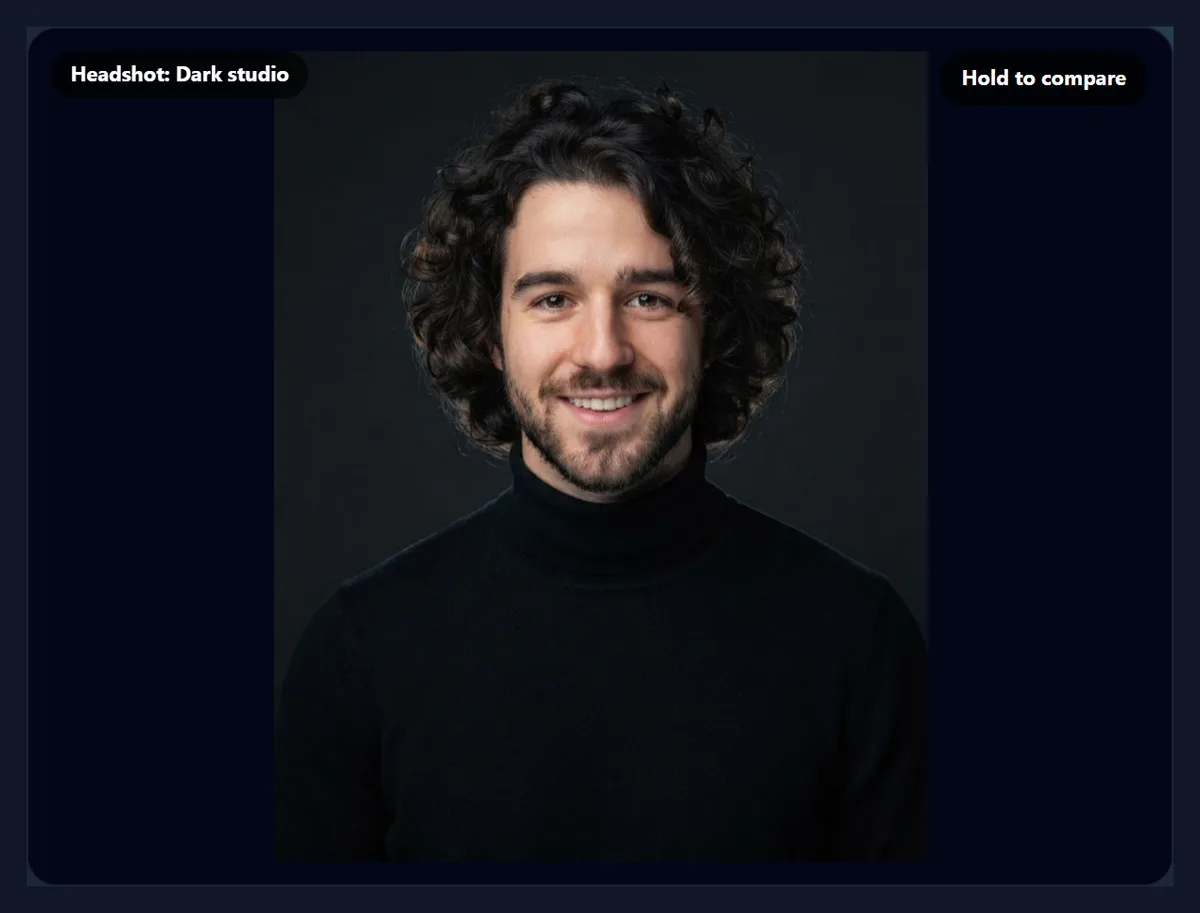
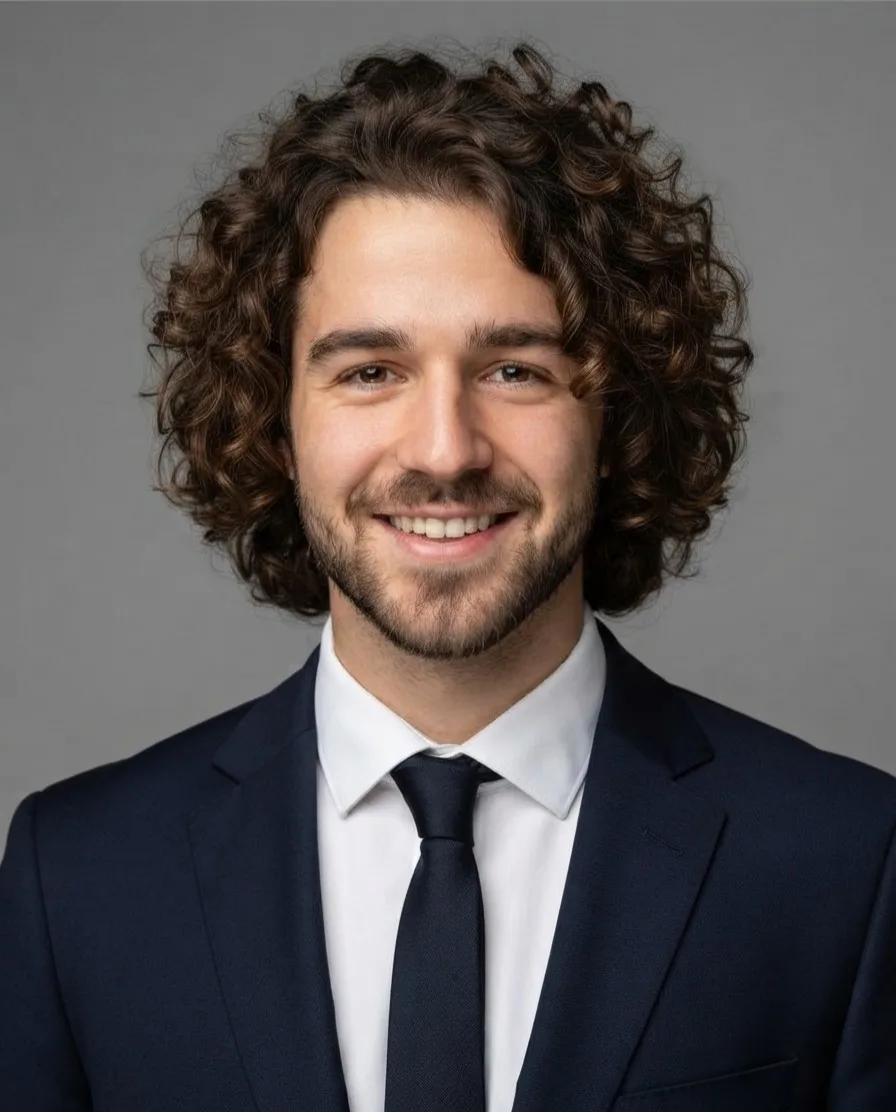
Six: Corporate grey (a dark suit jacket on a plain mid-grey studio backdrop, soft even light), Office window (a smart blazer with a softly blurred bright office behind), Outdoor soft light (smart casual clothes with a blurred green park behind), Dark studio (a black turtleneck on a charcoal backdrop with gentle rim light), Creative bright (a knit sweater on a warm beige backdrop) and Medical white coat (a white coat over a light shirt on a light blue backdrop).
Or describe your own, such as "navy blazer, white shirt, a bookshelf behind"; it replaces the chosen look and keeps the same instruction to leave the face unchanged.
Is an AI headshot good for LinkedIn?
It can be, if it looks like you. A profile photo's job is to let people recognise you when they meet you, so pick the run that is closest to your real face and hair, and avoid looks that change you. Corporate grey and Office window suit most professional profiles; Creative bright and Outdoor soft light suit creative work; Dark studio gives a dramatic, editorial look.
Use the same look for everyone on a team page, from photos taken in similar light, so the set looks consistent.
Can I use an AI headshot for a passport or an ID?
No. Passport, visa and ID photos must be unedited photos of your real face taken to strict rules, and an AI-generated or AI-edited photo is not acceptable for them. For official photos, use the passport photo tool, which works from your real photo.
The same applies anywhere a photo is used to prove who you are, such as some employee badges and account verifications.
Which photos make the best headshots?
A clear, well-lit photo where your face is sharp and seen from the front or a slight angle, without sunglasses, hats or anything covering the face. The rest of the photo matters less: the street sample was full length on a busy street and still gave clean headshots. The photo is sent at up to 1,536 pixels on its long side, so your face should be reasonably large in it.
Several runs from the same photo give different results; trying two or three looks and keeping the best one is normal.
How many credits does a headshot use?
Each run on Nano Banana 2 Lite used 5 credits, shown on the result. Every run starts from your original photo, so three looks cost three runs; runs the model refuses cost nothing.
The three runs took 17, 9 and 7 seconds from the click to the finished headshot, including the upload.
What size is the headshot?
The size the model returns, in your photo's shape: the street portrait's headshots came back at 896 × 1112 pixels, and the corporate one was a 165.4 KB JPG. That is more than LinkedIn, email signatures and team pages need; for print, enlarge it with an upscaler.
For a round profile picture, crop it with the circle crop tool after downloading.
What makes a headshot look professional?
Framing, light and a calm background. A professional headshot shows the head and shoulders, with the eyes about a third of the way down the picture; soft, even light on the face without hard shadows; a plain or softly blurred background that does not compete with you; and simple, fitted clothes in solid colours. Each look here is written to give exactly that.
A natural expression matters as much as any of these: a photo where you look relaxed makes a better headshot than a stiff one, because the model keeps your expression.
How do I make matching headshots for a team?
Use the same look for everyone, written the same way, and ask everyone for a similar photo: facing the camera, in daylight, with the face clearly visible. Corporate grey and Dark studio give the most uniform results because their backdrops are plain; Office window and Outdoor soft light vary more with each run.
Let each person choose between two or three runs of their own headshot and approve the one that is published.
How do I describe my own look?
Name the clothes, the backdrop and the light, in that order: "navy blazer and white shirt, a bookshelf softly blurred behind, warm window light". Keep it to what a photographer would set up. The description is wrapped in the same instruction to make a head-and-shoulders headshot and to keep your face unchanged.
Avoid describing changes to your face or body; the instruction keeps them, and contradicting it gives unpredictable results.
Should I say my headshot was made with AI?
Where it matters, yes. HueFold's AI policy asks you to follow the disclosure rules that apply where you publish, and some employers, publications and platforms ask for AI-made or AI-edited photos to be labelled. On a personal profile, a headshot that looks like you is generally used like any retouched photo, but check the rules of the place you post it.
In any context where a photo is evidence of what someone looks like, such as journalism, recruitment checks or identity verification, use a real photo.
Can I make a headshot of someone else?
Only with their permission. HueFold's AI policy, which you accept before your first run, says not to use another person's likeness without appropriate permission and makes you responsible for having the rights to the photos you submit. For a team, ask each person to approve their headshot before it is published.
Never present an AI headshot as a real photo where that matters, such as in a journalistic or legal context.
Can I compare the headshot with the original?
Yes. Hold the Hold to compare button to see the original photo, and let go to see the headshot. Back to the original returns to the photo without spending anything. Download as JPG, PNG or WebP.
Each run replaces the last headshot, so download any you want to keep before trying another look.
Is my photo uploaded?
Only when you press Make the headshot. The photo is then uploaded to HueFold and sent to the model with the instruction; the preview, comparison and download are made in your browser. You need to be signed in, and you accept the AI policy the first time you use AI on HueFold.
Choosing a photo and a look, and downloading the original, send nothing.
Why does my headshot not look like me?
The model redraws the face, and some runs drift. Try another run or another look, use a sharper, brighter photo where the face is larger, and avoid photos with strong filters or heavy shadows on the face. If the model refuses a photo, the tool shows its message and no credits are used.
If the tool says AI is not switched on, the model is not available on the site at the moment; if you were signed out during a run, sign in again and it starts again automatically.
Frequently asked questions
How do I make an AI headshot?
Choose a photo, pick a look and press Make the headshot.
Will it look like me?
The model is told to keep your face, features and hair; check each result.
How many credits does it use?
5 credits a run on Nano Banana 2 Lite; refused runs use none.
Can I use it on LinkedIn?
Yes, if it looks like you; Corporate grey and Office window suit most profiles.
Can I use it for a passport or ID?
No. Official photos must be real, unedited photos.
Which photo should I use?
A sharp, well-lit photo with your face clearly visible.
Do I need an account?
Yes, to run the AI.
Is my photo uploaded?
Only when you press Make the headshot.
Can I describe my own look?
Yes. Type the clothes, backdrop and light you want.
Can I choose the backdrop colour?
Yes. Describe it in your own look, for example "a plain navy backdrop, soft studio light".
Related tools
- Make Passport Size Photo — Official photos from a real photo.
- Circle Crop — A round profile picture.
- AI Photo Editor — Edit a photo by describing the change.
- Background Remover — Cut yourself out of a photo.
- AI Cartoon Generator — A cartoon version instead.
- AI Image Upscaler — Enlarge the headshot for print.