Make Passport Size Photo
Choose the document, mark the top of the head and the chin, and the photo is scaled so the head prints at the size the rules ask for. Download a single photo or a 4 × 6 in or A4 sheet ready to print and cut. No retouching, nothing uploaded.
Updated

How do you make a passport size photo online?
Take a front-facing photo against a plain, light wall, open it in the tool above, and choose your document: United States, United Kingdom, Canada, Australia, India or the 35 × 45 mm biometric format. Drag the two markers to the top of the head and the bottom of the chin. The tool frames the photo at the official print size, scales it so the head measures inside the allowed range, shows the measurement in millimetres, and lets you download one photo or a print sheet. Everything runs in your browser.
Passport photo rules are strict about two things a phone camera cannot know: the printed size of the photo and the height of the head inside it. A head that is too small or too large is one of the commonest reasons a photo is rejected. Measuring it from your own markers, rather than guessing from a template, is what this tool adds. It deliberately does nothing else to the picture: no smoothing, no brightening, no background replacement. Authorities including Australia's say retouching is not allowed.
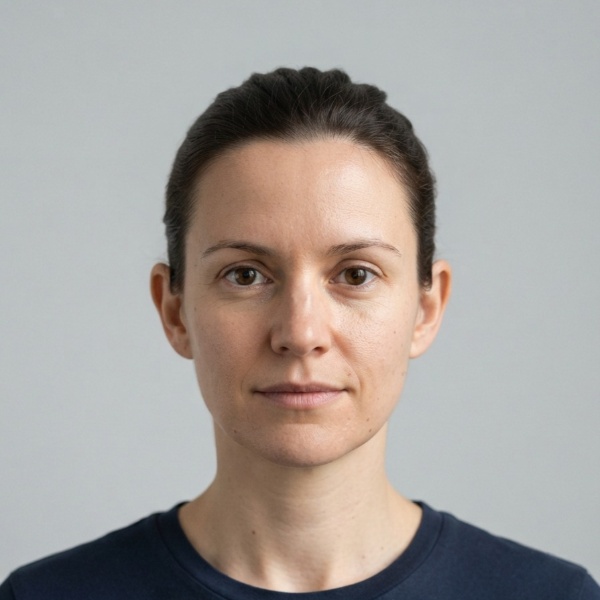
Rules differ by country and change over time. Each size in the tool links to the authority's own page; read it before you print. The portrait in the examples is an AI-generated picture of a fictional person, made for this page.
How to make a passport photo at home
- Take the photo Stand in front of a plain, light wall in even daylight, face the camera straight on with a neutral expression, and have someone take the photo from about arm’s length or more.
- Choose the document Pick the passport size. The note under the menu gives the head rule and links to the official requirements.
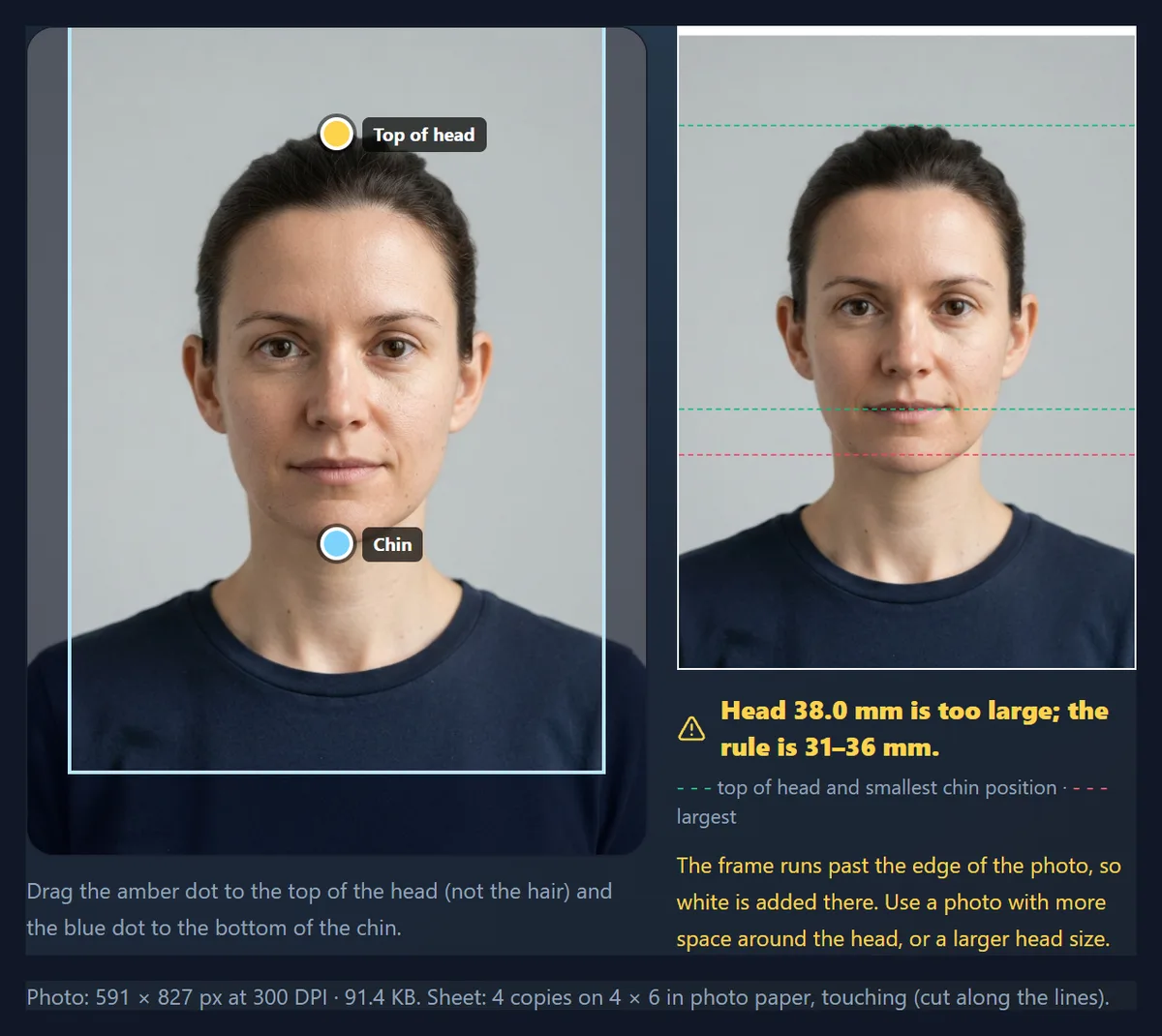
- Mark the head Drag the amber dot to the top of the head and the blue dot to the bottom of the chin. The head height in millimetres is checked as you go.
- Download and print Download one photo, or a sheet with as many copies as fit on 4 × 6 in photo paper or A4, with cut lines.
Make a passport photo and a print sheet
A real recording of this tool: the sample portrait is framed as a US 2 × 2 inch photo, the chin marker is checked, the head size is adjusted inside the rule, the UK size is chosen, and a print sheet is downloaded.
- The sample portrait is framed as a US 2 × 2 inch photo with the head measured.
- The chin marker is dragged and put back.
- The head size moves within the 25–35 mm rule.
- The UK 35 × 45 mm size is chosen.
- The print sheet is downloaded.
What size is a passport photo?
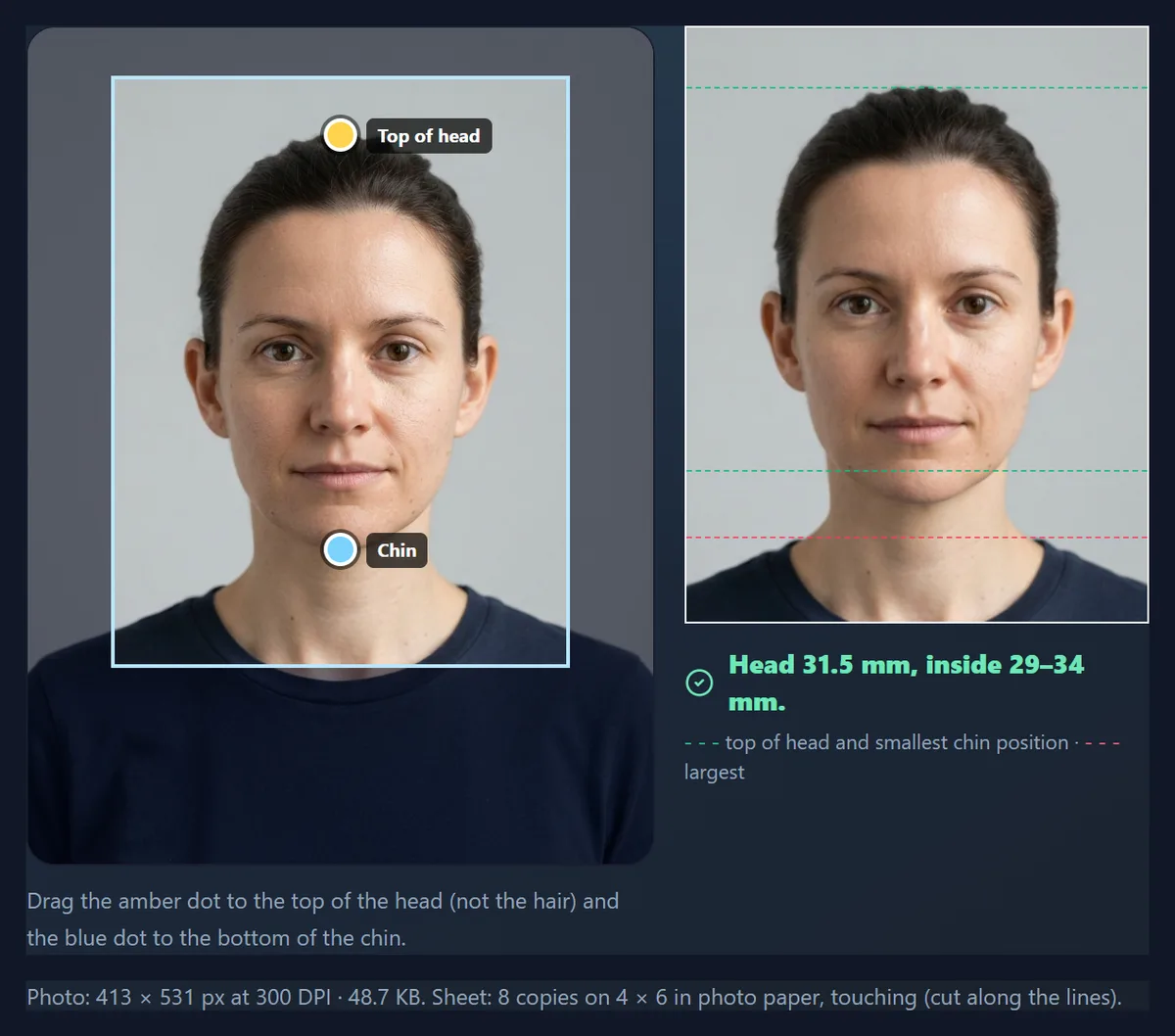
It depends on the country. The United States uses a square 2 × 2 inch photo (51 × 51 mm) with a head of 1 to 1⅜ inches (25–35 mm) from chin to top of head. The United Kingdom uses 35 × 45 mm with a head of 29–34 mm. Canada uses 50 × 70 mm with a face of 31–36 mm. Australia accepts 35–40 mm wide by 45–50 mm high with a face of 32–36 mm; the tool uses 35 × 45 mm. India's Passport Seva asks for 4.5 × 3.5 cm with a plain white background and states no head size. Germany and others use 35 × 45 mm with a face of 32–36 mm for adults.
The table lists what the tool uses for each, with the source. Head size is measured from the bottom of the chin to the top of the head; the US State Department says the top of the head, not the top of the hair.
| Document | Print size | Head (chin to crown) | Pixels at 300 DPI | Source |
|---|---|---|---|---|
| United States passport | 2 × 2 in (51 × 51 mm) | 25–35 mm | 600 × 600 | travel.state.gov |
| United Kingdom passport | 35 × 45 mm | 29–34 mm | 413 × 531 | gov.uk |
| Canada passport | 50 × 70 mm | 31–36 mm | 591 × 827 | canada.ca |
| Australia passport | 35–40 × 45–50 mm (tool: 35 × 45) | 32–36 mm | 413 × 531 | passports.gov.au |
| India passport | 3.5 × 4.5 cm | Not stated | 413 × 531 | passportindia.gov.in |
| Biometric 35 × 45 mm (e.g. Germany) | 35 × 45 mm | 32–36 mm | 413 × 531 | bmi.bund.de |
How does the tool get the head size right?
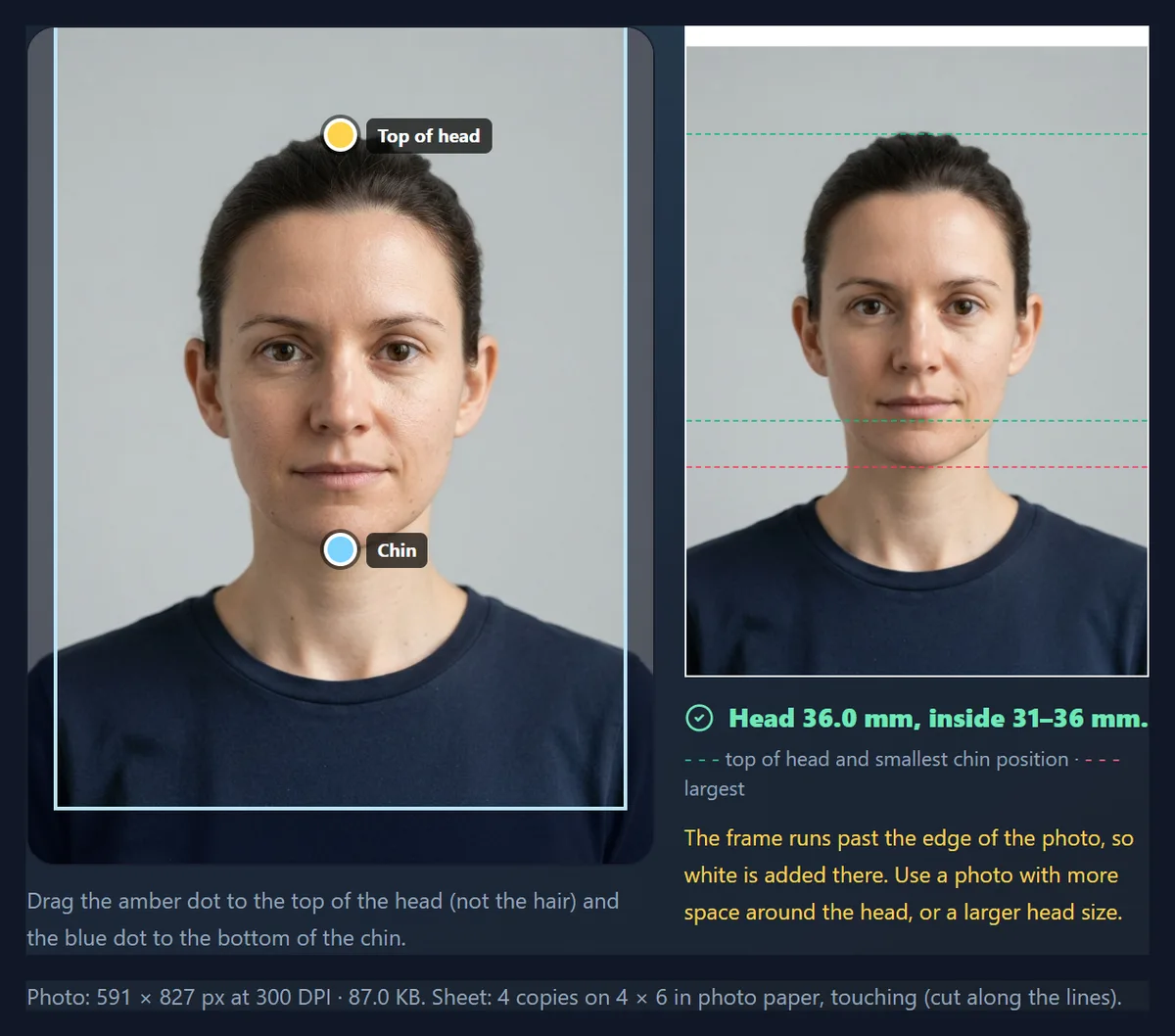
From your two markers. The distance between the top of the head and the chin, in the photo's own pixels, is the head height. The tool picks a head size inside the allowed range, works out how many pixels make a millimetre, and cuts the frame to the document size around it: the face centred across, with the space above the head half the space below the chin, which leaves room for the neck and shoulders. The preview shows dashed lines where the top of the head and the allowed chin positions fall.
It starts from the size nearest the middle of the range that keeps the frame inside your photo, so no blank edges are added. For the sample, the middle of the US range (30 mm) would have needed a wider photo than it is, so the tool chose 33.7 mm, still inside 25–35 mm. Move the Head size slider to change it; the message turns amber when you leave the allowed range.
If the frame has to run past the edge of the photo, the tool fills that part with white and tells you. That happened with Canada's tall 50 × 70 mm frame, which needs more space above the head than the sample has. The fix is a new photo taken from slightly further away, not a white band.
How do you print passport photos at home or at a shop?
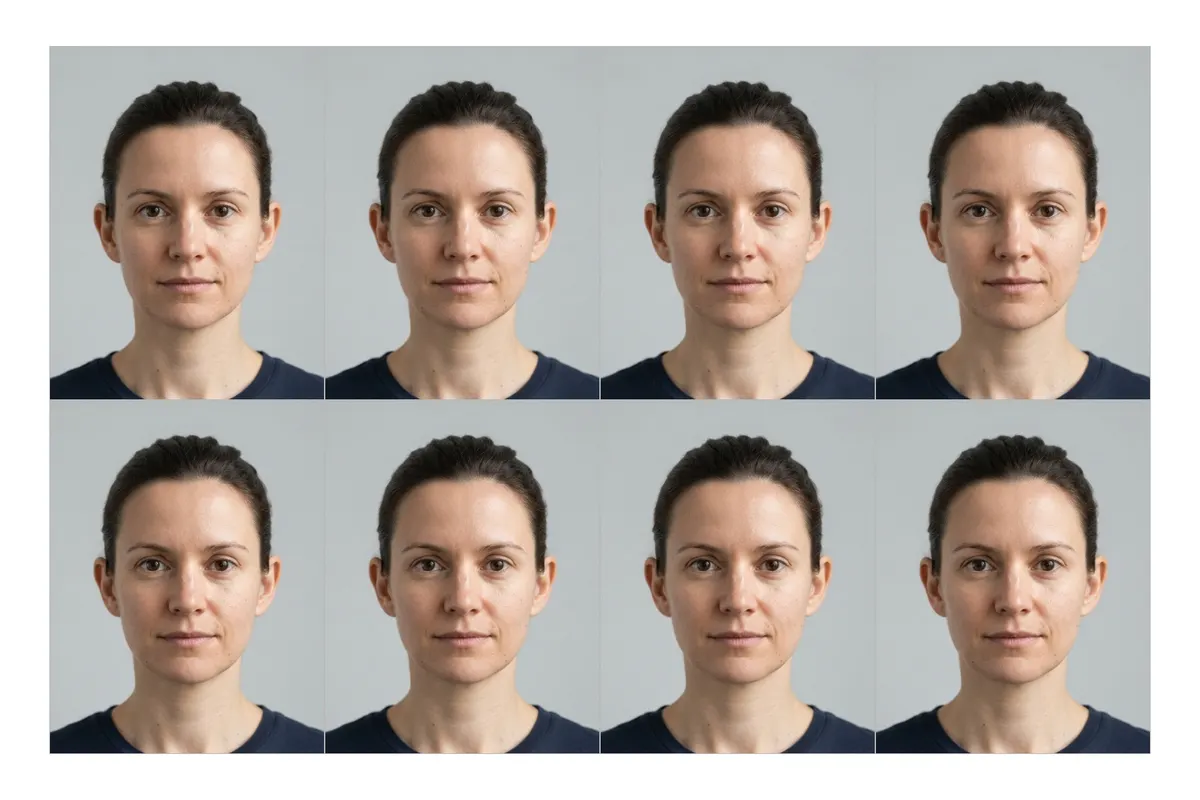
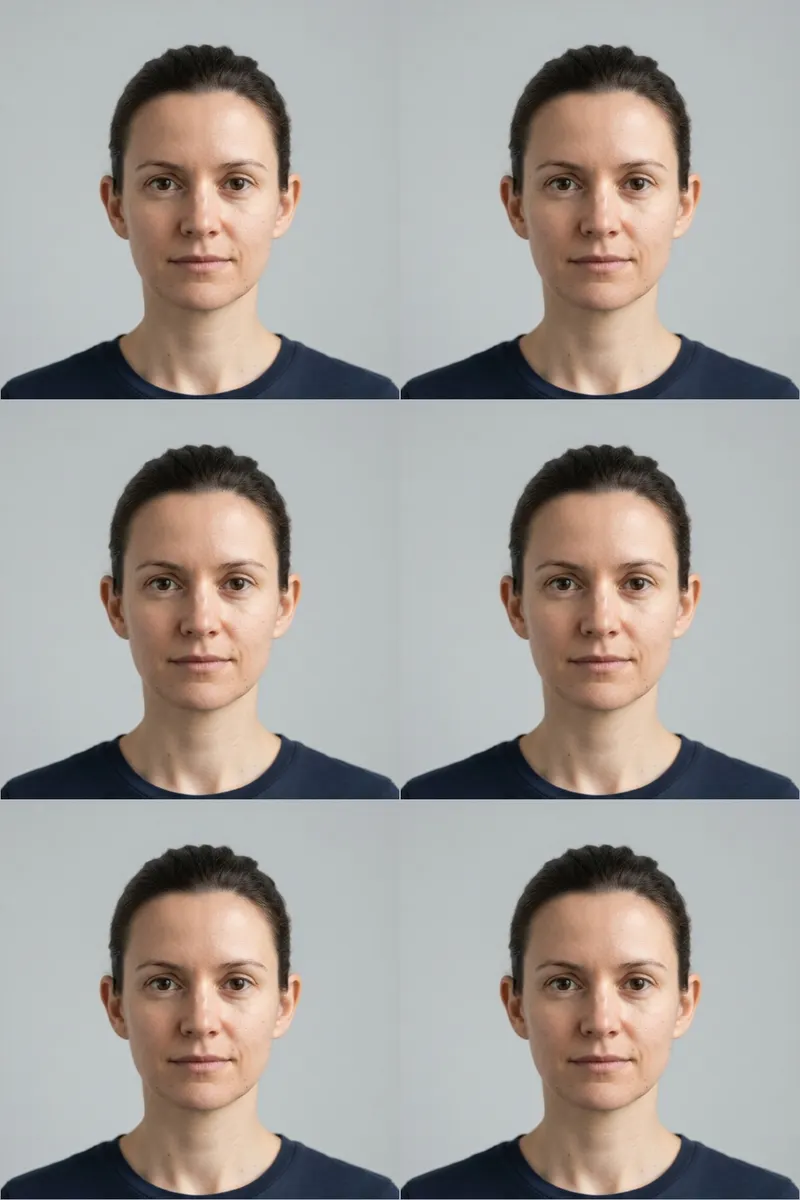
Download the print sheet. It lays out as many copies as fit on 4 × 6 inch photo paper or an A4 sheet at the resolution you chose, with thin grey cut lines around each photo and the DPI written into the JPG, so the copies print at exactly the right size. Print it at 100% or “actual size”, never “fit to page”.
On 4 × 6 paper, which photo shops print without borders, the tool fits six US 2 × 2 inch photos or eight 35 × 45 mm photos by placing them edge to edge; cut along the shared lines. On A4 it keeps a 6 mm margin for home printers, which cannot print to the edge. Some authorities set print quality rules: Australia asks for prints made by dye sublimation on heavy glossy paper rather than an inkjet, so take the sheet to a photo lab.
| Photo size | 4 × 6 in photo paper | A4 (6 mm margin) |
|---|---|---|
| 2 × 2 in (US) | 6, edge to edge | 15, with cutting gaps |
| 35 × 45 mm | 8, edge to edge | 32, edge to edge |
| 50 × 70 mm (Canada) | 4, edge to edge | 12, edge to edge |
Can you use this photo for an online passport application?
Sometimes, but check the digital rules, which are separate from the printed ones. For UK online applications GOV.UK asks for a digital photo at least 600 pixels wide and 750 pixels tall and between 50 KB and 10 MB, against a plain light background. The tool's 600 DPI download of a 35 × 45 mm photo is 827 × 1063 pixels, which meets the pixel minimum.
Canada's online renewal uses a different shape altogether: a JPEG at a 3:2 portrait ratio, between 1200 × 1800 and 3000 × 4500 pixels, 200 KB to 5 MB, with the face filling 45–50% of the height, saved directly from the original camera file. The tool's Canada size is the printed 50 × 70 mm photo, not that digital format. For US online renewals, follow the State Department's own digital photo instructions.
How do you take a passport photo that passes?
Most rejections start with the photo itself. The rules linked from the tool agree on the basics: a plain, light background with clear contrast to the face; even lighting with no shadows across the face or behind the head; the face square to the camera with a neutral expression, mouth closed and eyes open; and nothing covering the face. Canada asks for a plain white or light-coloured background; the UK for plain cream or light grey; India for plain white.
Photos also have a shelf life: Canada and Australia ask for photos taken within the last six months, and the UK's printed-photo rules ask for one taken in the last month. Take a new photo for each application rather than reusing an old one.
Why does the tool not whiten the background or retouch the face?
Because passport offices check photos for alteration, and some say so explicitly. Australia's guidance states that retouching is not allowed and that even small edits, such as smoothing skin or brightening the background, can affect biometric checks. A replaced background can also leave a visible halo around the hair.
So the tool only crops, scales and, if you ask, straightens the photo so the head is upright. If your background is not plain enough, the honest fix is to take the photo again against a better wall, not to edit it.
What else differs by country?
India: Passport Seva says no photo is needed when you apply at a Passport Seva Kendra or Post Office Passport Seva Kendra, because the photo is taken there. Germany: since May 2025 offices at home no longer accept paper photos; a photo studio sends the photo to the office electronically, or the office takes it. The federal interior ministry notes that printed 35 × 45 mm photos are still accepted abroad until consulates have their own capture equipment. UK: GOV.UK's printed-photo rules say a photo must not be cut down from a larger picture, so if you apply on paper, ask whether a photo cut from a print sheet is acceptable or use a photo booth; applying online with a digital photo avoids the question.
These are summaries of the linked pages as they stood when this guide was written. Always check the current page for your application before printing.
Is the photo uploaded?
No. The photo is opened, measured, cropped and saved in your browser; HueFold never receives it, and there is no account. Downloads are JPGs at 95% quality with the DPI in the header and no EXIF metadata from the original, so the camera's GPS location is not included. Closing the tab clears everything.
Frequently asked questions
How do I make a passport size photo online?
Open a front-facing photo, choose the country size, drag the markers to the top of the head and the chin, and download the photo or a print sheet.
What is the US passport photo size?
2 × 2 inches (51 × 51 mm) with a head of 1 to 1⅜ inches (25–35 mm), according to the US State Department.
What is the UK passport photo size?
35 × 45 mm printed, with a head of 29–34 mm. Online applications need a digital photo of at least 600 × 750 pixels.
How many passport photos fit on a 4 × 6 print?
Six US 2 × 2 inch photos or eight 35 × 45 mm photos, edge to edge.
Can I print passport photos at home?
You can print the sheet at actual size, but check the rules: Australia, for example, asks for lab prints rather than inkjet.
Will the tool change my background to white?
No. Altered photos can be rejected, so take the photo against a plain, light wall instead.
How is the head size measured?
From the bottom of the chin to the top of the head, using the two markers you place.
Is my photo uploaded?
No. Everything runs in your browser.
What DPI should I use?
300 DPI for printing; 600 DPI gives more pixels when a digital upload needs them.
Does India need a photo for a passport application?
Not when you apply at a Passport Seva Kendra or Post Office PSK, where the photo is taken. Otherwise 4.5 × 3.5 cm on white.
Are these rules always up to date?
They were checked against each official page when written. Rules change; follow the linked page for your application.
Related tools
- Compress Image to 20KB — Fit a photo under a small upload limit.
- Compress Image to 50KB — For forms with a 50 KB limit.
- Increase Image Size in KB — Reach a minimum file size, such as the UK’s 50 KB.
- Resize Image in Centimeter — Any printed size in cm at a chosen DPI.
- Crop Image — Free cropping for other photo sizes.
- Resize Image Pixel Online — Exact pixel sizes for online forms.