ASCII Art Generator
Turn any picture into ASCII art: classic, detailed, simple, block or Braille characters, at any width from 24 to 240, as plain text or in colour, ready to copy or save as TXT, HTML or an image.
Updated

How do you turn a picture into ASCII art?
Open a picture and it is drawn in characters at once. Choose a character set, the width in characters and the contrast; the tool picks light-on-dark or dark-on-light to suit the picture's background, and can tint every character in the picture's colours. Then copy the text, or download it as TXT, as an HTML page, or as a PNG, JPG or WebP image.
The sample portrait at the default 100 characters wide was 67 rows, 6,700 characters and a 6.6 KB text file. Everything happens in your browser, with nothing uploaded.
How to make ASCII art
- Open a picture A JPG, PNG or WebP, or the sample portrait.
- Pick characters Standard, Detailed, Blocks, Simple or Braille.
- Set the width 24 to 240 characters across, and the contrast.
- Copy or save Copy the text, or save TXT, HTML or an image.
Turn a picture into ASCII art
A real recording of this tool: the sample portrait in characters, the width changed to 60 and 160, the Blocks, Braille and Standard character sets, colour turned on, and the text copied.
- The sample portrait opens as ASCII art, 100 characters wide.
- The width is set to 60 characters, then 160.
- Blocks, Braille and Standard are tried.
- Colour is turned on.
- The text is copied.
How wide should my ASCII art be?
As wide as where it will be shown. Width is counted in characters across, from 24 to 240; the number of rows follows from the picture's shape. Detail grows quickly with width, and so does the text: the sample portrait was 27 rows and 1,080 characters at 40 wide, 67 rows and 6,700 characters at the default 100, and 161 rows and 38,640 characters at 240. Doubling the width roughly quadruples the characters, because the rows double too.
For a chat message, a code comment or a social bio, 30 to 60 characters fits without wrapping. For a README file or a terminal, 80 to 100 is the classic width. For a poster, a print or an image, use 150 or more, where faces and textures really come through.
| Width | Rows | Characters | TXT size |
|---|---|---|---|
| 40 characters | 27 | 1,080 | 1.1 KB |
| 60 characters | 40 | 2,400 | 2.4 KB |
| 80 characters | 54 | 4,320 | 4.3 KB |
| 100 characters | 67 | 6,700 | 6.6 KB |
| 140 characters | 94 | 13,160 | 12.9 KB |
| 200 characters | 134 | 26,800 | 26.3 KB |
| 240 characters | 161 | 38,640 | 37.9 KB |
How does a picture become ASCII art?
The picture is divided into a grid of cells, one per character, each twice as tall as it is wide, like the space a character takes in a monospace font. Each cell's average brightness picks a character from a ramp running from light to dark: a space for the lightest cells, then dots and dashes, up to dense characters such as # and @ for the darkest. The contrast slider stretches the brightness first, so more of the ramp is used.
Each cell's average colour is kept too, for the coloured version. Everything is worked out in your browser from the picture's own pixels; there is no AI involved, and the same picture and settings always give the same text.
Which character set should I use?
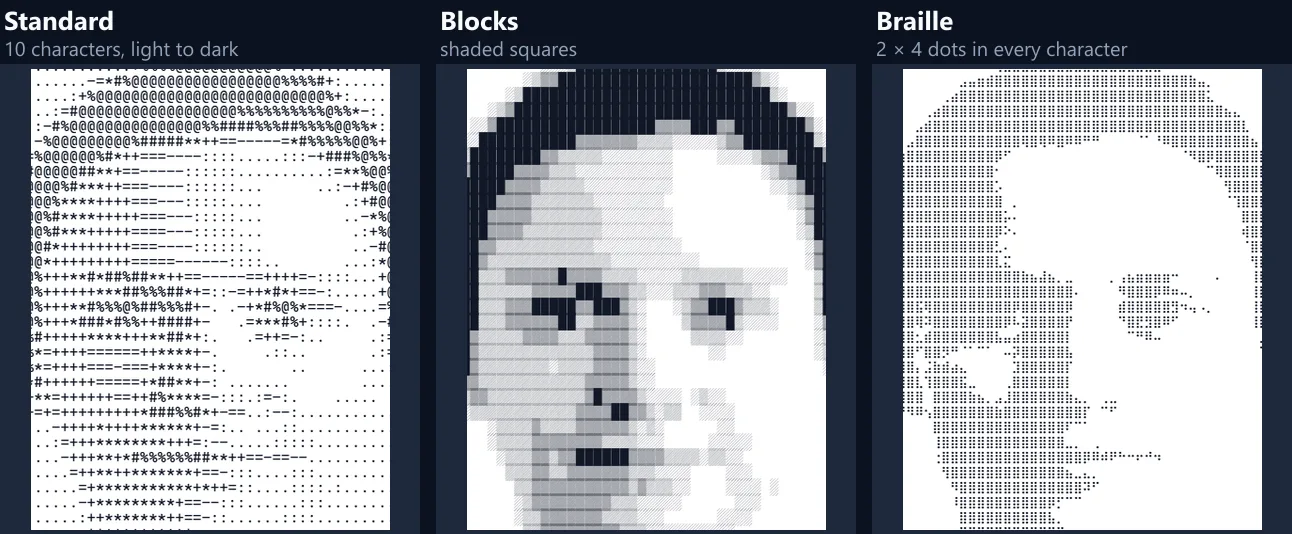
Standard is ten characters, from a space to @: the classic look, readable anywhere. Detailed uses 70 characters for finer shading, best at large widths. Simple has five (space, dot, o, O and @) for a bold, graphic look. Blocks uses the shaded block characters ░, ▒, ▓ and █, which give smooth tones and look almost like a picture. Braille packs a grid of 2 × 4 dots into every character, so it has four times the detail of the others at the same width; each dot is on or off.
Standard, Detailed and Simple are plain ASCII and work in any text box, email or code file. Blocks and Braille are Unicode characters: they show correctly in modern apps, chats and social media, but may look wrong in old terminals or fonts without them, and they take three bytes each in a UTF-8 text file.
Light text on dark, or dark text on light?
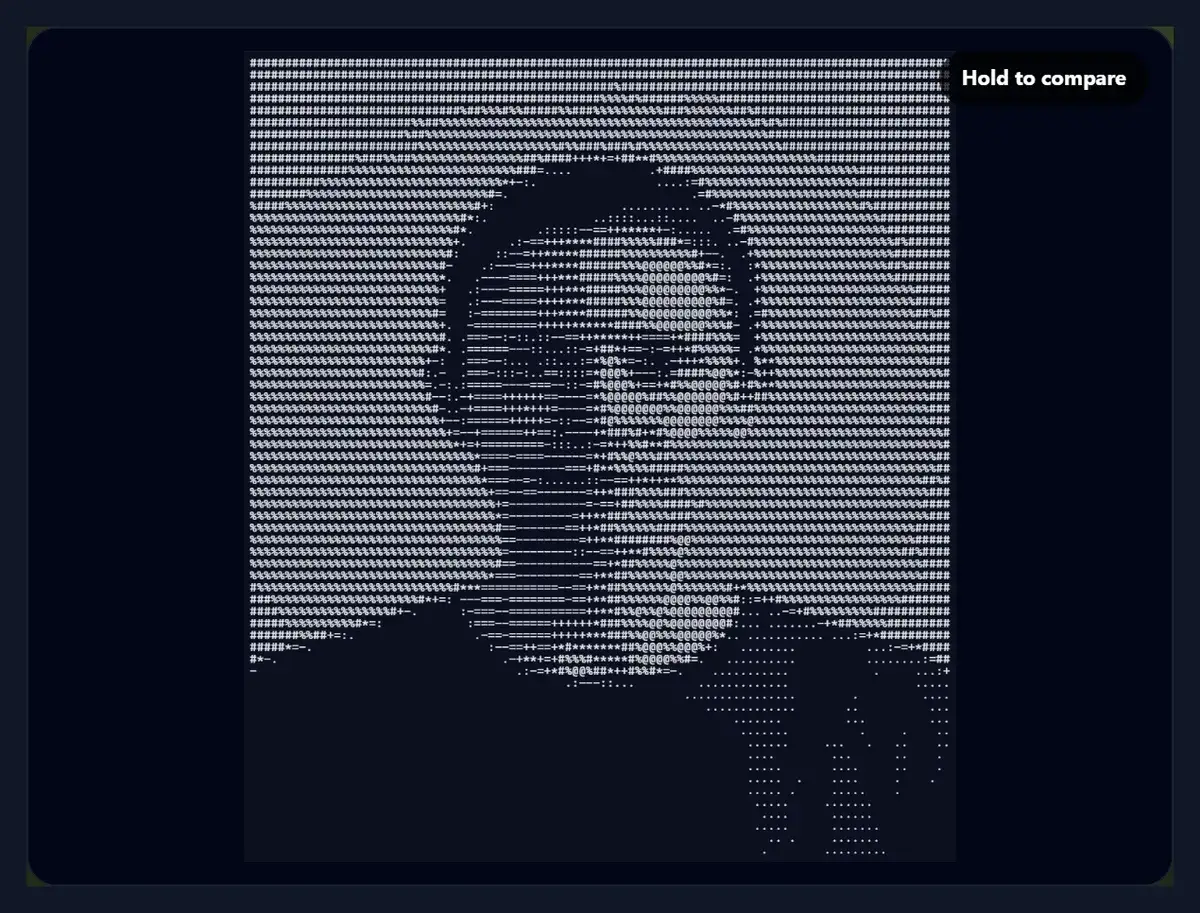
Whichever leaves the background empty, and the tool chooses it for you. When a picture opens, the tool reads the colour around its edge: on a dark background it picks light text on dark, on a light one dark text on light, so the background becomes spaces and the subject is drawn in characters. Untick or tick Light text on dark to change it.
The figure shows why it matters. The sample portrait has a pale wall behind it, so it opens as dark text on white; switched to light text on dark, the pale wall turns into a solid block of dense characters around the face.
Can ASCII art be in colour?
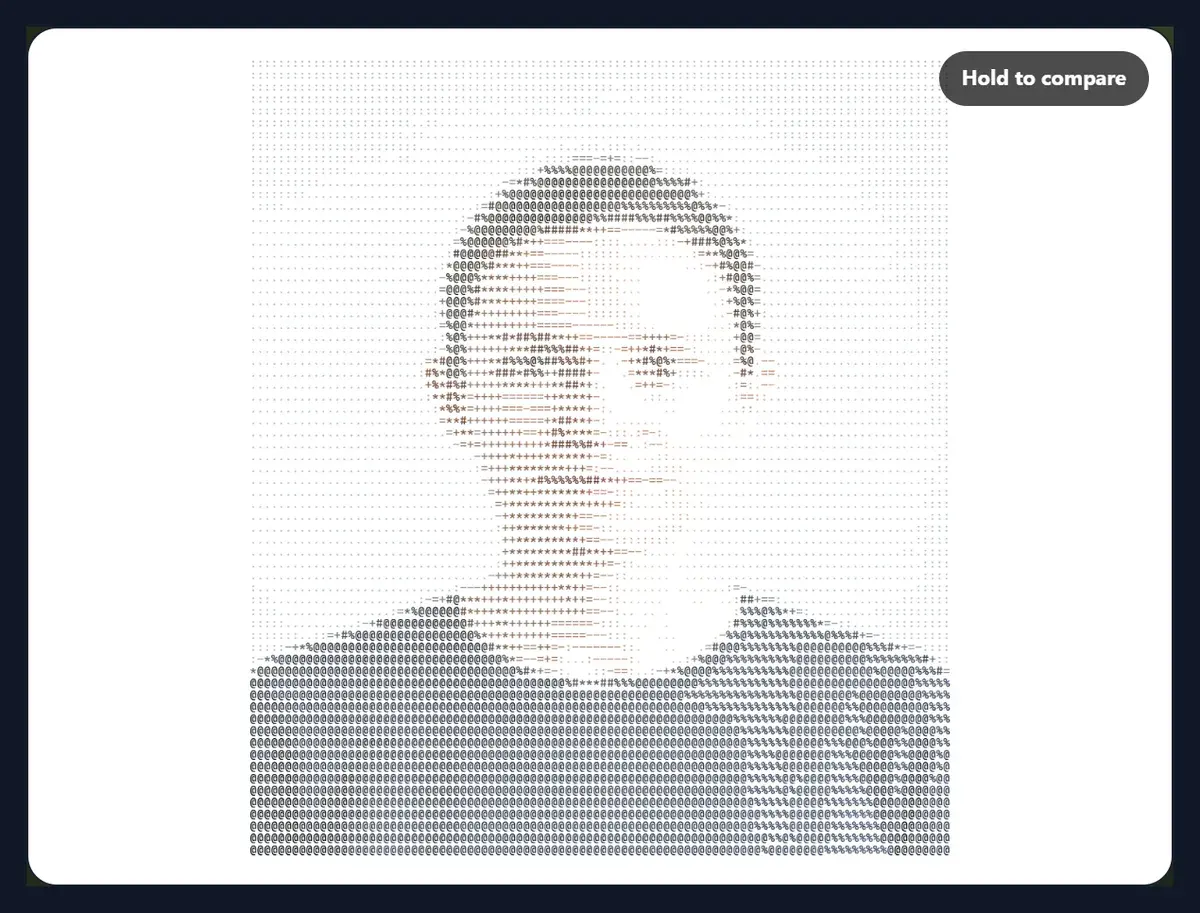
Yes. Tick In the picture's colours and each character is drawn in the average colour of its part of the picture. The colour is kept in the PNG or JPG image and in the HTML download, where each character is a coloured span inside a monospace block. The TXT download and the copied text are plain text and cannot hold colour.
Coloured ASCII art works best with dense character sets and larger widths. The coloured sample, saved as a PNG (the tool's default for ASCII art, since it keeps every character crisp), was 954 × 1088 pixels and 888.1 KB. Its HTML page at 100 characters wide was 235.8 KB, because every character carries its own colour; without colour the same page was 6.8 KB.
How do I copy or save the ASCII art?
Copy the text puts the art on your clipboard, ready to paste into a chat, a document, a code comment or a forum post. Download TXT saves the same text as a file. Download HTML saves a small web page with the art in a monospace font, coloured if colour is on, which opens in any browser. The image export below saves the art as a PNG, JPG or WebP picture, drawn at 16 pixels a character.
When you paste ASCII art, use a monospace font, such as Courier, Consolas or Menlo, or a code block: in a normal font the characters have different widths and the picture falls apart. In Discord, Slack, GitHub and Reddit, wrap it in three backticks.
Which pictures make good ASCII art?
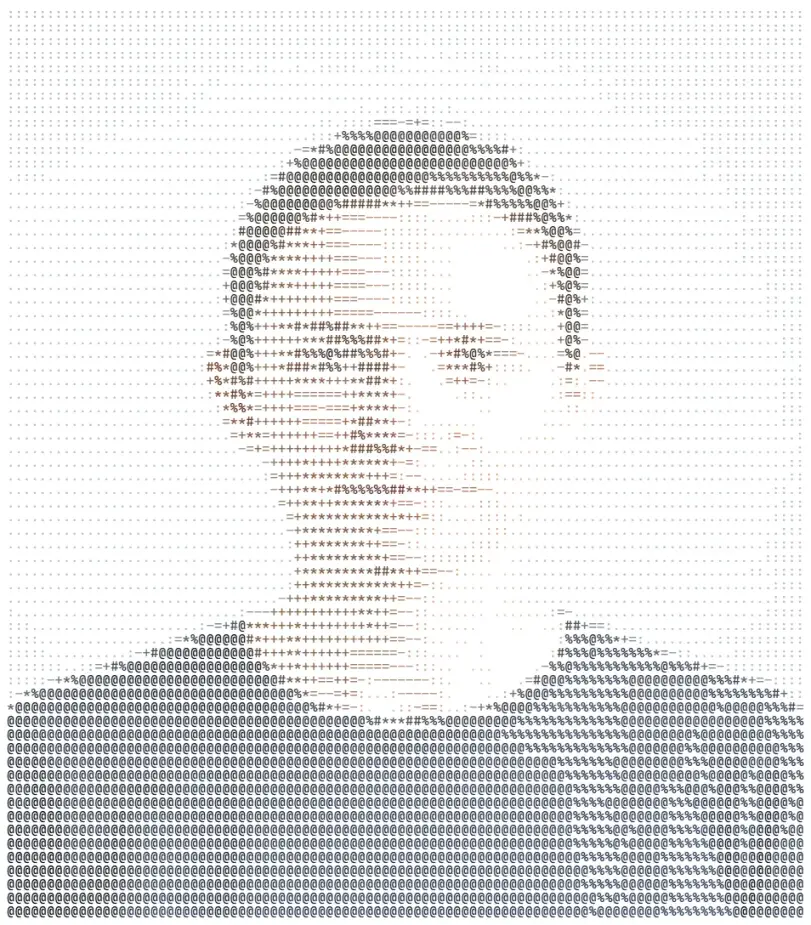
Pictures with a clear subject on a plain background and strong contrast: portraits against a wall, pets on a plain floor, logos, icons, silhouettes and simple drawings. Busy photos, such as a crowd or a forest, become busy text. Crop to the subject first, and raise the contrast slider if the result looks flat.
Logos and line drawings often look best with Blocks or Braille; faces with Standard or Detailed at 100 characters or more.
What does the contrast slider do?
It stretches or squeezes the picture's brightness before the characters are chosen, from −60 to +80. The default, +15, uses a little more of the ramp than the plain picture would. Raise it when the art looks grey and uniform, so light areas become emptier and dark ones denser; lower it when shadows turn into solid blocks.
For Braille, which turns each dot fully on or off, contrast decides where the edge between on and off falls: small changes can bring out or hide details such as eyes.
What is ASCII, and where does ASCII art come from?
ASCII is the character set computers have shared since 1963: 95 printable characters, the letters, digits, punctuation and the space, all the same width in a monospace font. Pictures made from them go back to typewriter art and early computer printouts, and they lived on in email signatures, forum posts, code comments and the banners at the top of README files and terminal programs.
Blocks and Braille are not ASCII in the strict sense but Unicode characters, which is why they need a modern app or font; the Standard, Detailed and Simple sets stay within plain ASCII.
Why are the character cells taller than they are wide?
Because characters are. In a typical monospace font, each character's space, with the line spacing, is roughly twice as tall as it is wide, so the tool reads the picture in cells of that shape: one character across covers half the height of one character down. That keeps faces and circles round when the text is shown in an ordinary monospace font with normal line spacing.
In a font with unusually wide or narrow characters, or with extra line spacing, the art looks a little squashed or stretched; the image export avoids that, because it is drawn with the tool's own font and spacing.
Is my picture uploaded?
No. The picture is opened and turned into text inside your browser tab; nothing is sent anywhere and there is no account. Copying uses your browser's clipboard, and the downloads are made on your device.
Large pictures are scaled down for reading, since a 240-character line needs only about a thousand pixels across; the image export is drawn from the characters, not from your photo.
Why does my ASCII art look wrong?
If the picture is stretched or squashed when you paste it, the font is not monospace, or its lines are taller or shorter than twice its width: use a monospace font and normal line spacing. If lines wrap, the box you pasted into is too narrow: use a smaller width. If Blocks or Braille show as boxes or question marks, the app's font has no such characters: use Standard.
If the background fills with characters, switch Light text on dark: the tool may have guessed wrong for a picture whose edge differs from the area behind the subject.
Frequently asked questions
How do I make ASCII art from a picture?
Open the picture, choose the characters and width, and copy or download the result.
Can I copy the ASCII art as text?
Yes. Press Copy the text, then paste it in a monospace font.
Can ASCII art be in colour?
Yes, in the image and HTML downloads. Plain text has no colour.
What is Braille ASCII art?
Art made of Braille characters, each a 2 × 4 grid of dots, for four times the detail.
Why does my pasted art look broken?
The font is not monospace. Use a code block or a font such as Consolas.
How wide should it be?
30 to 60 characters for chats, 80 to 100 for code and READMEs, more for images.
Is my picture uploaded?
No. Everything happens in your browser.
Does it use AI?
No. Characters are picked from each area’s brightness.
Is it free?
Yes, with no account and no watermark.
Related tools
- Glitch Effect Generator — Glitch a photo.
- Text Effects — Styled text as images.
- Grayscale Image — Turn a photo grey.
- Photo Effects — More looks for photos.
- Clipart — Turn a photo into clip art.
- AI Sketch and Draw — Turn a photo into a sketch.
Can I post ASCII art on social media?
As an image, yes; as text, rarely. Instagram, TikTok, X and Facebook show posts in proportional fonts, where an i is narrower than an m, so the rows no longer line up and the picture falls apart. Save the art as a PNG and post the image instead. Discord, Slack, GitHub and Reddit keep it intact when you put it in a code block.
In a chat, keep the width small, around 30 to 40 characters, so the lines do not wrap on a phone.