Glitch Effect Generator
Glitch any photo: RGB split, sliding slices, VHS scanlines, pixel sorting and corrupted blocks, from five presets and seven sliders, saved as a still image or a 3-second looping MP4.
Updated

How do you add a glitch effect to a photo?
Open a photo and it is glitched at once with the Digital glitch preset. Try RGB split, VHS tape, Pixel sort or Datamosh, fine-tune the seven sliders, and press Shuffle for a new arrangement of the same glitch. Download the still as JPG, PNG or WebP, or make a 3-second looping MP4 in which the glitch keeps changing.
The sample portrait was a 928 × 1152 JPG of 417.9 KB with the default glitch, and its loop a 2.36 MB MP4. Everything happens in your browser, with nothing uploaded.
How to glitch a photo
- Open a photo Choose a JPG, PNG or WebP, or try the sample.
- Pick a preset Digital, RGB split, VHS tape, Pixel sort or Datamosh.
- Adjust and shuffle Seven sliders, and Shuffle for a new arrangement.
- Download Save the still, or make a 3-second MP4 loop.
Glitch a photo
A real recording of this tool: the sample portrait glitched, the RGB split, VHS tape, Pixel sort and Datamosh presets, Shuffle pressed twice, and a 3-second MP4 loop made.
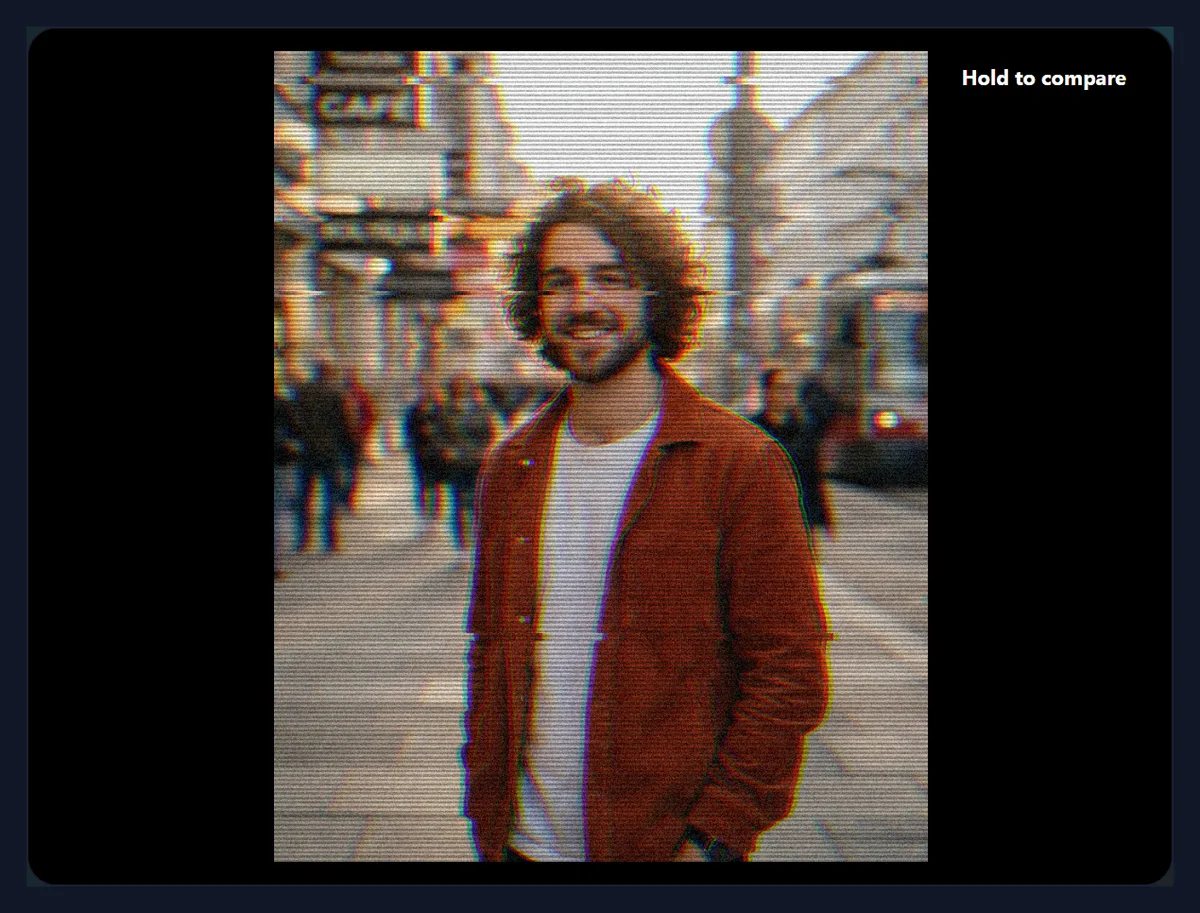
- The sample portrait opens with the Digital glitch preset.
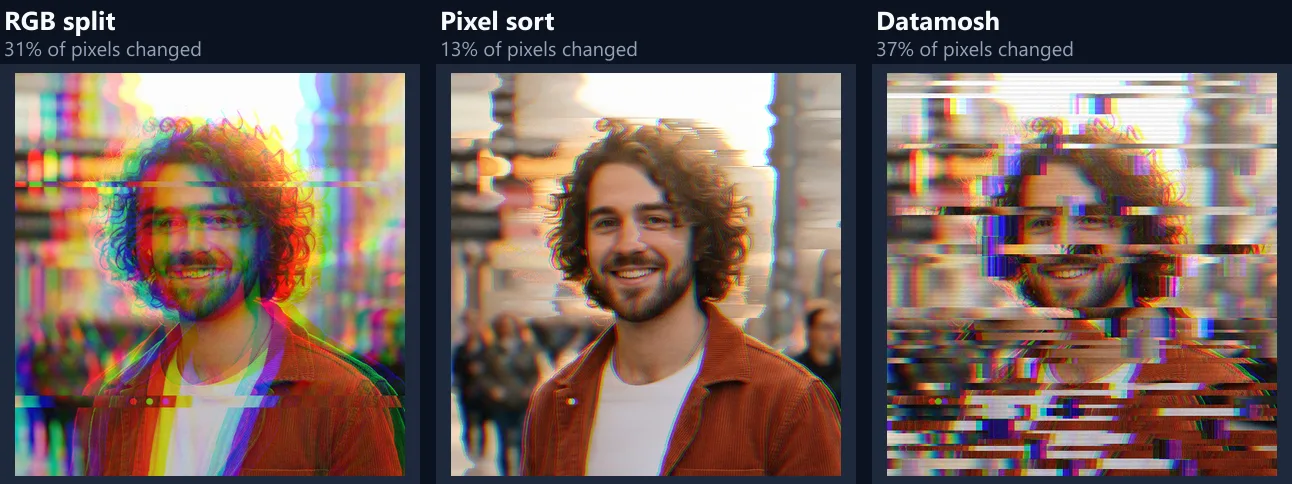
- RGB split, VHS tape, Pixel sort and Datamosh are tried.
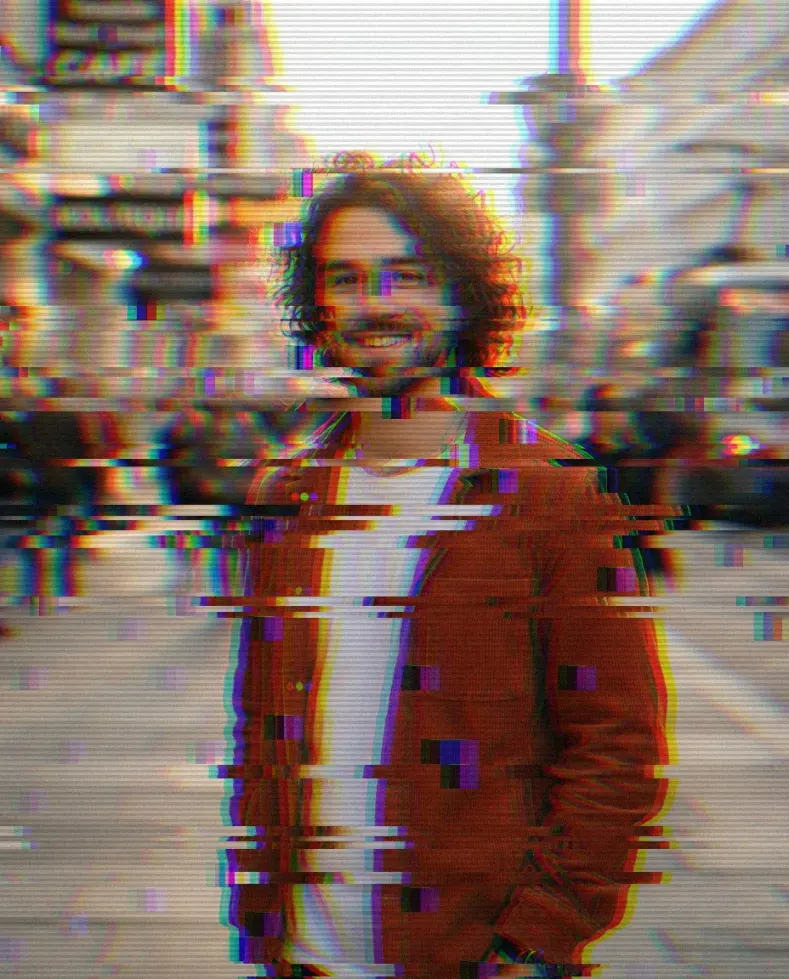
- Shuffle the glitch is pressed twice for new arrangements.
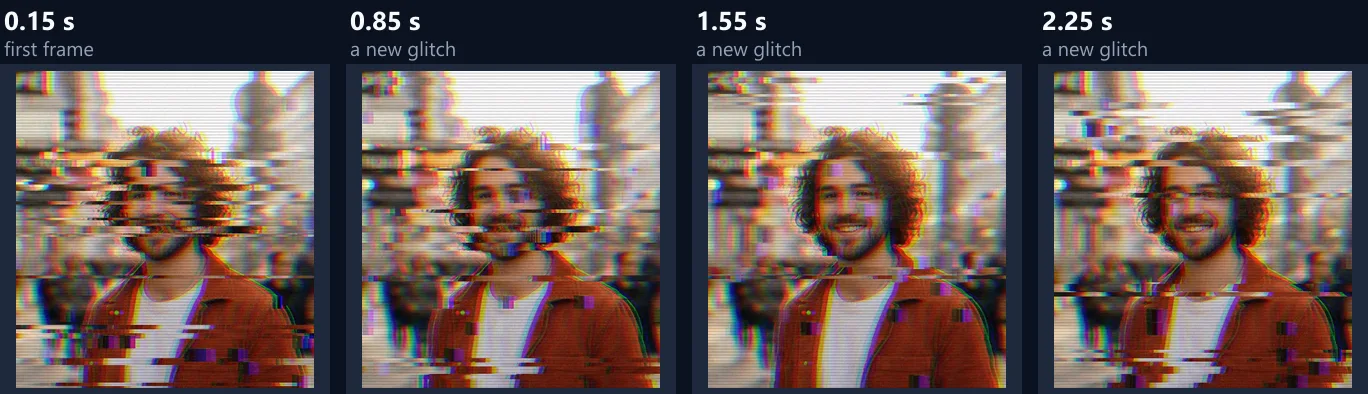
- A 3-second looping MP4 is made.
Which glitch style should I choose?
Start from a preset and adjust. Digital glitch, the default, mixes sliding slices, a small colour split, a few corrupted blocks, faint scanlines and noise. RGB split pulls the red and blue channels apart, the look of a misaligned screen or 3D glasses. VHS tape adds strong scanlines and noise with a slight colour bleed, like a worn videotape. Pixel sort smears the bright parts of each row into sorted streaks, a favourite of glitch artists. Datamosh piles on big sliding slices and many corrupted blocks, like a broken video stream.
They differ a lot in how much of the picture they change. Compared pixel by pixel with the original sample, VHS tape changed 43% of the pixels noticeably (by more than 24 of 255 levels on average), and Pixel sort only 13%: it moves only the runs of bright pixels in each row, so darker areas stay as they were.
| Preset | Pixels changed | PNG size |
|---|---|---|
| Digital glitch | 34% | 2.67 MB |
| RGB split | 31% | 2.27 MB |
| VHS tape | 43% | 3.01 MB |
| Pixel sort | 13% | 2.07 MB |
| Datamosh | 37% | 2.53 MB |
What does each slider do?
Colour split shifts the red channel one way and the blue the other, by up to 4% of the picture's width. Slices sets how many of 64 horizontal bands are cut, and Slice shift how far they slide sideways, wrapping round the edge, up to a quarter of the width. Pixel sort sorts runs of bright pixels in each row from dark to bright; the higher it is, the darker a pixel can be and still join a run, so more of the picture smears.
Blocks corrupts squares of a 40 × 40 grid over the picture: their colour channels are swapped and their rows smeared from the block's top line. Scanlines darkens every other line of about 360 down the picture, like an old screen. Noise adds grain. Every slider changes the preview at once, and the download is made at the photo's full size.
Why does the glitch look the same every time?
Because it is tied to fixed places in the picture. Which bands slide, which blocks break and where the grain falls are worked out from the position and a number called the seed, not at random each time. That way the preview, the full-size download and a second download are identical, and the glitch does not jump around while you move a slider.
To get a different glitch with the same settings, press Shuffle the glitch: it changes the seed, so other bands and blocks are chosen. Press it until the breaks fall somewhere you like, for example away from the face.
Can I make a moving glitch?
Yes. Make a 3-second glitch loop (MP4) turns your settings into a short video in which the glitch changes ten times a second, using a new seed each time, while everything else stays the same. It plays as a loop on social media and in messaging apps. The sample made a 870 × 1080 H.264 MP4 of 90 frames at 30 frames per second, 2.36 MB.
The video is made at up to 1,080 pixels on its long side, encoded by your browser with no upload, and has no sound. To use it as a story or reel background, place it in a video editor or the video resizer.
Which photos glitch best?
Photos with strong contrast and clear shapes: portraits against a plain background, city lights at night, neon signs, album-cover style shots. Bright areas give pixel sort something to smear; edges give the colour split something to separate. Flat, low-contrast photos change less, so raise the sliders for them.
Faces are the classic glitch subject, but keep the eyes readable if the picture is a profile photo: shuffle until the biggest breaks fall on the background or the clothes.
What are glitch effects used for?
Album and single covers, posters for music events, cyberpunk and vaporwave artwork, tech and gaming thumbnails, profile pictures, and social posts that need to stop the scroll. The looping MP4 suits stories, reels and video backgrounds; the still suits covers, banners and prints.
For a glitch on text alone, the text effects tool has a glitch style too.
Which format should I save?
JPG for sharing: it is the smallest for a photo and every app opens it. The glitched sample at 92% quality was 417.9 KB. PNG keeps every scanline and noise dot exactly, which matters for print or further editing, but is much larger: the presets saved as PNG were between 2.07 MB and 3.01 MB. WebP is smaller than both and suits websites.
Noise and scanlines are fine detail that JPG compresses less well than a smooth photo, so expect a glitched JPG to be larger than the original photo.
Can I see the original?
Yes: press and hold Hold to compare on the preview, or hold the space bar while the button has focus, to see the photo without the glitch, and let go to see it again. The comparison is shown in the same place and size, so you can see exactly which parts changed.
If the glitch has gone too far, lower Slice shift and Blocks first: they move the most pixels.
Where does the glitch look come from?
From real failures. Analogue TVs and worn VHS tapes slipped lines sideways, showed scanlines and let colours bleed past their edges; digital video that loses data shows broken blocks and smeared motion, because each frame is built from the frames before it. Glitch art copies these accidents on purpose, and the presets here imitate the most recognisable ones.
Pixel sorting is the odd one out: it never happened by accident. It is a deliberate rearrangement of pixels by brightness, invented by digital artists, and it has become part of the same look.
Can I glitch a logo or text?
Yes. Open an image of the logo or words, ideally on a plain dark or light background, and use RGB split with a few slices: the colour fringes and offset bands read clearly on simple shapes. Pixel sort and Datamosh are usually too strong for small text. For styled words alone, the text effects tool also has a glitch style, saved with a transparent background.
Make the loop for an animated logo sting: three seconds of changing glitch, ready for the start of a video or a social post.
Does the glitched photo keep its size and details?
It keeps its full pixel size: the glitch is applied to the photo at its own resolution, not to the preview. The file is a new image made by your browser, so it does not carry over the original's camera details or location, which is worth knowing before you post a photo taken at home.
If the photo was very large, it is scaled to the largest size the browser can safely draw, and the export panel shows the size you will get.
Is a flickering glitch loop safe for everyone?
Not always, so use it with care. Fast, high-contrast flicker can trigger seizures in people with photosensitive epilepsy, and accessibility guidelines such as WCAG ask that nothing flashes more than three times in any one second. The loop changes its glitch ten times a second, so its strongest settings can count as flashing when they cover a large part of the screen.
Keep strong loops small, short or low in contrast, never use one as a full-screen website background, and give viewers a way to pause it. The still image has no such concern.
How do I post the glitch loop?
As a video. The loop is an MP4 with H.264 video, up to 1,080 pixels on its long side, which is what Instagram, TikTok, X, WhatsApp and most other apps expect; it has no sound, so add music in the app if you like. Many apps repeat short videos on their own, so three seconds is enough to read as a loop.
For a longer clip, repeat it in a video editor, or open it in the video resizer first if it needs a different shape, such as 9:16 for a story.
Is my photo uploaded?
No. The photo is opened, glitched and saved in your browser tab, and the MP4 loop is encoded there too. Nothing is sent anywhere, there is no account, and no AI is involved: every effect is a calculation on the photo's pixels, done by the tool's own code.
Large photos are scaled to the largest canvas the browser can safely draw; the export panel shows the real size before you download.
Why does my glitch look wrong?
If the whole picture looks grey and lined, Scanlines and Noise are high: lower them. If nothing seems to happen with Pixel sort, the photo has few bright areas: raise the slider, which lets darker pixels join the streaks. If the loop button says the browser cannot write MP4, use a current version of Chrome, Edge or Safari, which can.
If the download looks different from the preview, check that the format and quality are what you wanted: a low JPG quality blurs fine noise and scanlines.
Frequently asked questions
How do I make a glitch effect?
Open a photo, choose a preset, adjust the sliders, and download.
Can I make a glitch GIF or video?
Yes: a 3-second looping MP4, which plays like a GIF on social media.
What is an RGB split?
The red and blue colour channels shifted apart, as on a misaligned screen.
What is pixel sorting?
Runs of bright pixels in each row sorted by brightness, which smears them into streaks.
Why is the glitch the same each time?
It is tied to places in the picture; press Shuffle for a new one.
Can I see the original?
Yes, hold the compare button.
Is my photo uploaded?
No. Everything happens in your browser.
Does it use AI?
No. The effects are calculated from the pixels.
Is it free?
Yes, with no account and no watermark.
Related tools
- Photo Effects — More effects for photos.
- Vintage Filter — An old-film look.
- Text Effects — Glitch-style text and more.
- Video Filters — Filters for videos.
- Photo Animation — Turn a photo into a short video.
- ASCII Art Generator — A photo made of characters.