Text Effects
Make styled text in seconds: 3D, neon, outline, drop shadow, long shadow, gradient, retro, glitch and sticker effects in eleven free fonts, saved as a transparent PNG or WebP sized to fit the effect.
Updated

How do you make a text effect?
Type your words and choose an effect: 3D, neon, outline, drop shadow, long shadow, gradient, retro, glitch, sticker or plain. Each effect comes with a font and colours that suit it; change the font, size, strength, letter spacing and colours to make it your own. Download the text as a PNG or WebP with a transparent background, sized to fit the letters and the effect.
The default, "Summer Sale" in 3D at 160 px, was a 976 × 288 PNG of 51.5 KB. Everything happens in your browser, with nothing uploaded and no account.
How to style text
- Type your text Up to 80 characters, on one or more lines.
- Pick an effect 3D, neon, outline, long shadow and six more.
- Adjust it Font, size, strength, letter spacing and colours.
- Download A transparent PNG or WebP, sized to the effect.
Make styled text
A real recording of this tool: new text typed, the Neon, Long shadow, Retro and Sticker effects tried, the strength raised and the text previewed on a colourful background, then a PNG downloaded.
- The tool opens with Summer Sale in 3D.
- The text is changed to Grand Opening.
- Neon, Long shadow, Retro and Sticker are tried.
- The strength is raised and the text is previewed on a colourful background.
- The PNG is downloaded.
Why are some text images bigger than others?
Because the effect needs room. Depth, glow, shadows and thick outlines reach beyond the letters, and the tool makes the image just large enough to hold them, so nothing is cut off at the edge. With the same words, "Summer Sale", in the same font (Anton) at the same 160 px size and the default 50% strength, the plain text made an image 934 × 246 pixels; Long shadow needed the most room, at 1208 × 520, because its shadow stretches far down and to the right.
Each image is the size of the text plus the effect, with a small margin, and transparent everywhere else. So a 3D or neon title will be a little larger than you might expect; place it by its letters, not by its box. Raising Strength makes depth, glow and outlines bigger, and the image grows with them.
| Effect | Width | Height | PNG size |
|---|---|---|---|
| 3D | 976 px | 288 px | 51.5 KB |
| Neon | 1072 px | 384 px | 400.1 KB |
| Outline | 956 px | 268 px | 38.2 KB |
| Drop shadow | 1008 px | 320 px | 81 KB |
| Long shadow | 1208 px | 520 px | 44.7 KB |
| Gradient | 934 px | 246 px | 64.5 KB |
| Retro | 992 px | 304 px | 63.8 KB |
| Glitch | 936 px | 248 px | 38.4 KB |
| Sticker | 956 px | 268 px | 75.8 KB |
| Plain | 934 px | 246 px | 22.8 KB |
Which text effects are there?
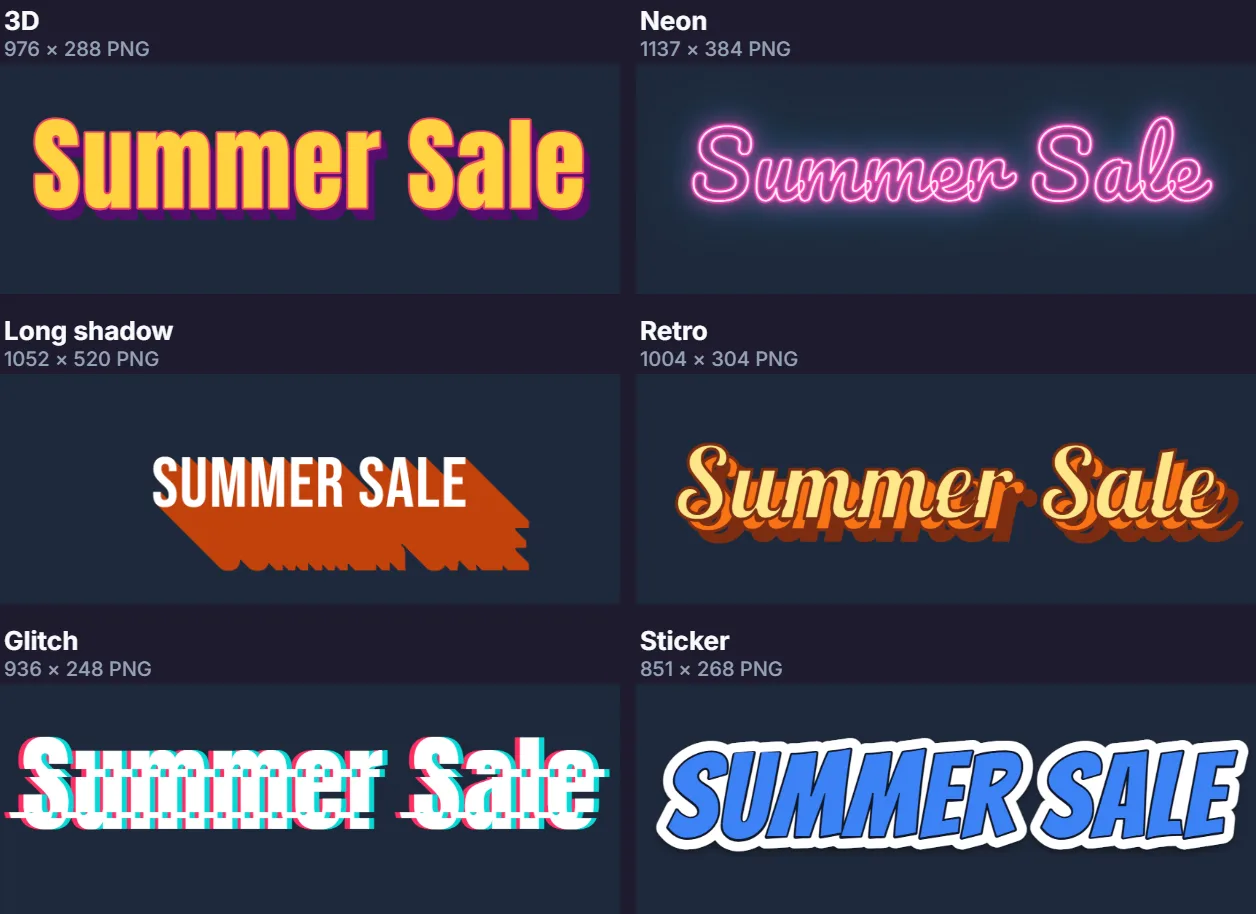
Ten. 3D stacks copies of the letters down and to the right in a dark colour, with an outlined face on top, like extruded letters. Neon draws the letters as thin bright tubes inside two soft glows, a wide one and a tight one. Outline gives the letters a bold stroke. Drop shadow casts a soft shadow below and to the right. Long shadow drags a flat shadow down at 45° for the flat-design look. Gradient fills the letters with a two-colour gradient from top to bottom, with an optional outline.
Retro sets two outlined, offset layers behind the letters, like 1970s lettering. Glitch splits the text into red and cyan copies and pushes three thin slices sideways. Sticker gives the letters a thick white edge, a thin dark line and a soft drop shadow, like a die-cut sticker. Plain is just the text, for when you only need a font as a picture. Choosing an effect also sets colours and a font that suit it; you can change both afterwards.
Which fonts can I use?
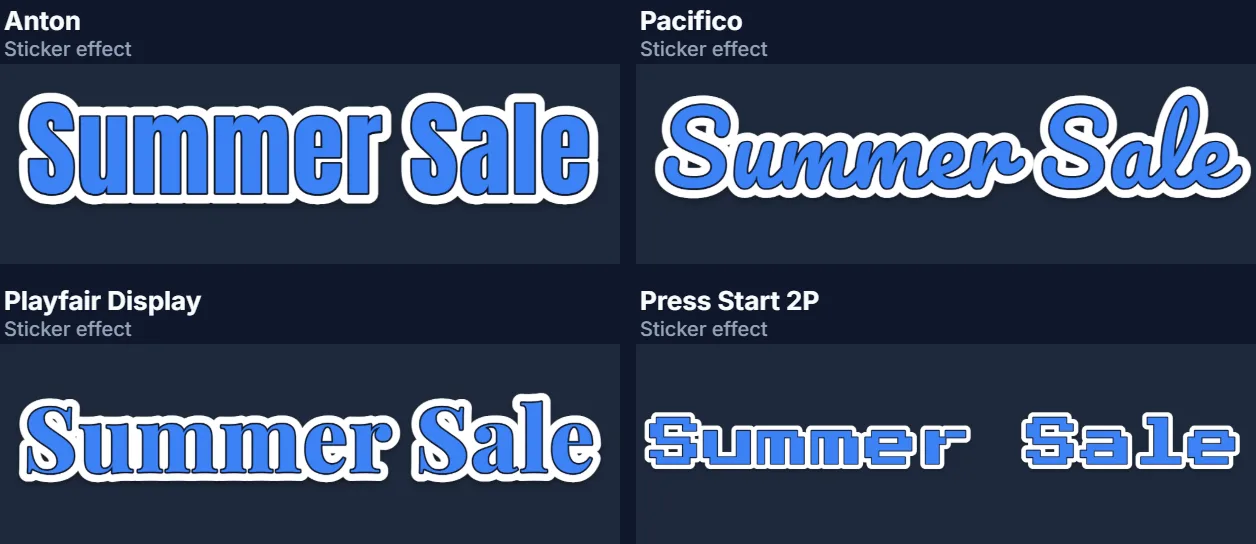
Eleven free Google Fonts: Anton and Bebas Neue (tall, condensed display letters), Montserrat Black and Inter Bold (clean sans serif), Playfair Display (an elegant serif), Lobster, Pacifico and Permanent Marker (script and hand-lettered), Bangers and Comic Neue (comic book), and Press Start 2P (pixel, for a retro game look). They load when the page opens; until they arrive, the preview waits.
All of them are under the Open Font License, apart from Permanent Marker, which is under the Apache 2.0 licence. Both allow the images you make to be used anywhere, including commercially. Every effect works with every font; condensed fonts like Anton give big effects room to breathe.
What do size, strength and letter spacing do?
Size is the height of the letters in pixels, from 40 to 320: it sets how large the finished image is, so choose it by where the text will be used, larger for a poster, smaller for a button. Strength, from 0 to 100%, controls how far the effect goes: the depth of 3D, the reach of a glow, the width of an outline or sticker edge, the length of a long shadow, the offset of the retro layers and the glitch.
Letter spacing moves the letters apart or together, from slightly tighter than normal to 30% of the size apart. Effects with outlines and glows often look better with a little more spacing, so neighbouring letters do not merge.
Can I change the colours?
Yes. Each effect uses up to three colours, Fill, Accent and Shadow, and the colour pickers change them. What each one does depends on the effect: for 3D the fill is the face, the accent its outline and the shadow the depth; for Neon the fill is the bright core and the accent and shadow are the two glows; for Gradient the fill and accent are the two ends of the gradient and the shadow is the outline.
Choosing a different effect resets the colours to that effect's own, so pick the effect first and the colours second. For brand text, set the fill to the main brand colour and the shadow to a darker shade of it.
Is the background transparent?
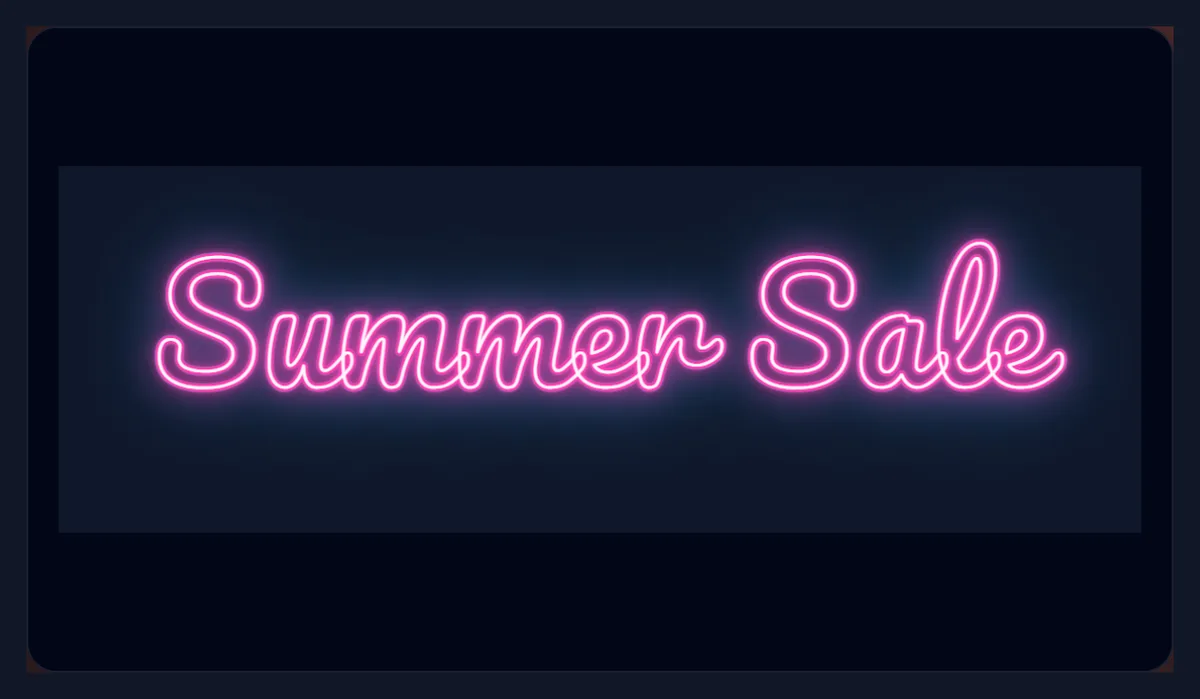
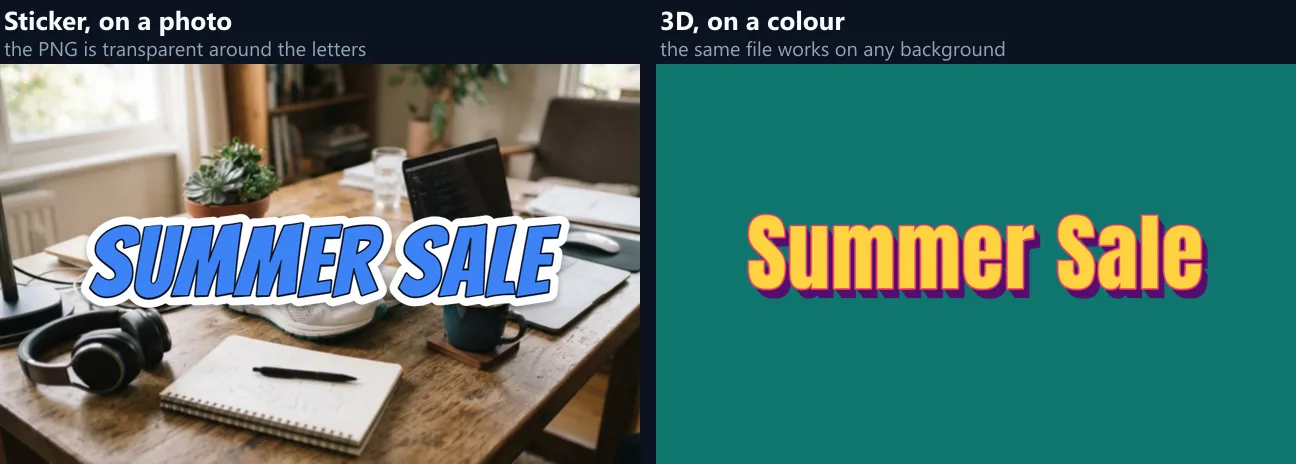
Yes, by default: the PNG or WebP holds only the styled text, so it can sit on a photo, a video, a slide or a web page without a box around it. Choose Dark or White as the background and that colour is saved into the image instead. Colourful is only a preview, to check how the text looks on a busy, colourful background; it is not saved.
Soft parts of an effect, such as a glow or a drop shadow, are saved as partly transparent pixels, so they blend with whatever is behind them, which is why neon looks right on a dark photo.
PNG or WebP?
PNG works everywhere: in every design app, office program, video editor and website, always with its transparency. WebP is usually smaller and is ideal for websites; most current apps open it too. The result panel shows the exact size of the file before you download: the default 3D "Summer Sale" was 51.5 KB as PNG.
There is no JPG, on purpose: JPG cannot be transparent, and it smudges the crisp edges of letters.
What can I use styled text for?
Titles for YouTube thumbnails, posters and flyers; headings for social posts and stories; logos and wordmarks for small projects; text for slides; sale and event banners; overlays for videos in any editor that accepts PNG; and stickers for messaging apps.
For text on a photo with a speech bubble or a caption box instead, use the speech bubble or add text to photo tools; for moving text, use the text animations tool.
How do I keep styled text readable?
Keep it short: effects are for a few words, not paragraphs. Make sure the fill contrasts with whatever will be behind it, and use the outline, sticker or drop shadow effects for text over busy photos, because their edge separates the letters from the background. Check the result small: a thumbnail is shown at a fraction of its size, so thin script fonts and subtle glows can disappear.
Neon and glitch are strongest on dark backgrounds; gradient and long shadow on plain, light ones.
How do I make a title for a YouTube thumbnail?
Keep it to three to five words, choose an effect with a strong edge, such as Sticker, Outline or 3D, so the letters stand out from the photo, and use a size of 200 pixels or more: a thumbnail is 1280 × 720, and it is shown much smaller in search results and on phones. Download the PNG and place it over your thumbnail image in an editor, or with the overlay images tool.
Pick colours that contrast with the photo behind the words, not just with each other: yellow and white read well over most photos; dark text needs a light outline or sticker edge.
Should I use a text image on my website?
For decorative headings, banners and logos, yes, with alt text that says what the image says. For anything people should be able to search, copy or translate, use real text styled with the website's own fonts instead: search engines and screen readers read text, and an image of text cannot be resized by the reader.
Save at twice the size it will be shown, so it stays crisp on high-resolution screens, and choose WebP for a smaller download.
Is anything uploaded?
No. The text is drawn and saved inside your browser tab, nothing is sent anywhere, and there is no account or watermark. The page loads its fonts from Google Fonts when it opens, as many websites do; your text stays on your device.
The tool works on phones too: the PNG is saved to your files or photos, depending on the phone.
Why does my text look wrong?
If the font looks plain, it is still loading: wait a moment and the preview redraws. If letters overlap in an outline or neon effect, add letter spacing. If the image is larger than you need, lower the size or the strength. If a long shadow or 3D looks too heavy, lower the strength or pick a lighter shadow colour.
Text is limited to 80 characters and can have two or more lines: press Enter in the text box for a new line, and each line is centred.
Frequently asked questions
How do I make 3D text?
Type your text, choose 3D, and adjust the strength for more or less depth.
How do I make neon text?
Choose Neon; it sets a glowing pink style on a script font. Preview it on Dark.
Is the background transparent?
Yes, unless you choose Dark or White, which are saved in the image.
Can I use my own colours?
Yes. Change the fill, accent and shadow colours.
Which fonts are there?
Eleven free Google Fonts, from Anton to Press Start 2P.
Can I use the images commercially?
Yes. The fonts are under the Open Font License or Apache 2.0, which allow it.
Why is the image bigger than the text?
It includes the effect, such as depth or glow, so nothing is cut off.
Is anything uploaded?
No. The text is drawn in your browser.
Is it free?
Yes, with no account and no watermark.
Related tools
- Curved Text Generator — Text along a curve or circle.
- Text Animations — Moving text for videos.
- Add Text to Photo — Put text on a photo.
- Speech Bubble — Comic speech bubbles on a photo.
- Glitch Effect Generator — Glitch a whole picture.
- PNG Maker — Make transparent PNGs.