Beat Sync
Cut video clips to the beat of a song: the tempo and beats are found for you, and every cut lands on a beat, every two beats, a bar or two bars. 9:16, 16:9 or square MP4.
Updated
How do you sync video cuts to music?
Add your clips and a song. The song's beats are found, and you choose how often to cut, where in the song to start and how long the video should be. Press Make the beat-synced video and every cut lands on the beat, with the song under the picture.
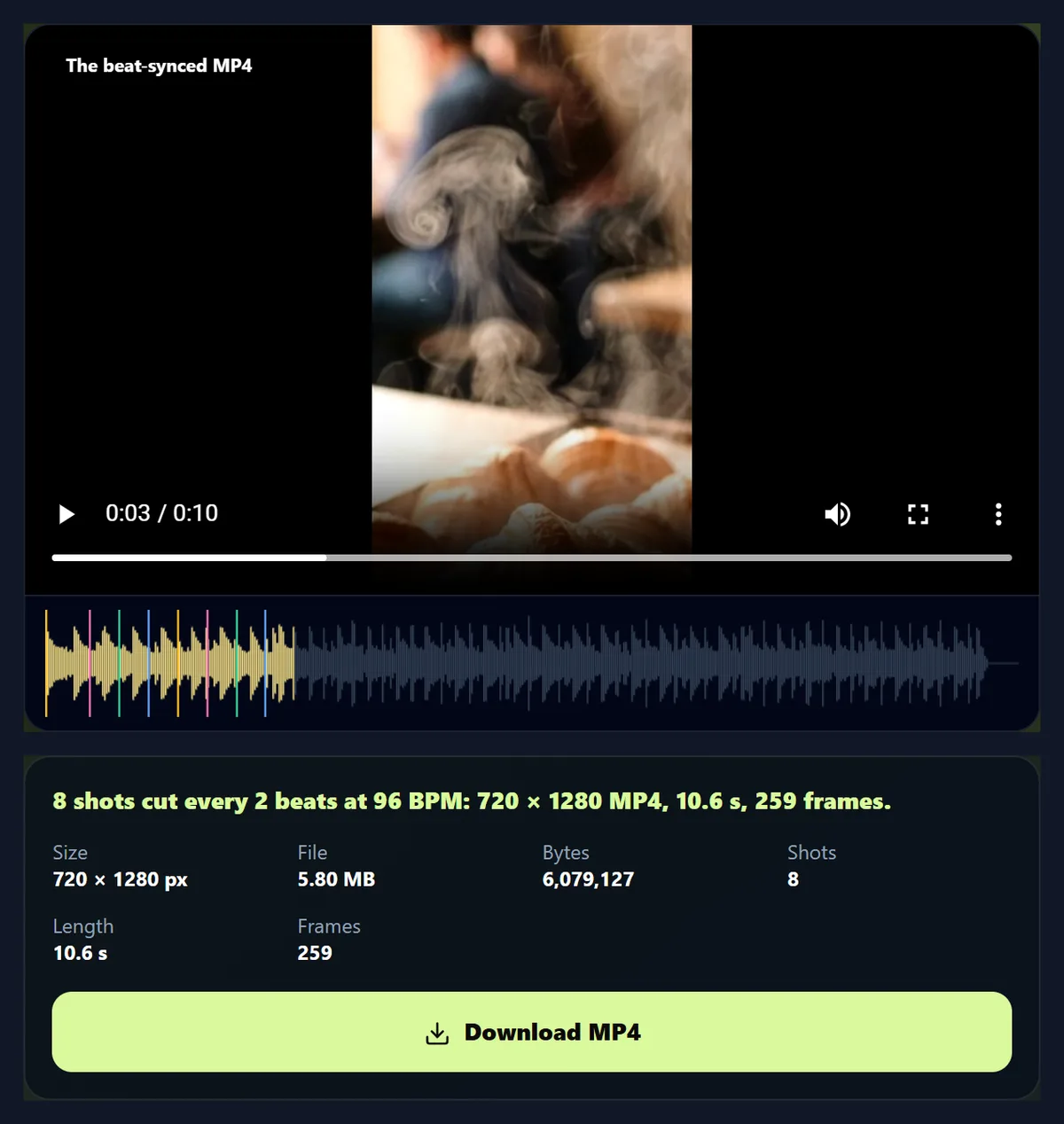
The four sample clips cut every two beats of the 96 BPM sample beat made a 10.6-second video of 8 shots. Your clips stay on your device.
How to cut clips to the beat
- Add clips Up to eight videos.
- Choose a song Its beats are found for you.
- Choose the cut Every beat, 2 beats, a bar or 2 bars.
- Make and download An MP4 with the song.
Cut clips to a beat
A real recording of this tool: the sample clips and beat loaded, the beats found, three cut lengths tried, and the beat-synced MP4 made and played.
- The sample clips and the sample beat are loaded, and the beats are found.
- Cutting every beat, every bar and every two beats is tried.
- The beat-synced MP4 is made and plays.
How many shots will my video have?
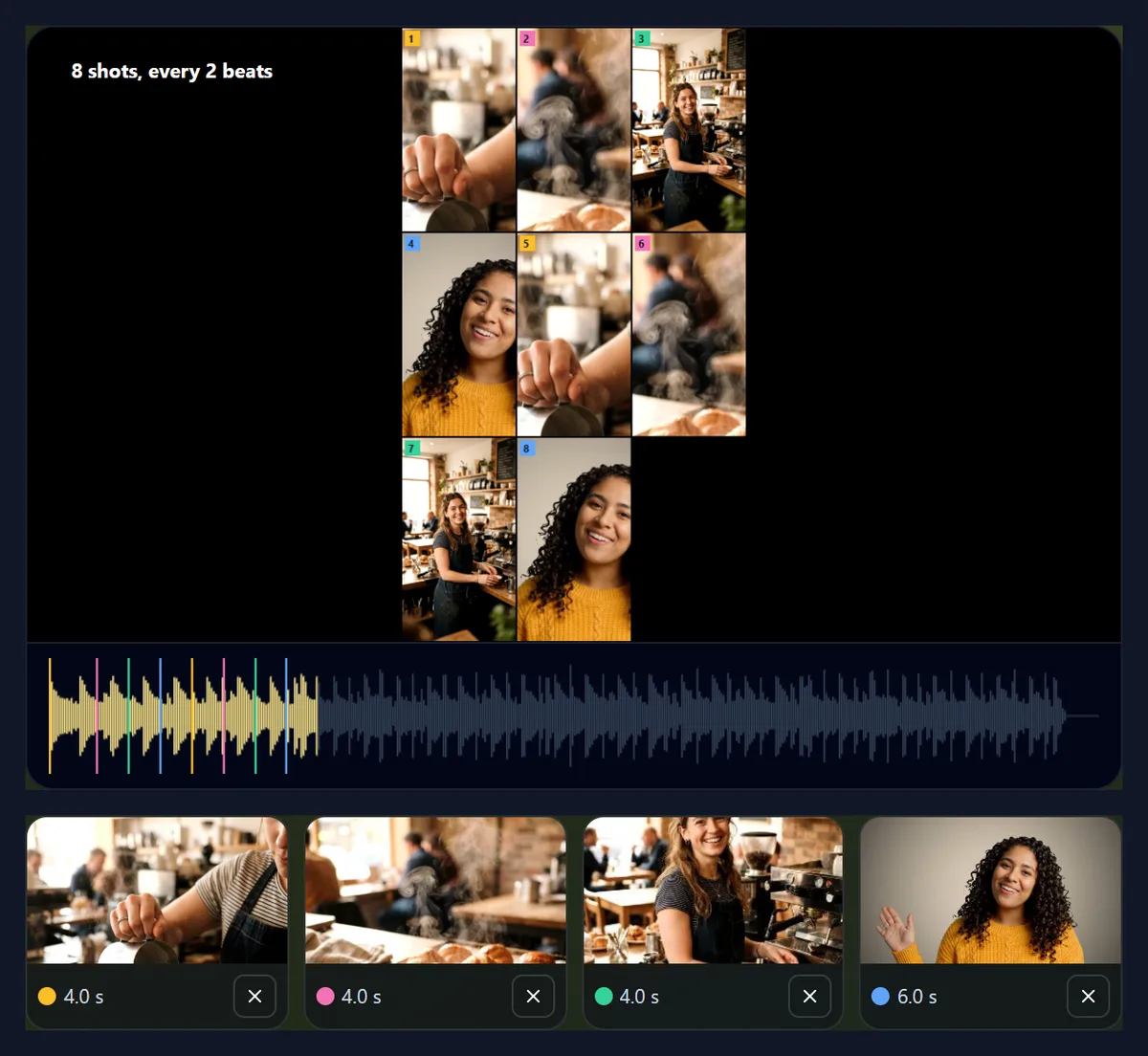
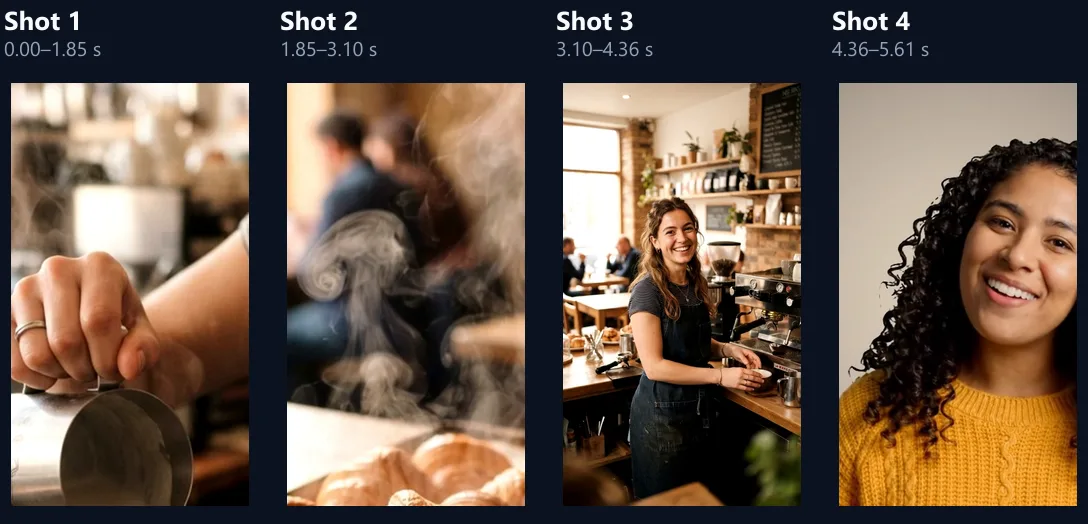
It depends on how often you cut. The sample beat runs at 96 beats a minute, one beat every 0.625 seconds. Cutting on every beat, about ten seconds of the four sample clips made 16 shots; every two beats, 8; every bar of four beats, 4; every two bars, 2.
Fast cuts on every beat feel energetic, like a dance or sports edit; cuts every bar feel calm and let each shot be seen. Every two beats is a good middle for most music. The length slider rounds to a whole number of shots, so the video always ends on a cut.
| Cut every | Shots | Each shot | Video |
|---|---|---|---|
| Beat | 16 | 0.63 s | 10.0 s |
| 2 beats | 8 | 1.25 s | 10.6 s |
| Bar (4 beats) | 4 | 2.50 s | 10.6 s |
| 2 bars | 2 | 5.00 s | 10.6 s |
How do you sync video clips to a beat?
Add your video clips and choose a song, or try the samples. The song is sent once to HueFold's beat finder, which returns its tempo, its beats and its sections. Choose how often to cut, where in the song to start and how long the video should be; the storyboard shows each shot and the waveform under it shows a line at every cut. Press Make the beat-synced video and the clips are cut and joined with the song under them.
With the samples, the beat finder found 96 BPM and 65 beats; cut every two beats, the four clips became a 720 × 1280 video of 10.6 seconds.
How are the beats found?
By measuring the song, not by AI. The beat finder splits the sound into 40 bands, marks where energy jumps (the onsets of drums and notes), finds the tempo from how regularly those jumps repeat, between 60 and 200 beats a minute, and then places each beat where the onsets are strong and the spacing is closest to that tempo. It also finds sections, such as intro, verse and chorus, from where the sound's character changes.
The tool then fits a steady grid to the beats it found, so cuts follow the tempo exactly even where a drum is late or a beat is quiet.
Do the cuts really land on the beat?
Yes. ffmpeg's scene detection found 7 cuts in the finished sample video, each within 1 millisecond of a line of the song's beat grid, less than a frame at 24 frames a second. Each shot is exactly a whole number of beats long, and each frame is written at its own moment, so the cuts cannot drift as the video goes on.
If a cut feels early or late, change Start the song at by a fraction of a second: the whole grid moves with it.
Can I choose where the song starts?
Yes. Start the song at moves through the song, and the highlighted part of the waveform shows what will play. Start on the loudest part jumps to the chorus or the most energetic section the beat finder found, which is usually what you want for a short video.
The music fades out over the last second, or a quarter of the video if that is shorter, so it never stops abruptly.
How are the clips used?
They take turns, in the order you add them, and each picks up where it left off last time, so a four-second clip gives several different shots rather than the same opening again. A clip shorter than one shot is passed over. Up to eight clips can be added.
Clips of another shape are filled and cropped to the video's shape, or fitted on a blurred copy or black: choose under Clips of another shape.
Can I keep the clips’ own sound?
Yes: raise Clips' own sound. At 0%, the default, only the song plays, which is usual for a beat edit; at 30% to 50% the clips' sound sits under the music.
The sample video's sound averaged -13.5 dB and peaked at -1.5 dB.
Which shape should the video be?
9:16 for Reels, TikTok and Shorts, where beat edits are most at home; 16:9 for YouTube; 1:1 for feeds. Choose 720p for quick sharing or 1080p for the sharpest result.
The sample video was 720 × 1280, 5.80 MB.
Which songs work best?
Songs with a clear, steady beat: pop, hip-hop, electronic and dance music. Songs with a free tempo, such as some classical or ambient music, may have no steady beat to find, and the tool says so. Use music you have the right to use; the sample beat was made for HueFold and is free to use.
The song is analysed in a temporary folder on HueFold's server that is deleted straight afterwards; only its tempo, beats and sections come back.
How long does it take?
Finding the beats takes a few seconds. Making the video takes about twice its length, because each shot plays through at half speed so that no frame is missed.
Keep the tab in front while it works.
What do BPM and beats mean here?
BPM, beats per minute, is the song's tempo: at 96 BPM a beat falls every 0.625 seconds. Most pop and dance music counts in bars of four beats, so a bar is four beats long and two bars eight. Cutting every beat, every two beats, every bar or every two bars is how editors match cuts to the feel of a song.
The beat finder reports the tempo it found; the sample beat came out at 96 BPM, as it was made.
In what order are the clips used?
In the order you added them, round and round: shot 1 from clip 1, shot 2 from clip 2, and so on, back to clip 1 when every clip has had a turn. Each clip picks up where its last shot ended, so a clip shows more of itself with each turn rather than repeating.
To change the order, remove clips and add them again in the order you want.
How long can the video be?
From about 3 seconds up to a minute, rounded to a whole number of shots so that it ends on a cut. The longer the video, the more turns each clip takes, and the further into each clip the shots reach.
With short clips and a long video, clips run out and start again from their beginning.
What if the beats are found in the wrong place?
The tool fits a steady grid to the beats it finds, so a missed or extra beat does not move the cuts. If the whole grid sits off the beat, for example on the off-beat of a song with a strong off-beat, move Start the song at by half a beat, 0.3 seconds at 96 BPM, and every cut moves with it.
Songs with a steady drum beat give the most reliable grid.
What can I do with the beat-synced video?
Post it as a Reel, a TikTok or a Short; add titles with the add text to video tool; or add sound effects on the cuts with the sound effects tool. Keep the song's volume as it is: the cuts are timed to it.
To make a beat-cut reel from photos, the AI reel maker can cut photos on the beat too.
Which clips and songs can I use?
Any videos your browser can play, of any shape, and songs in MP3, M4A, AAC, WAV, Ogg or FLAC. The result is an MP4 with H.264 video and AAC sound.
If a clip will not open, convert it with the video to MP4 converter first.
How fast should the cuts be?
Match the energy of the song and the content. Fast songs and action clips suit cuts on every beat or every two beats; slower songs, scenery and people talking suit cuts every bar or two bars, which give each shot time to be seen. If a shot feels too short to understand, cut less often.
The storyboard shows how many shots you will get, so you can try each setting before making the video.
Which clips work best?
Short clips with movement: a pour, a step, a turn, a wave, a car passing. Each shot is only a second or two, so clips that change quickly read well, and clips with a still start waste the shot. Four to eight clips give enough variety for a ten-second video.
Clips of different shapes are all fitted to the shape you choose, so phone and camera clips can be mixed.
Are my clips uploaded?
No. Your clips stay on your device: they are cut, joined and encoded inside your browser tab. Only the song is sent, once, to find its beats, and it is not kept.
No watermark, no sign-up.
Why does it say no steady beat was found?
The song may have no regular tempo, or be very quiet or very short. Try another song or the sample beat. If the beat finder is unavailable, try again in a minute; it allows a few songs a minute per visitor.
If a clip will not open, your browser cannot play its codec: try Chrome or Edge, or convert it to MP4 first.
Frequently asked questions
How do I sync video to the beat?
Add clips and a song, choose how often to cut, and press Make.
How are the beats found?
By measuring the song’s onsets and tempo, not by AI.
Can I cut on every beat?
Yes, or every 2 beats, every bar or every 2 bars.
Can I start on the chorus?
Yes. Start on the loudest part jumps to it.
Can I keep the clips’ sound?
Yes, at any level under the music.
Which shapes can I make?
9:16, 16:9 or 1:1, at 720p or 1080p.
Are my clips uploaded?
No. Only the song is sent, to find its beats, and it is not kept.
Is there a watermark?
No.
Related tools
- AI Reel Maker — A reel cut on the beat for you.
- Merge Videos — Join clips with straight cuts.
- Add Music to Video — A song under one video.
- Add Music to GIF — A GIF that loops on the beat.
- Video Transitions — Join clips with transitions.
- Images to Video — A slideshow with music.