Flip Image
Turn a picture over left to right or top to bottom. Fix a selfie whose lettering reads backwards, face a product the other way, or turn a scan the right way round. Pixel-exact, in your browser.
Updated

How do you flip an image?
Open the image, choose Horizontal to swap left and right, Vertical to swap top and bottom, or Both, and download it. Flipping moves every pixel to its mirror position without changing it: a horizontal flip sends the pixel at column x to column width − 1 − x and leaves its row alone. Nothing is blended or resampled, so the flipped photo is exactly as sharp as the original.
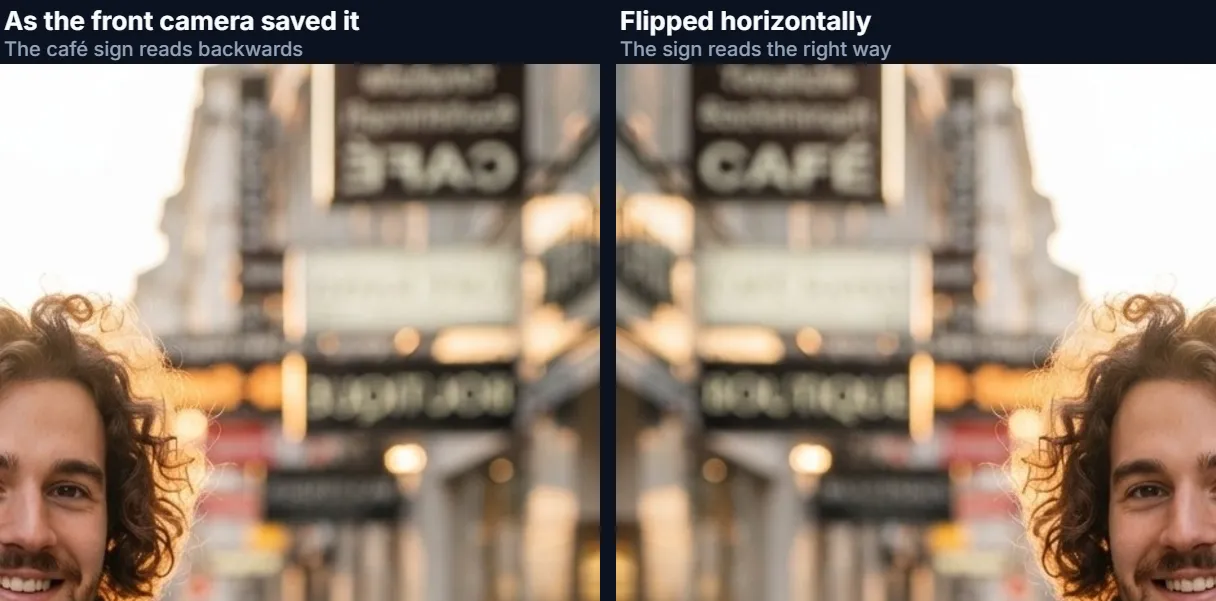
The most common reason to flip a photo is a selfie. Many front cameras show you a mirror image while you frame the shot, and some phones and apps save the photo that way too, so any writing in the picture comes out backwards: a shop sign, a T-shirt slogan, a book title. A horizontal flip turns it the right way round. Flipping is also how you make a subject face into a layout, or correct a scan made with the page placed the wrong way.
The sample here is a street portrait mirrored the way a front camera can save it, so the café sign behind the person reads backwards. One horizontal flip fixes it. The photo never leaves your device.
How to flip an image online
- Open the image Choose a JPG, PNG or WebP, drop it on the preview, or use the mirrored selfie sample.
- Choose the flip Horizontal swaps left and right, Vertical swaps top and bottom, Both does the two together.
- Compare Press Original to see the photo as it was, then pick the flip again. Check any lettering reads correctly.
- Download Choose JPG, PNG or WebP and download at the full original size.
Fix a mirrored selfie by flipping it
A real recording of this tool: a mirrored selfie is flipped horizontally, compared with the original, flipped vertically and both ways, then downloaded.
- The mirrored selfie opens already flipped horizontally, so the sign reads correctly.
- Original shows it as saved, with the sign backwards; Horizontal fixes it again.
- Vertical and Both are tried, then Horizontal is chosen.
- The flipped photo is downloaded.
What does flipping an image actually do?
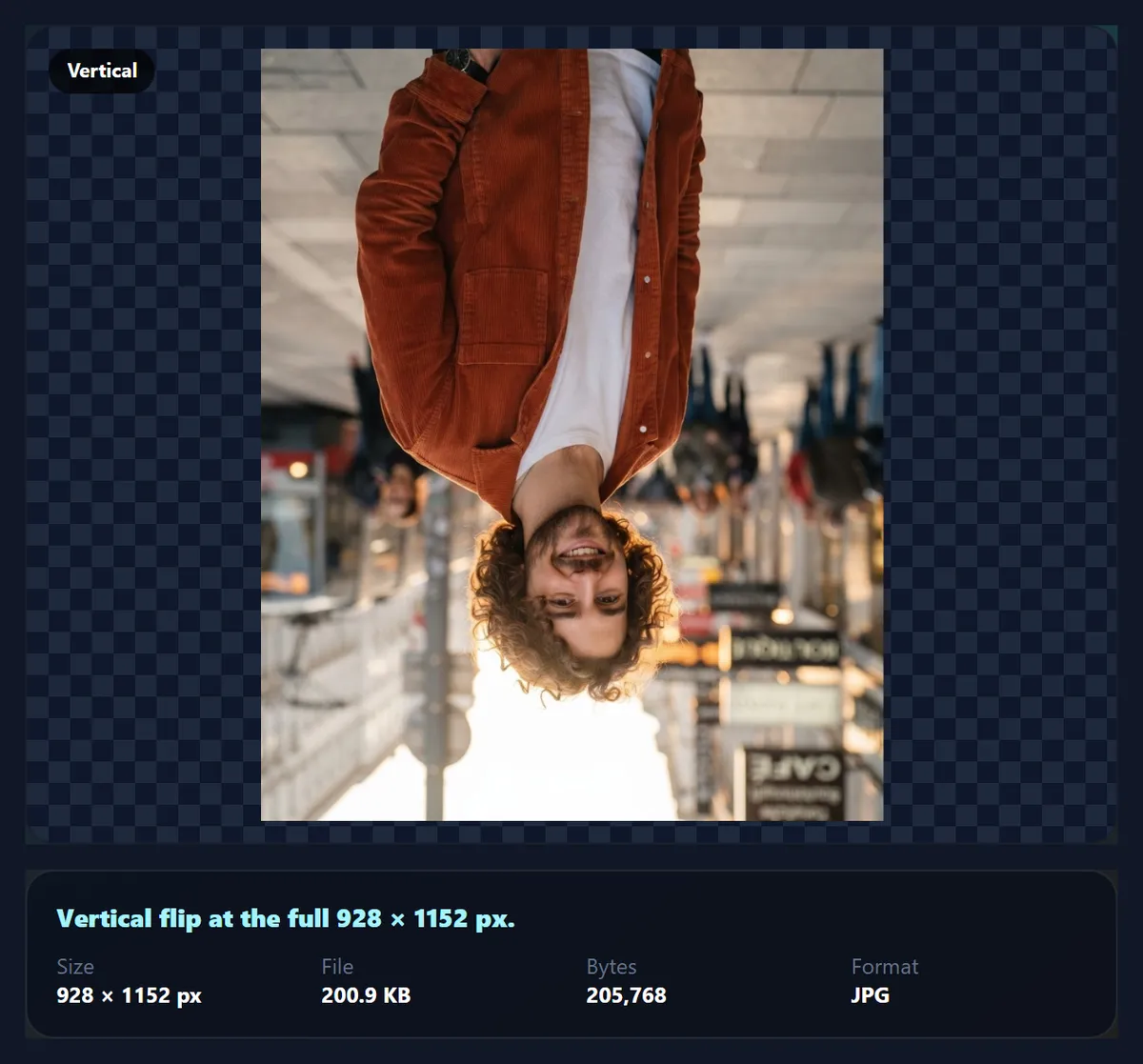
A flip turns the picture over a line through its centre. A horizontal flip uses the vertical centre line, so the left edge becomes the right edge; a vertical flip uses the horizontal centre line, so the top becomes the bottom. Every pixel lands on another pixel position, and its colour is copied unchanged, which is why the tool draws flips with image smoothing turned off.
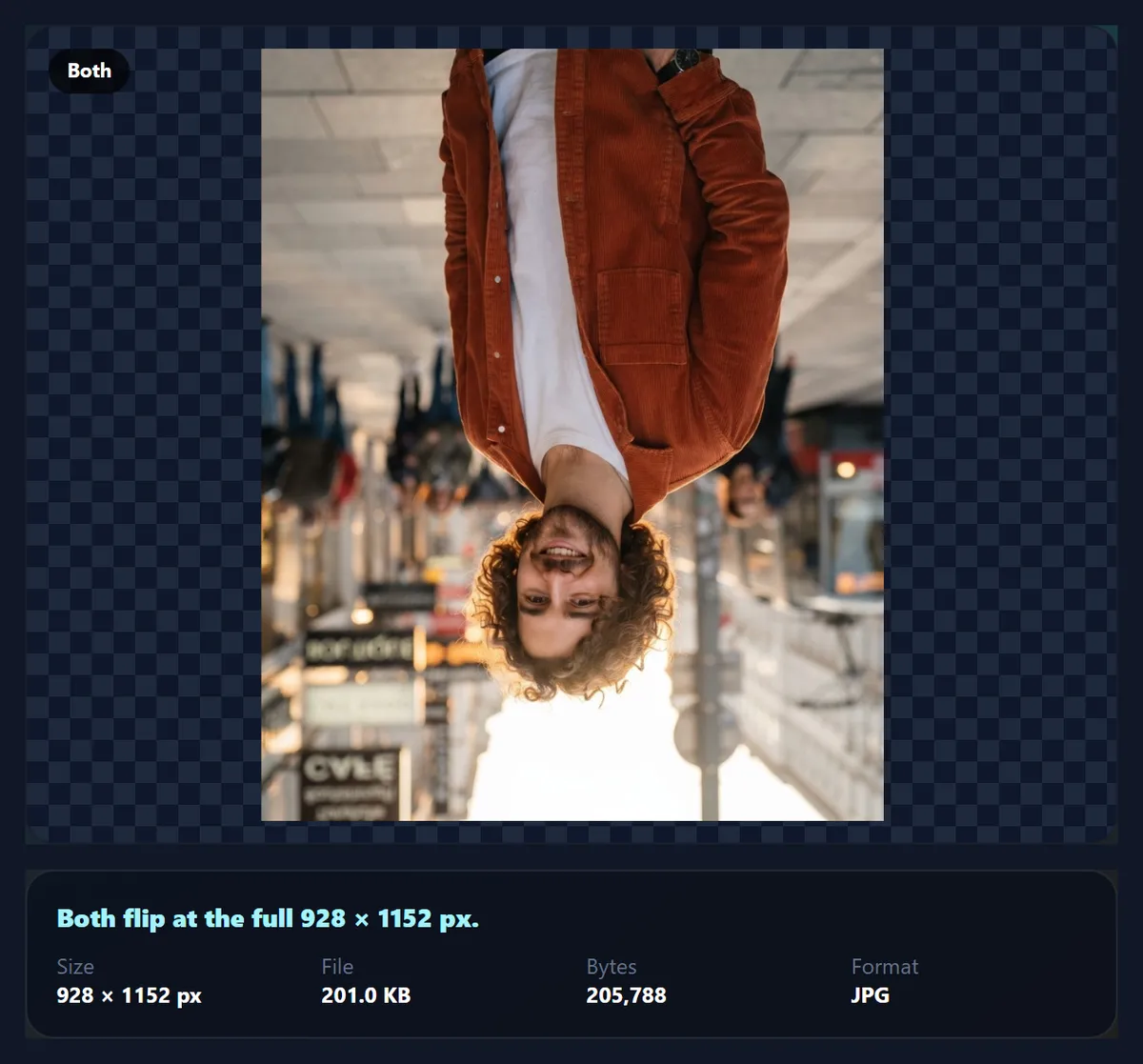
Flipping both ways gives the same picture as turning it 180°. Flipping is not the same as rotating by 90°: a flip mirrors the picture, so text reads backwards, while a rotation only turns it, so text stays readable but sideways. The table shows where a pixel goes in a photo 928 pixels wide and 1152 tall, the size of the sample.
| Flip | New position | Example: pixel (100, 50) |
|---|---|---|
| Horizontal | (927 − x, y) | (827, 50) |
| Vertical | (x, 1151 − y) | (100, 1101) |
| Both | (927 − x, 1151 − y) | (827, 1101) |
| Rotate 180° (for comparison) | (927 − x, 1151 − y) | (827, 1101) |
Why does text read backwards in my selfie?
Because the front camera shows, and sometimes saves, a mirror image. When you look at the screen while taking a selfie, a mirrored preview feels natural: raise your right hand and the hand on the right side of the screen moves, just like a mirror. Some phones and apps keep the saved photo mirrored as well; others flip it back automatically; many let you choose in the camera settings, under a name such as mirror front camera.
When the saved photo is mirrored, anything with writing in it reads backwards: a sign, a logo on clothes, the cover of a book you are holding. A horizontal flip fixes the writing. It also shows you the way other people see you, which is the opposite of what you see in a mirror, so a flipped selfie can look subtly unfamiliar to you even though it is correct.
Is flipping the same as a mirror effect?
No, although the words are often used for each other. Flipping turns the whole picture over; the result has the same content, mirrored. A mirror effect builds a new picture from part of the original: the left half reflected onto the right to make a symmetric image, one quarter repeated four ways, or a reflection added below like water. Those effects are on the mirror images page.
If you want a photo to read correctly or face the other way, you want a flip. If you want symmetry or a reflection as a creative effect, you want a mirror.
When is it useful to flip a photo?
Fixing mirrored text is the main reason, but not the only one. Designers flip a product shot or a portrait so the subject faces into the page rather than out of it, which leads the eye towards the text. A vertical flip corrects a scan or a photo of a document taken upside down and mirrored, or makes a reflection for a composite.
Be careful with photos that include text, logos, clocks or a recognisable place: a flip makes them wrong, and viewers notice backwards writing quickly. Faces are also not perfectly symmetric, so a flipped portrait of someone you know can look slightly odd. When in doubt, compare with Original before you download.
Does flipping an image reduce quality?
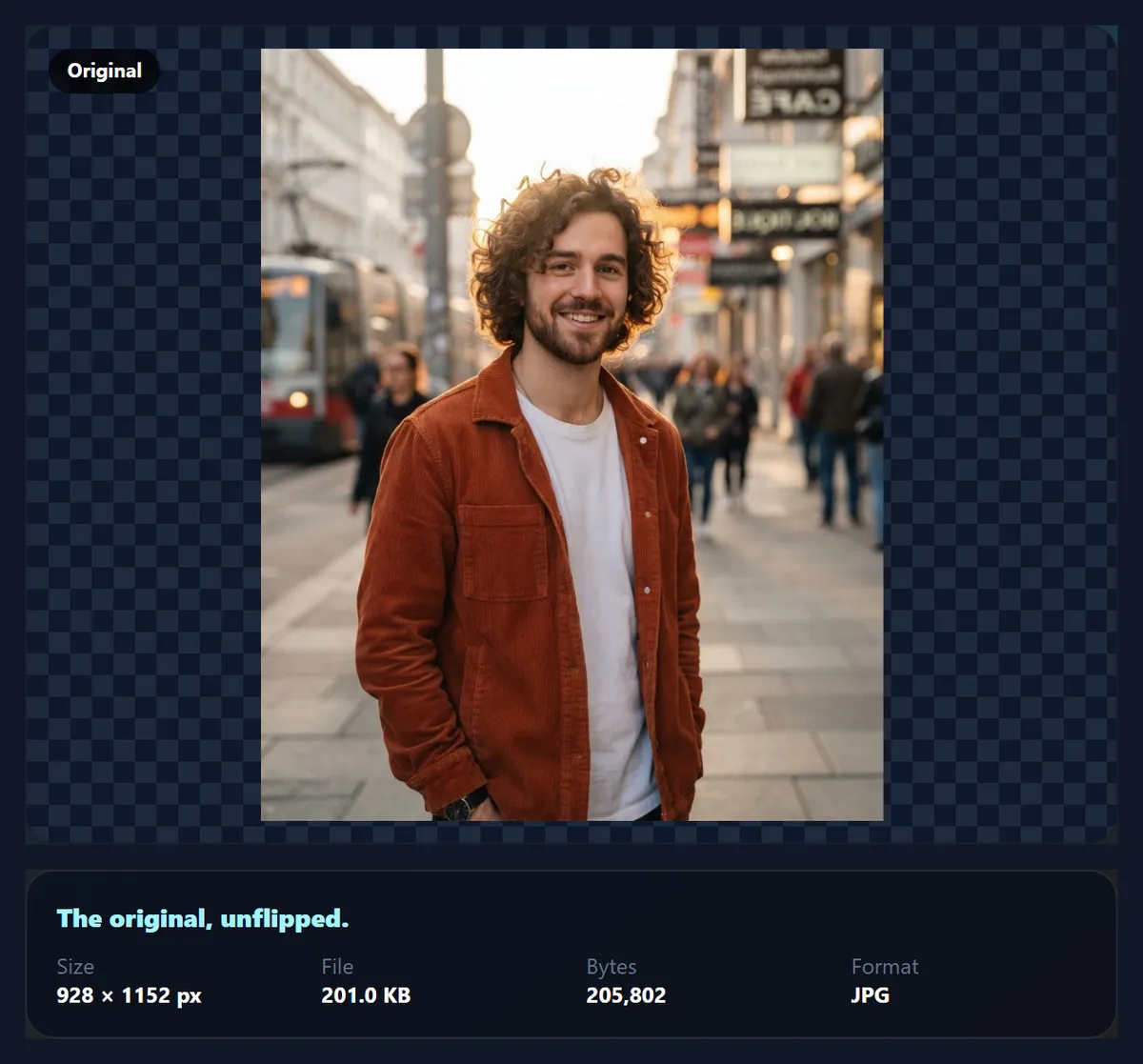
The flip itself does not: pixels are moved, not recalculated. What can change is the saving step. If you download a JPG, it is compressed again at the quality you set (92% to start), which is a small loss each time; choose PNG for a copy with no further loss at all. The output size is always the same as the original, for example 928 × 1152 for the sample.
Very large photos, above what a phone browser can hold on a canvas, are drawn at a reduced size; the panel above the download shows the exact pixel size you will get.
Is flipping the same as rotating 180°?
Only when you flip both ways. Flipping horizontally and then vertically puts every pixel where a 180° turn would, so Both gives an upside-down photo whose writing is upside down but not back to front. A single flip, horizontal or vertical, is different: no rotation can produce it, because it reverses the picture's handedness. Left hands become right hands, clockwise spirals turn anticlockwise, and writing reads backwards.
That is also why flipping vertically is not the same as turning a photo upside down. Turned upside down, a person standing on the left ends up on the right; flipped vertically, they stay on the left, upside down.
What gives a flipped photo away?
Anything with a right way round. Writing is the obvious one: signs, T-shirts, book covers, number plates and logos read backwards. Others are easier to miss: cars drive on the other side of the road, a wedding ring moves to the other hand, a watch to the other wrist, guitarists become left-handed, and shirt buttons and jacket lapels swap sides. Clock faces run backwards, and well-known places, such as a city skyline, look wrong to anyone who knows them.
Faces are a special case. Nobody's face is perfectly symmetric, so a flipped portrait shows a person as they see themselves in a mirror. Research on the mere-exposure effect has found that people tend to prefer their mirror image, while their friends prefer the camera's view. A side parting, a mole or a scar on the wrong side can give a flipped photo away to people who know the person.
Why flip a photo for a design?
Designers flip photos so the picture points into the layout. A person looking or walking towards the page's text leads the reader's eye to it; the same person facing off the edge leads the eye away. Roads, arrows and the direction of movement work the same way. Flipping is also the quickest way to make two photos face each other across a spread, or to move the subject to the side of the frame that leaves room for a headline.
Before flipping, check for the giveaways above. If the photo has writing in it, crop or cover the writing, or choose a different photo.
When does an image have to be flipped before printing?
Whenever it will be seen from the other side. Iron-on transfers for T-shirts are printed face down onto the fabric, so the design must be flipped horizontally before printing or its writing comes out backwards. Window stickers and decals meant to be read from outside but stuck on the inside of the glass need the same treatment, as do designs for some screen-printing films and for printing on the back of clear acrylic.
Scans can need the opposite fix. A slide or negative placed in a scanner the wrong way up comes out mirror-reversed; writing in the picture, or the frame numbers printed along the edge of the film, reading backwards is the reliable clue. A horizontal flip puts it right without any loss.
Which files can you flip, and is anything uploaded?
You can open JPG, PNG and WebP images up to 40 megapixels (above about 16 megapixels the result is saved slightly smaller, because that is the largest canvas iPhone browsers allow); convert iPhone HEIC photos to JPG first. The camera's orientation tag is applied when the photo opens, so you flip what you see. The download starts in the same format as the original and carries no EXIF data, including GPS location.
Nothing is uploaded: the flip happens in your browser tab, and no account is needed.
Why does my flipped photo still look wrong?
If writing still reads backwards, you chose Vertical or Both; choose Horizontal. If the photo is now upside down, you chose Vertical when you needed a 180° turn without mirroring: use the rotate image tool instead. If a face looks unfamiliar after flipping, that is normal; it is how other people see it.
If the download is larger than the original, it is probably because you chose PNG, which is lossless. Choose JPG for a smaller file.

Frequently asked questions
How do I flip an image horizontally?
Open it, choose Horizontal and download. Left and right swap.
How do I flip an image vertically?
Choose Vertical. Top and bottom swap.
How do I fix a mirrored selfie?
Flip it horizontally. Writing in the photo then reads the right way.
Does flipping reduce quality?
No. Pixels are moved, not recalculated. Choose PNG to avoid JPEG compression on saving.
Is flipping the same as rotating?
No. Flipping mirrors the picture; rotating turns it. Flipping both ways equals a 180° turn.
Is flipping the same as mirroring?
Flipping mirrors the whole photo. The mirror images page makes symmetric and reflection effects.
Is my photo uploaded?
No. The flip happens in your browser.
Which formats can I use?
Open and save JPG, PNG or WebP.
Will the size change?
No. The flipped photo has the same width and height as the original.
Is it free?
Yes, with no account, watermark or limit.
Related tools
- Mirror Images — Symmetry and reflection effects.
- Rotate Image — Turn a photo 90°, 180° or any angle.
- Photo Straightener — Level a slightly tilted photo.
- Crop Image — Crop to any size or ratio.
- Add Text to Photo — Add readable text after fixing a selfie.
- Photo Borders — Add a border or pad to a shape.