Mirror Images
Turn a photo into a symmetric picture, a four-way kaleidoscope or a scene with a reflection fading below it. Pick a mirror, adjust the reflection, download at full resolution.
Updated
How do you mirror an image?
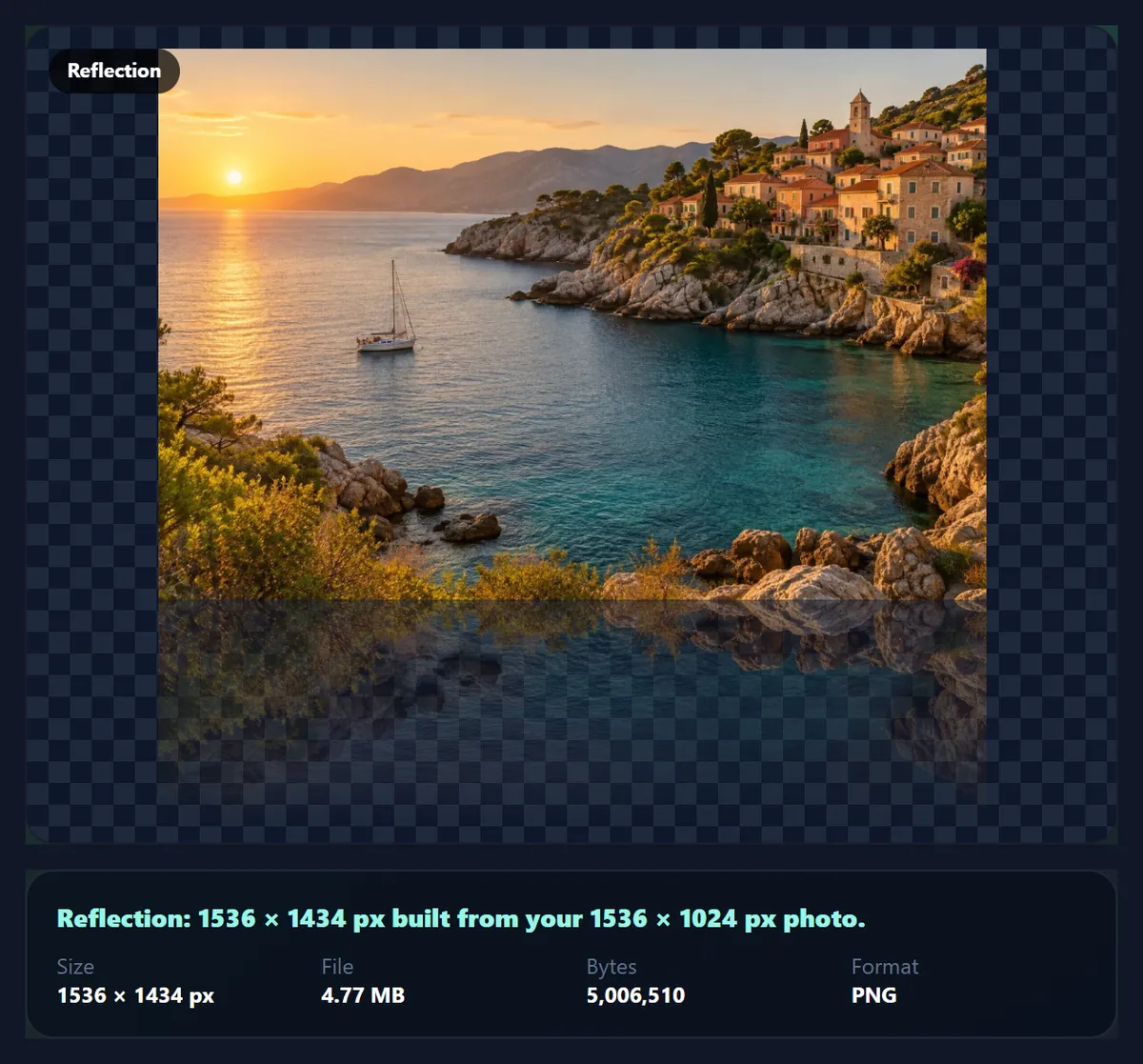
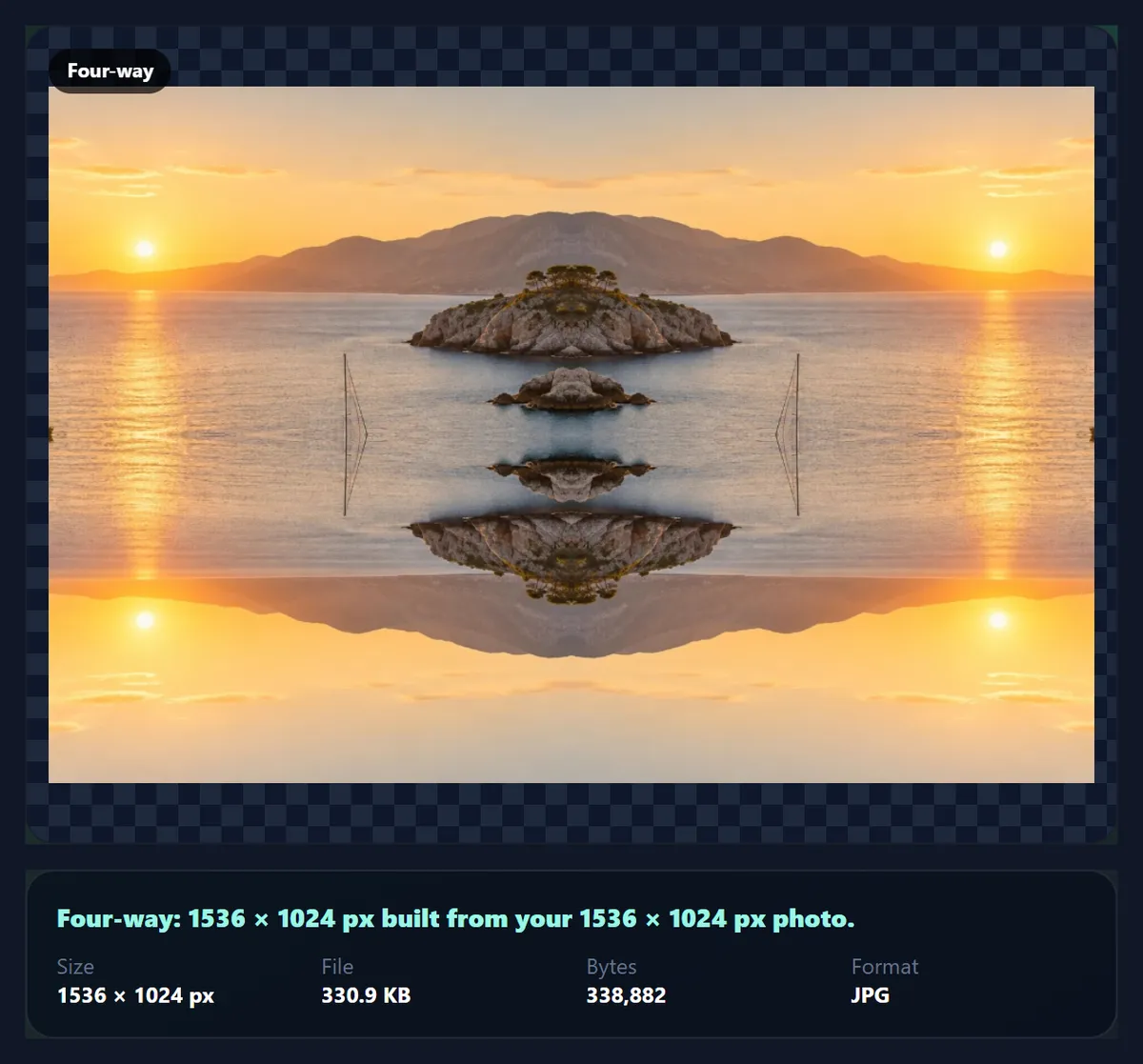
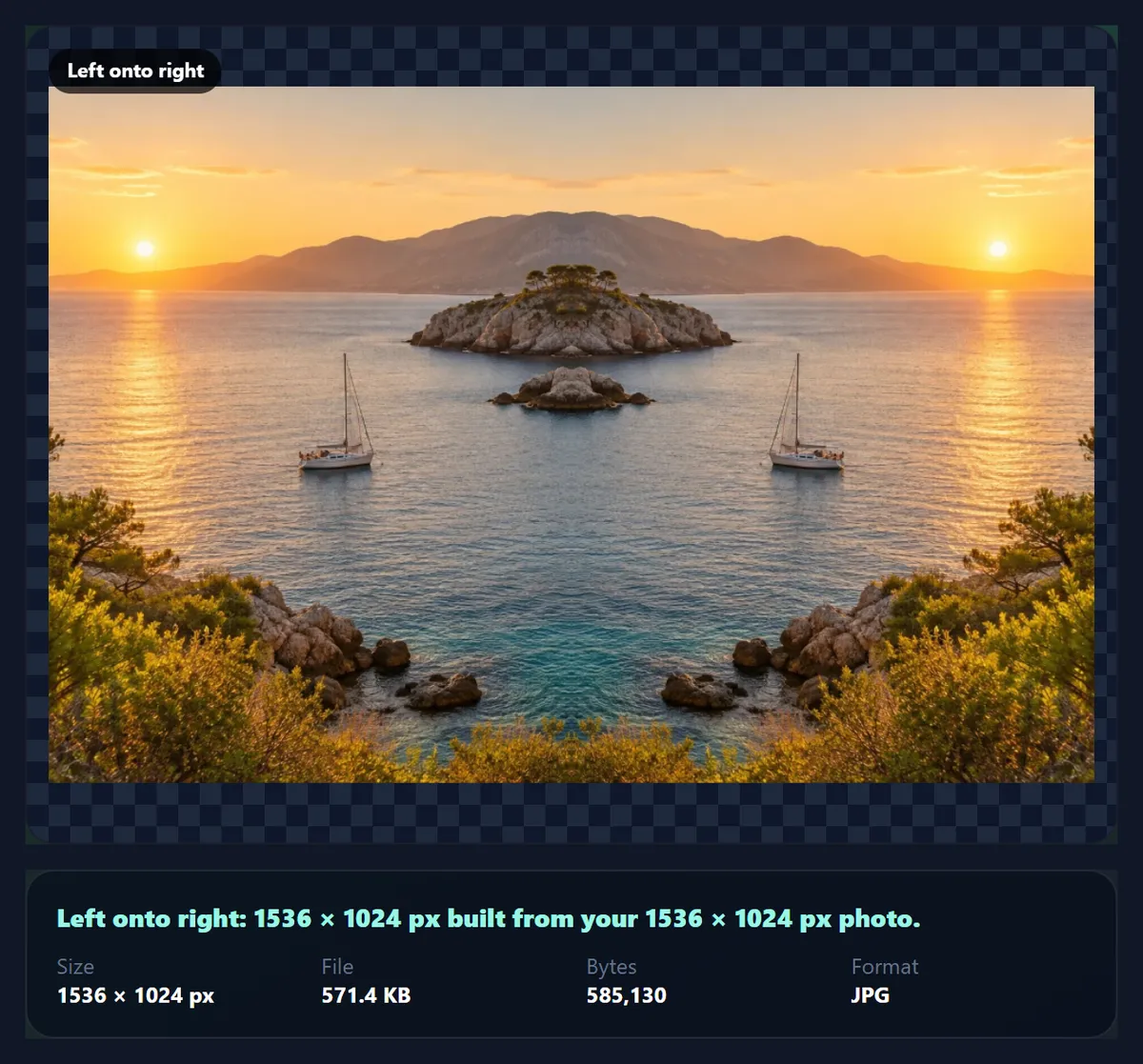
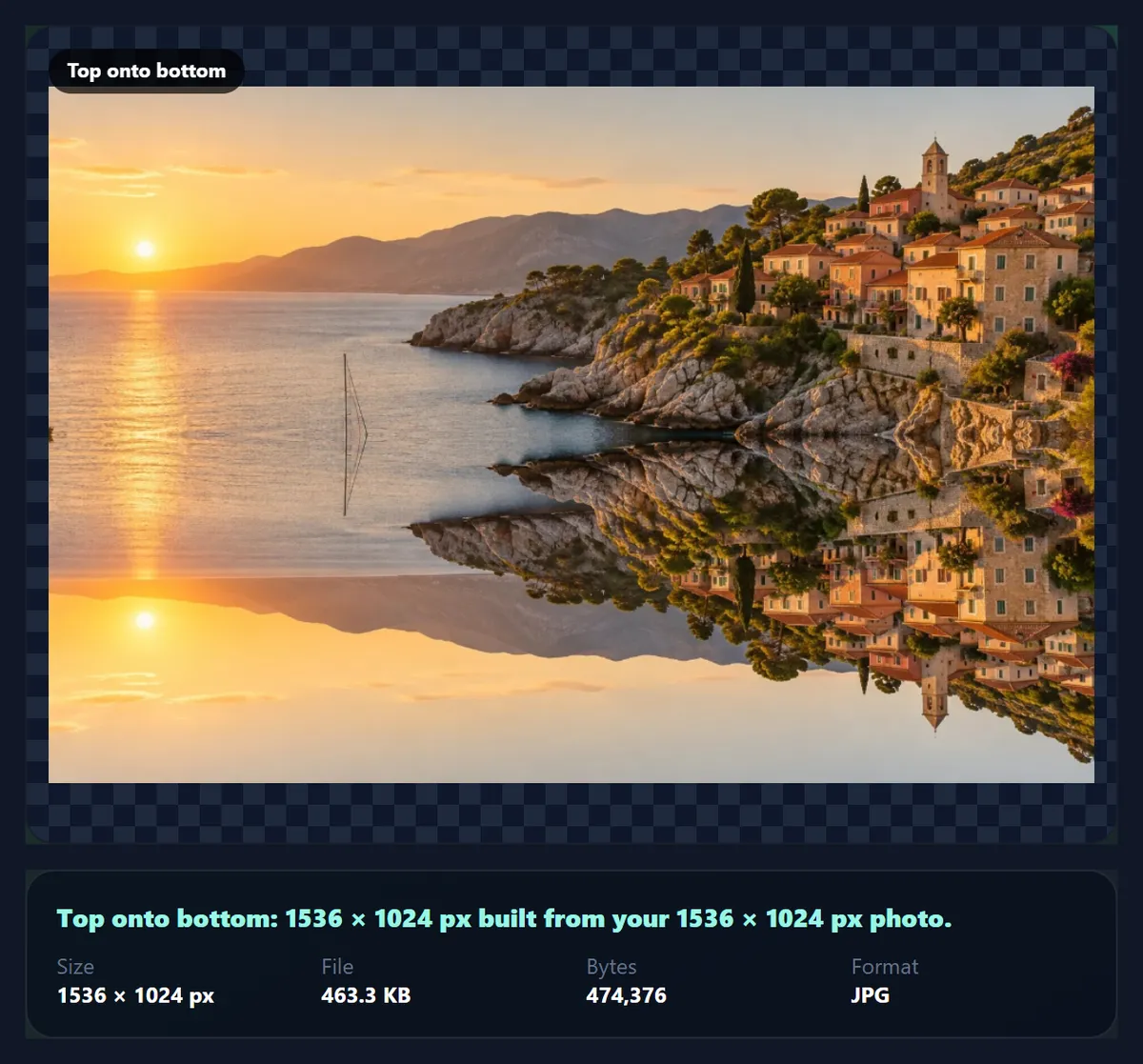
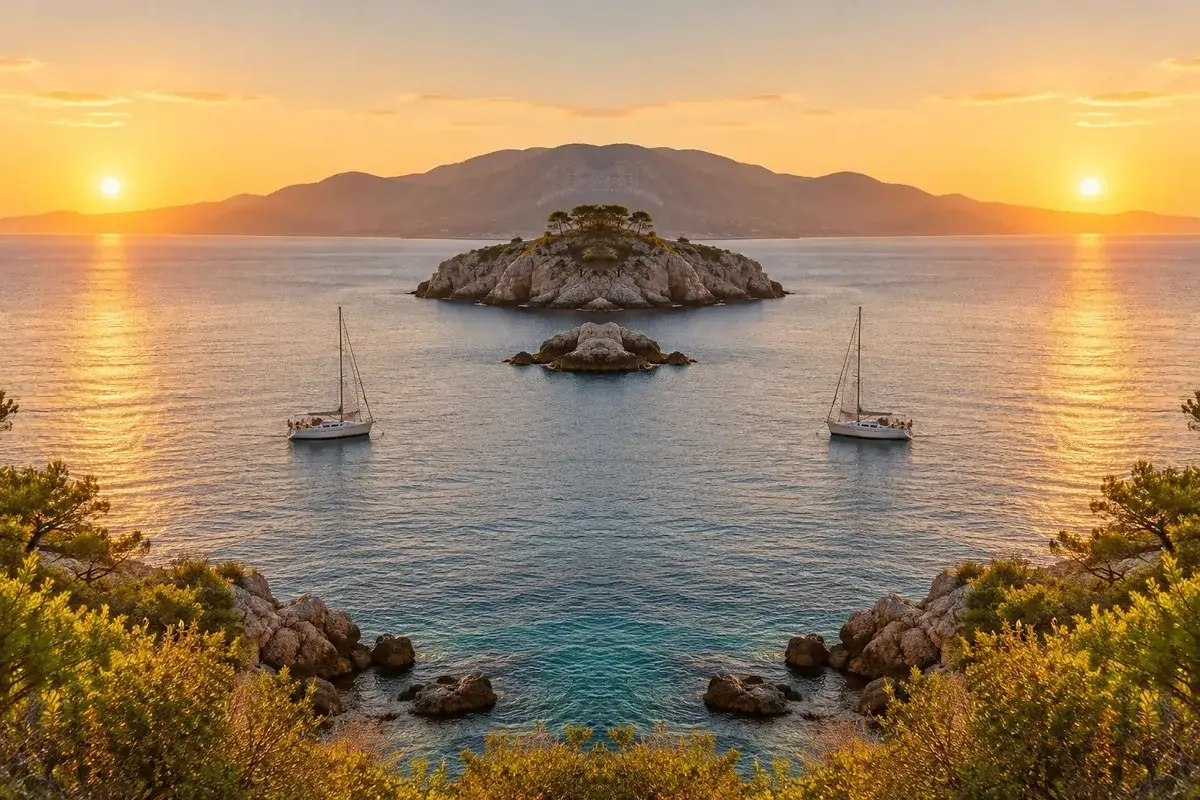
Open the photo and choose a mirror. Left onto right keeps the left half and reflects it into the right half, making a perfectly symmetric picture; Right onto left, Top onto bottom and Bottom onto top do the same from the other sides. Four-way reflects the top-left quarter into all four corners. Reflection keeps the whole photo and adds an upside-down copy below it that fades out, like a still lake. Download the result as JPG, PNG or WebP.
Mirroring is a creative effect, different from flipping. A flip turns the whole picture over so it reads the other way; a mirror builds a new picture out of part of the original, so the result is symmetric. Landscapes, architecture and patterns respond well to it; faces can look striking or strange, because no real face is perfectly symmetric.
The examples here use a 1536 × 1024 coastal photo. Every effect is drawn from the real pixels at full resolution, in your browser; nothing is uploaded.
How to make a mirror image online
- Open the photo Choose a JPG, PNG or WebP, drop it on the preview, or use the coastal sample.
- Pick a mirror Left, right, top or bottom half, Four-way, or Reflection. The preview updates at once.
- Tune the reflection For Reflection, set how deep it is (15–100% of the photo’s height) and how strong it starts (10–100%).
- Download Save as JPG, PNG or WebP. A fading reflection keeps its transparency in PNG or WebP.
Mirror a coastal photo five ways
A real recording of this tool: the sample is mirrored left onto right, right, top and bottom, four ways, then given a fading reflection and downloaded.
- The coastal photo opens with its left half mirrored onto the right.
- Right onto left, Top onto bottom and Bottom onto top are tried.
- Four-way builds a symmetric pattern from one quarter.
- Reflection adds a fading copy below, and its depth is increased.
- The result is downloaded.
Which mirror effects are there, and what do they keep?
Each effect uses a different part of your photo. The four half mirrors use exactly half: Left onto right copies the left half and adds its mirror image as the right half, so the result is the same size as the original but symmetric about its centre line. Four-way uses only the top-left quarter, repeated with every combination of flips, which gives a kaleidoscope-like pattern with two lines of symmetry. Reflection uses all of the photo and adds a reflected strip beneath it, so the picture gets taller: 40% taller at the default depth, 1536 × 1434 for the sample.
Because the half mirrors throw away half of the picture, choose the side with the more interesting content. In the sample, the left half has the sunset and the sailing boat, and the right half has the village on the cliff; mirroring each produces two very different pictures.
| Mirror | Share of the photo used | Result size |
|---|---|---|
| Left onto right | 50% | 1536 × 1024 |
| Right onto left | 50% | 1536 × 1024 |
| Top onto bottom | 50% | 1536 × 1024 |
| Bottom onto top | 50% | 1536 × 1024 |
| Four-way | 25% | 1536 × 1024 |
| Reflection (40% deep) | 100% | 1536 × 1434 |
How do you add a water reflection to a photo?
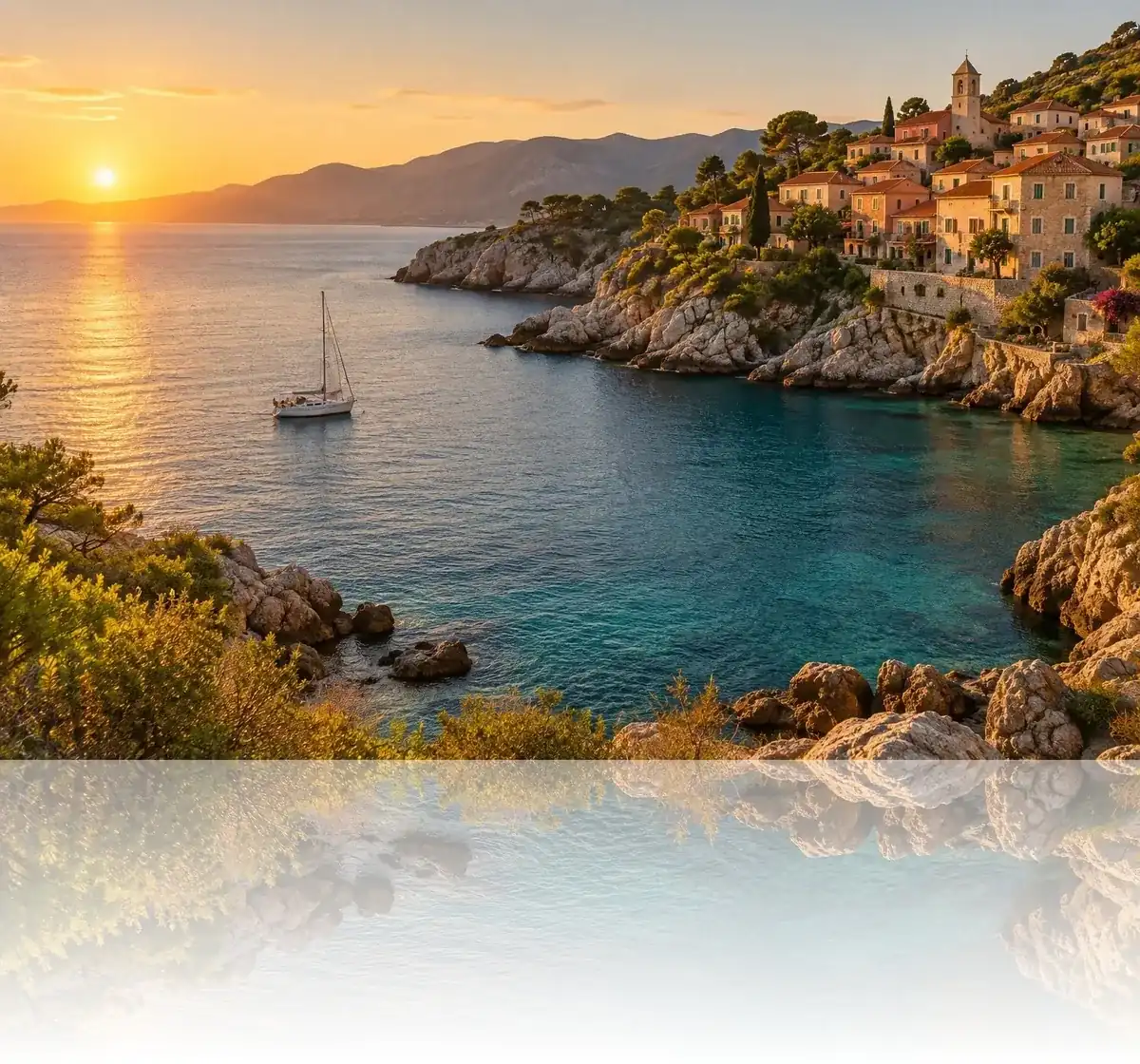
Choose Reflection. The tool takes the bottom part of your photo, turns it upside down, places it directly below the original and fades it from the starting opacity at the top to fully transparent at the bottom. Depth sets how tall the reflected strip is, from 15% to 100% of the photo's height; starting opacity sets how strong it is where it meets the photo, from 10% to 100%.
The fade goes to transparent, not to a colour, so the result depends on the format. PNG and WebP keep the transparency, which lets the reflection fade into whatever background you place it on in a design; the tool switches to PNG when you pick Reflection for that reason. JPG has no transparency, so the faded part is laid on white. For a product shot on a white page, JPG is exactly what you want.
What makes a good photo for a symmetric mirror effect?
Strong shapes near the centre line and a background that continues naturally across it. Architecture, bridges, tunnels, roads and trees often make convincing symmetric images, because the mirrored half meets the original along lines that already look intentional. Busy edges, people and text make the join obvious.
Look at the centre line first: that is where the two halves meet, and a hard object cut through the middle, a lamp post or a boat, becomes a strange double. Moving the crop of your photo before mirroring changes where the line falls; crop the photo first so the line runs through something calm.
What is the difference between mirroring and flipping?
Flipping turns the whole picture over: the content is unchanged but mirrored, which is how you fix a selfie whose writing reads backwards. Mirroring, on this page, keeps part of the picture and reflects it to make something new. If you want the whole photo the other way round, use the flip image tool; if you want symmetry or a reflection, stay here.
Is the mirrored image full resolution?
Yes. The effects copy pixels from your photo at their original size, so a 1536 × 1024 photo gives a 1536 × 1024 symmetric picture, or 1536 × 1434 with a 40% reflection. Very large photos are drawn at a reduced size if the result would exceed what a phone browser can hold; the panel shows the exact size of the file.
Files can be large: the 1536 × 1434 reflection of the sample was 776,662 bytes as a JPG at 92% quality. Lower the quality slider, or use the compression tools afterwards, if you need a smaller file.
How does the four-way mirror work?
Four-way keeps the top-left quarter of the photo and uses it four times: as it is in the top left, flipped left to right in the top right, flipped upside down in the bottom left, and flipped both ways in the bottom right. The result is symmetric across both the vertical and the horizontal centre line, like a kaleidoscope with four segments. Each copy is the quarter at its own pixel size, so nothing is enlarged and the picture keeps the original's size, rounded down to an even number of pixels.
Because only a quarter of the photo survives, choose it with care: the corner where the most interesting detail meets the centre lines. Textures, foliage, architecture and patterns work well; faces rarely do. To mirror a different quarter, flip the photo first with Flip Image so the part you want is in the top-left corner.
Where does the mirror line go, and can it move?
The mirror line is always the exact centre of the photo: the vertical centre line for Left onto right and Right onto left, the horizontal one for Top onto bottom and Bottom onto top, both lines for Four-way, and the bottom edge for Reflection. To mirror around a different point, crop the photo first so that point sits in the middle. For a face or a building, that means cropping so the nose or the central doorway is exactly halfway across.
A difference of a few pixels shows along the line as a slight bulge, notch or doubled detail, so check the join closely before downloading, and crop again by a pixel or two if it looks off.
What can you make with a mirror effect?
Symmetric scenes: a building front, a bridge, a corridor or a tree-lined road mirrored down the middle looks deliberately designed. Abstract patterns: bark, leaves, rock, fabric and city lights turn into masks and emblems with Four-way. Product shots: a bottle or a shoe on a plain background gets a soft floor reflection with Reflection, a common catalogue look. Landscapes: mountains or a skyline above a reflection read as a still lake, even where there was no water.
Portraits are the hardest subject. Real faces are slightly asymmetric, and a face built from two copies of one half often looks noticeably unlike the person, which is exactly why some people make them on purpose.
Why do symmetric pictures look so striking?
We notice symmetry almost instantly, and a picture that is the same on both sides reads as ordered, calm and deliberate. That is why architecture photographers stand on the centre line of a building, and why centred, mirror-like framing has become a recognisable film-making style. A mirror effect takes that idea to its limit: the two halves are not just similar but identical.
The effect is strongest when the mirror line runs through something that is nearly symmetric already, such as a doorway, a road vanishing into the distance or the centre of a flower. When the line cuts through something clearly lopsided, the result looks like a pattern rather than a scene, which can be just as useful for backgrounds and textures.
Which files work, and is anything uploaded?
You can open JPG, PNG and WebP photos up to 40 megapixels (above about 16 megapixels the result is saved slightly smaller, because that is the largest canvas iPhone browsers allow); convert iPhone HEIC photos to JPG first. Downloads are JPG, PNG or WebP. The effect is drawn in your browser tab and saved to your device; nothing is uploaded and no account is needed. The new file carries no EXIF data from the original.
Why does my mirror image look odd?
Usually because of what lies on the centre line. Objects cut through the middle are doubled, and anything that should not be symmetric, such as text or a face, looks wrong when it is. Try the other half, try Top onto bottom instead of Left onto right, or crop the photo so the line falls somewhere quieter.
If a reflection looks too strong, lower the starting opacity; if it is cut off, raise the depth. If the faded part turns white, you saved a JPG; choose PNG or WebP to keep it transparent.
Frequently asked questions
How do I mirror an image online?
Open it, choose a mirror such as Left onto right or Reflection, and download.
How do I make a symmetric photo?
Choose a half mirror. Left onto right reflects the left half into the right half.
How do I add a reflection to a photo?
Choose Reflection and set its depth and starting opacity. It fades out below the photo.
What is the four-way mirror?
The top-left quarter repeated four times with flips, giving two lines of symmetry.
Is mirroring the same as flipping?
No. Flipping turns the whole photo over; mirroring builds a symmetric picture from part of it.
Does the reflection keep transparency?
Yes in PNG and WebP. JPG lays it on white.
Is the result full resolution?
Yes, the same size as your photo, or taller with a reflection.
Is my photo uploaded?
No. Everything happens in your browser.
Which formats can I use?
Open JPG, PNG or WebP; save JPG, PNG or WebP.
Is it free?
Yes, with no account, watermark or limit.
Related tools
- Flip Image — Turn the whole photo over.
- Rotate Image — Turn a photo 90°, 180° or any angle.
- Image Montage — Lay out many photos in one picture.
- Photo Effects — More creative looks for a photo.
- Crop Image — Move the centre line before mirroring.
- Photo Borders — Finish the picture with a border.