JPG to PNG
Convert JPG photos to PNG, one at a time or 50 at once. See the real size of every PNG before you download it, and why a PNG keeps everything from here on but cannot bring back what JPG compression already removed.
Updated

How do you convert a JPG to PNG?
Add your JPG files, or try the two samples. Each one is converted at once and listed with its size as JPG and as PNG. Click a file to preview it, then download it on its own, or download all of them as one ZIP.
JPG and PNG store pictures in different ways. JPG is lossy: it makes photos small by throwing away fine detail each time it saves. PNG is lossless: it keeps every pixel exactly, so it never loses anything more, but photos come out several times larger. Converting a JPG to PNG makes an exact, lossless copy of the JPG as it is now.
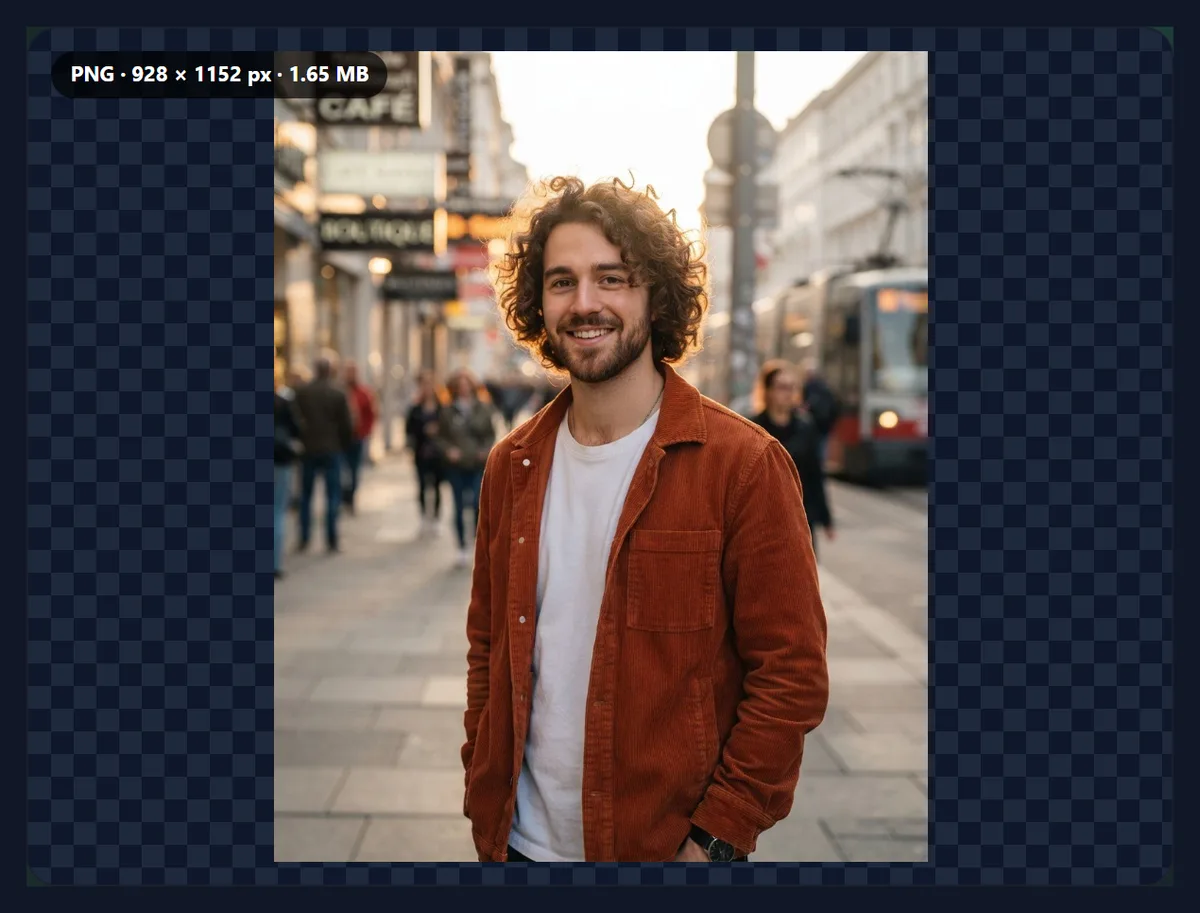
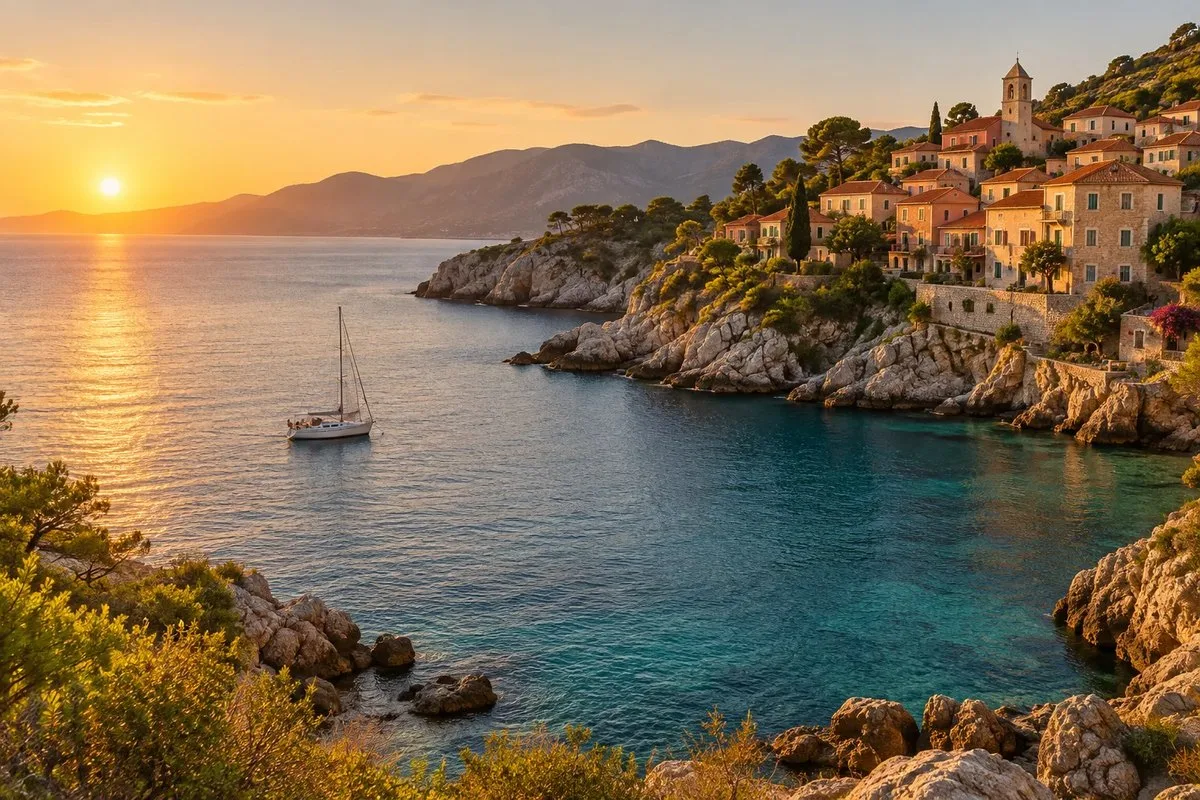
The samples are a coastal photo and a street portrait. Your photos never leave your device.
How to convert JPG to PNG online
- Add JPG files Choose or drop up to 50 JPG, JPEG or JFIF files, or try the samples.
- Check the sizes Each file is converted at once and listed with its size as JPG and as PNG.
- Preview Click a file in the list to see its PNG.
- Download Save a single PNG, or all of them as one ZIP.
Convert two JPGs to PNG
A real recording of this tool: two JPG samples converted to PNG, each one previewed, and both downloaded as a ZIP.
- Two JPG samples open and are converted to PNG.
- Each file is previewed with its size before and after.
- Both PNG files are downloaded as one ZIP.
Why is the PNG so much bigger than the JPG?
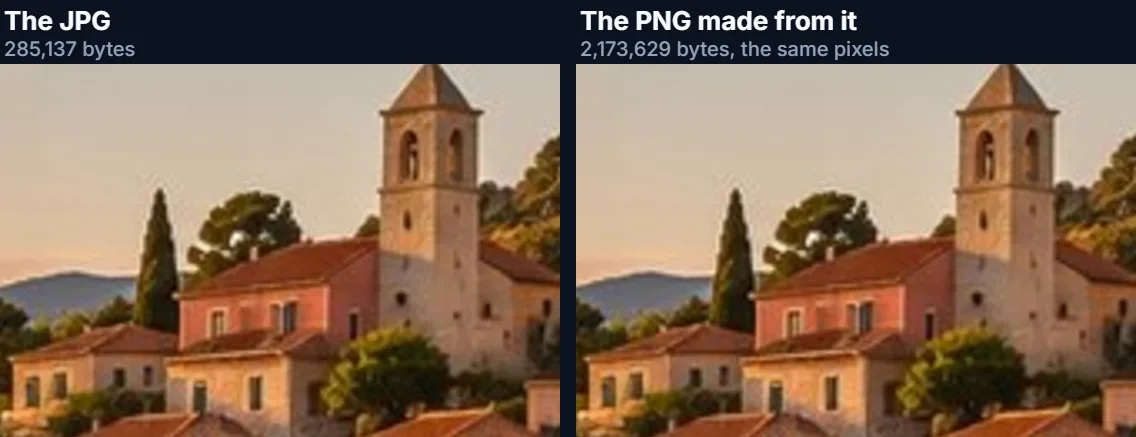
Because the two formats store a photo in opposite ways. JPG keeps a compact description of the picture and discards fine detail you are unlikely to notice. PNG keeps every pixel exactly, compressing only what repeats, and photos repeat very little. The coast sample is 285,137 bytes as a JPG and 2,173,629 bytes as a PNG, 7.6 times larger. Across the four samples the PNG was 7.6 to 9.7 times the JPG.
The PNG is not better looking than the JPG it came from: it is an exact copy of the JPG's pixels, including any compression marks. What it buys you is that nothing more will be lost from here on, however many times the PNG is edited and saved.
| Sample | Pixels | JPG bytes | PNG bytes | PNG ÷ JPG |
|---|---|---|---|---|
| Coast photo | 1200 × 800 | 285,137 | 2,173,629 | 7.6 |
| Street portrait | 928 × 1152 | 178,736 | 1,730,255 | 9.7 |
| Product photo | 1200 × 800 | 129,802 | 1,188,055 | 9.2 |
| Desk photo | 1200 × 805 | 155,609 | 1,434,010 | 9.2 |
When should you convert a JPG to PNG?
When the picture will be edited again and again: every time an edited JPG is saved it is compressed again, and the losses add up, while a PNG can be edited and saved any number of times without losing anything more. When an app or a print workflow insists on PNG. When you are about to add sharp text, arrows or a logo on top of a photo, which look cleaner saved as PNG. And when the picture is really a graphic, a chart or a screenshot that someone saved as JPG.
For sharing a finished photo, keep the JPG: it is a fraction of the size and opens everywhere.
Does converting JPG to PNG improve quality?
No, and nothing can. The detail that JPG compression removed when the photo was first saved is gone; converting to PNG copies the remaining pixels exactly, so the PNG looks identical to the JPG. The close-up below shows the same corner of the coast photo from the JPG and from the PNG made from it.
To make a soft or blocky photo look better, use a tool that changes the pixels, such as Sharpen Image, or an upscaler, and save the result as PNG if you want to keep it without further loss.
Can a PNG made from a JPG be transparent?
Not by itself. A JPG has no transparency, so the PNG made from it is fully opaque too: a white background in the JPG stays white. Converting only makes transparency possible later. To actually remove a background, use the Background Remover, which saves a PNG with a transparent background.
That is also why a JPG logo saved as PNG still shows a white box on a coloured page.
Can I convert many JPGs to PNG at once?
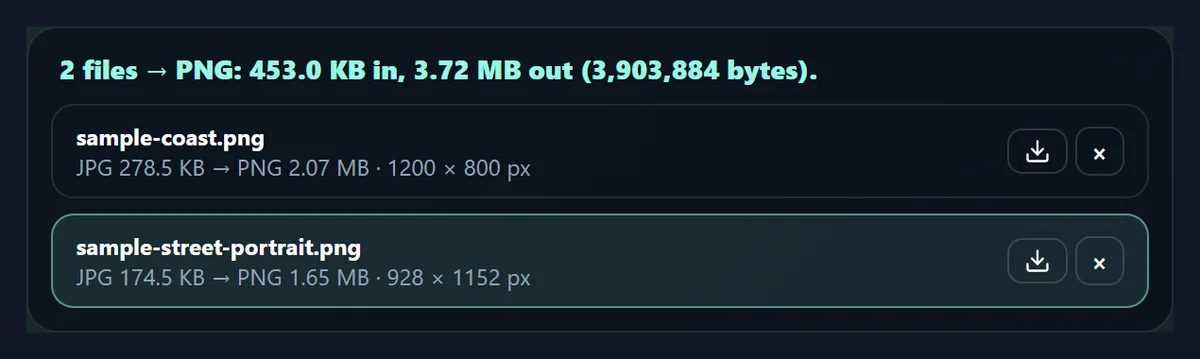
Yes, up to 50 at a time. Each file is listed with its size as JPG and as PNG, so you can see the cost before downloading, and you can save them one by one or all together as a ZIP. Names stay the same apart from the extension, and two files with the same name are numbered so nothing is overwritten.
The two samples together came to 3,903,884 bytes as PNG files.
What happens to the photo’s orientation and EXIF data?
Phone photos are often stored sideways with a tag telling viewers which way up they go. The converter applies that tag while opening the JPG, so the PNG is upright on its own. The PNG carries no EXIF data from the JPG: no camera model, date or GPS location. That is useful before sharing a photo publicly; keep the original JPG if you need the details.
Colours are saved in sRGB, the colour space the web assumes.
Does it work with .jpeg and .jfif files?
Yes. .jpg, .jpeg, .jpe and .jfif are all the same JPEG format with different file name endings, and the converter reads the file's bytes rather than its name, so all of them work. A file named .jpg that is really a PNG or a WebP, which happens with pictures saved from websites, is recognised as what it really is.
If you only need to change .jpeg to .jpg, use JPEG to JPG instead: it renames the file without re-saving it.
What is the difference between JPG and PNG?
JPG (JPEG, standardised in 1992) is a lossy format built for photos: it splits the picture into 8 × 8 pixel blocks, keeps their broad shapes and colours, and discards the finest variations, which is why it is small and why heavy compression shows as blocks. It has no transparency and stores 8 bits per colour.
PNG (standardised in 1996) is a lossless format: it predicts each pixel from its neighbours and stores the small differences with the same compression used in ZIP files, so every pixel comes back exactly. It supports full transparency, palettes for simple graphics, and up to 16 bits per colour. That makes it ideal for logos, screenshots and diagrams and large for photos.
Is PNG better for editing and printing?
For editing, yes: a PNG can be opened, changed and saved again any number of times without losing anything, which makes it a good working copy while a picture is still being edited. Save the final version as JPG if it is a photo that will be shared.
For printing, not really: printers and photo labs print from either format, and many labs ask for JPG. A high-quality JPG prints just as well as a PNG of the same photo at a fraction of the size, so convert to PNG for editing, not for the print shop.
How can I make the PNG smaller?
Because PNG never discards detail, the only way to make a PNG photo much smaller is to give it fewer pixels. Resize the photo first, for example to 1600 or 2000 pixels on its longest side for screens, then convert. Halving the width and height roughly quarters the PNG.
If the file only has to be small and opened everywhere, keep the JPG instead: for photos, a high-quality JPG is many times smaller than a PNG and looks the same.
Does it work on a phone?
Yes. The tool runs in any current mobile browser, so you can convert photos straight from your phone's photos or files. On an iPhone, downloads go to the Downloads folder in the Files app; on Android, to the Downloads folder. Phones have less memory than computers, so convert very large images, or long lists of them, a few at a time.
Nothing is installed and nothing is uploaded, so it works the same on a phone, a tablet or a computer.
Does the PNG have more colours than the JPG?
No. PNG can store up to 16 bits per colour channel, but a JPG has 8, so the PNG made from it has exactly the same 8-bit colours: about 16.7 million possible colours, the same as the JPG. Converting cannot add colour detail that was never in the file.
Where 16-bit files matter, such as heavy colour grading, start from a camera raw file or a 16-bit TIFF instead of a JPG.
Will my file names change?
Only the ending: holiday.jpg becomes holiday.png. Spaces and unusual characters become hyphens so the name works on every system and website, and very long names are shortened to 80 characters. If two files in a batch would end up with the same name, the second gets -2 and the third -3, so nothing in a ZIP is overwritten.
Is anything uploaded?
No. The photos are opened, converted and saved inside your browser tab, and no account is needed. JPG photos up to 40 megapixels can be opened. Large PNGs take a moment to make, because the encoder has to store every pixel; the list shows each file as it finishes.
The coast sample, 1200 × 800 pixels, came out as a 2,173,629-byte PNG.
Why is my PNG blurry or blocky?
Because the JPG was. Converting copies the JPG's pixels exactly, including its compression blocks and any softness, so a PNG made from a low-quality JPG looks just as rough. Start from the best original you have, such as the camera's own file rather than a copy sent through a messaging app, which usually recompresses photos.
If the PNG is too big to upload, keep the JPG, or use WebP, which can be lossless and is usually smaller than PNG.
Frequently asked questions
How do I convert JPG to PNG?
Add the JPG, wait a moment for the PNG, and download it.
Does JPG to PNG improve quality?
No. The PNG is an exact copy of the JPG; it only stops further loss.
Why is the PNG bigger?
PNG keeps every pixel exactly, which takes several times the bytes for a photo.
Will the PNG be transparent?
No. A JPG has no transparency, so neither does the PNG made from it.
Can I convert many JPGs at once?
Yes, up to 50, and download them as one ZIP.
Does it keep EXIF data?
No. The PNG has no camera details, date or location.
Does it work with .jpeg files?
Yes, and .jfif and .jpe too.
Are my photos uploaded?
No. Everything happens in your browser.
Is there a size limit?
Photos up to 40 megapixels, 50 at a time.
Is it free?
Yes, with no account, watermark or limit.
Related tools
- PNG to JPG — The other way: smaller files.
- Image Converter — Any format to JPG, PNG or WebP.
- JPEG to JPG — Rename without re-saving.
- Background Remover — A PNG with a transparent background.
- JPG to PDF — Photos into one PDF.
- Compress Image to 100KB — Make a file smaller.