Photo Blur
Soften a whole photo, hide a face, a number plate, a house number or a name with blur, pixelation or a solid box, or blur everything except your subject. The blur is written into the downloaded file, and the photo never leaves your device.
Updated

How do you blur a photo or part of a photo?
Open the photo, choose whether to blur all of it, only the areas you drag over, or everything except one area, set the strength and download. Hidden areas can be blurred, pixelated or covered with a solid box, and the result is saved at the photo's full size with the blur written into its pixels. Everything happens in your browser tab; the photo is not uploaded.
People blur photos for two different reasons, and they need different settings. Privacy (a face in a crowd, a car's number plate, a house number, a name on a letter, a screen) needs the detail to be gone for good; there, a strong blur or a solid box is right. Style (a soft background behind a product, a dreamy look, a backdrop for text) needs the detail softened but the shapes kept; there, a light blur, or blurring everything except the subject, does the job.
The examples use one street photo of 1200 × 896 px with a house number, 14, on the wall. Every radius, percentage and byte count below was produced by the tool above.
How to blur part of a photo
- Open the photo Choose a JPG, PNG or WebP, drop it on the tool, or start with the sample street, whose house number is already covered as an example.
- Choose what to blur Whole photo, Selected areas (drag boxes or ellipses over what to hide) or All but one area (drag around what stays sharp).
- Set the strength Pick Blur, Pixelate or Solid box for hidden areas and move the strength slider. Hold Compare to see the original.
- Download Save the result as JPG, PNG or WebP at full size. The blur is part of the pixels and cannot be undone from the file.
Hide a house number and blur a background in the browser
A real screen recording of this page: the sample’s house number is blurred, pixelated and boxed, then the bicycle is kept sharp while the rest of the street is blurred, and the photo is downloaded.
- The sample opens with the house number already blurred.
- Pixelate and Solid box are tried on the same area, then Blur again.
- All but one area is chosen and an ellipse is drawn around the bicycle.
- The strength is raised so the street behind blurs more.
- The photo is downloaded as a JPG.
How strong should the blur be?
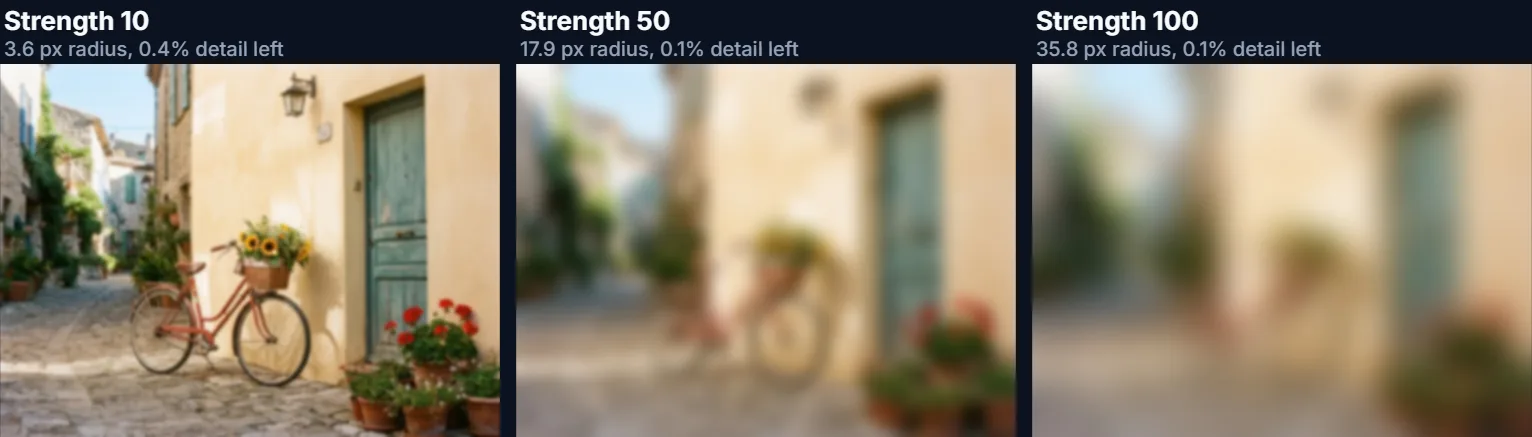
The strength slider sets the blur's radius as a share of the photo's short side, so the same setting looks the same on a small preview and on the full-size download. At 100 the radius is 4% of the short side: 35.8 px on the 896 px tall sample. At 10 it is 3.6 px, enough to soften a background without making it unrecognisable.
The tool measures what is left. Its “fine detail left” figure compares a standard sharpness score (the variance of the Laplacian) before and after. Fine detail goes almost at once: 2% remained at a 1.8 px radius, 0.4% at 3.6 px. Shapes and colours survive much longer, which is why a light blur still shows a recognisable street. The file shrinks too, because a blurred picture has less detail to store: the sample re-saved without blur was 314,469 bytes, and 49,584 bytes at strength 100.
| Strength | Blur radius | Fine detail left | JPG bytes |
|---|---|---|---|
| None (re-saved) | 0 px | 100% | 314,469 |
| 5 | 1.8 px | 2% | 162,890 |
| 10 | 3.6 px | 0.4% | 121,759 |
| 25 | 9.0 px | 0.2% | 81,231 |
| 50 | 17.9 px | 0.1% | 62,424 |
| 75 | 26.9 px | 0.1% | 54,519 |
| 100 | 35.8 px | 0.1% | 49,584 |
How do you hide a face, a number plate or a house number?
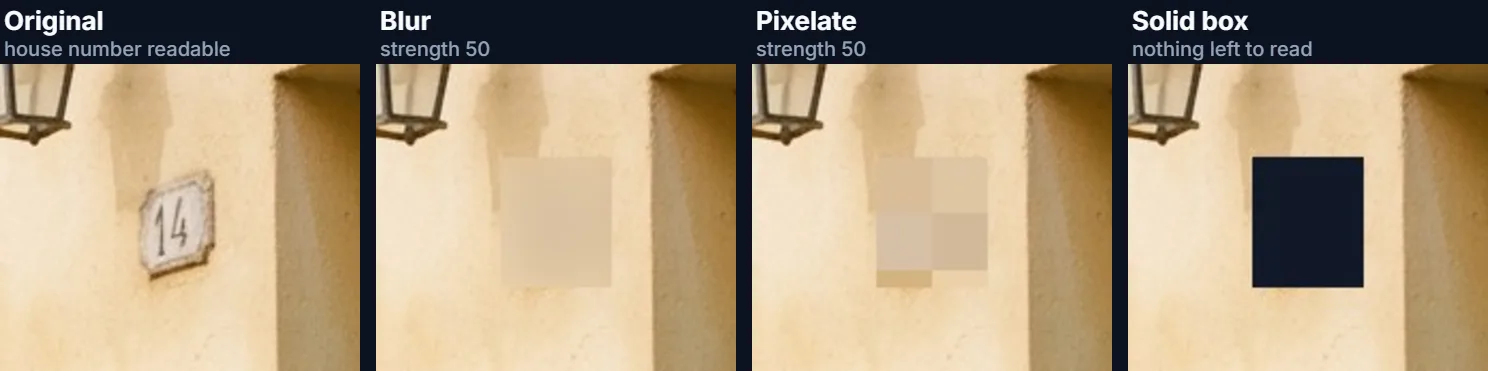
Choose Selected areas and drag a box (or an ellipse, for faces) over each thing to hide; add as many as you need, and remove one with its × button. Then choose how to cover them. Blur smooths the area into its surroundings and looks the least intrusive. Pixelate replaces it with large flat squares, the familiar look of censored footage; at strength 50 on the sample the blocks are 27 px across. Solid box paints the area in one colour (dark grey by default, or any colour) and leaves nothing at all.
On the sample's house number, all three made the 14 unreadable; the figure shows the same crop of each real download. Because only a small part of the photo changes, the files stay almost the same size as an untouched copy (313,713 to 314,201 bytes against 314,469).
- Blur: blends into the photo; best for faces in a background.
- Pixelate: blocky, clearly deliberate; strength sets the block size.
- Solid box: removes everything; the only safe choice for text you must not leak.
Can a blurred or pixelated area be un-blurred?
A blur cannot be switched off in the downloaded file: the original pixels are replaced, not hidden under a layer. But that is not the same as being unreadable. Text that is blurred lightly, or pixelated with small blocks, keeps enough structure that its words can sometimes be guessed or reconstructed, especially when the font and the possible words are known. Researchers have published tools that do exactly this for pixelated text in screenshots (Depix, released in 2020, is one).
So use the settings the job needs. For faces and number plates in an ordinary photo, a strong blur or large pixels are standard practice. For passwords, card numbers, account numbers, addresses on documents or anything you would be harmed by leaking, use Solid box: there is nothing left to reconstruct. The tool shows this advice under the controls whenever Blur or Pixelate is chosen for hidden areas.
The download is also written from the pixels alone, so it carries no EXIF data: camera details and GPS location, which can give away more than a house number, are not passed on.
How do you blur the background and keep the subject sharp?
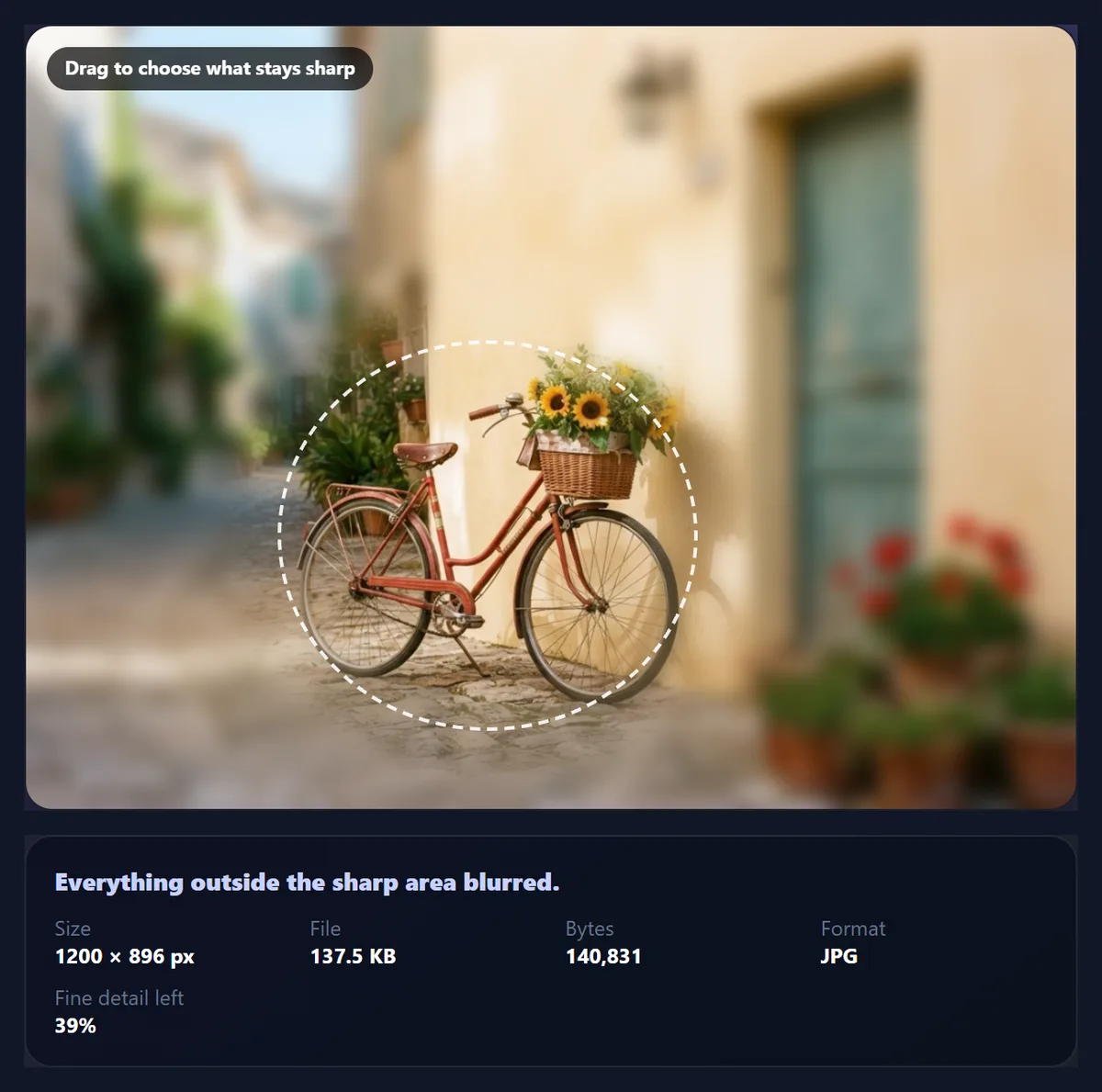
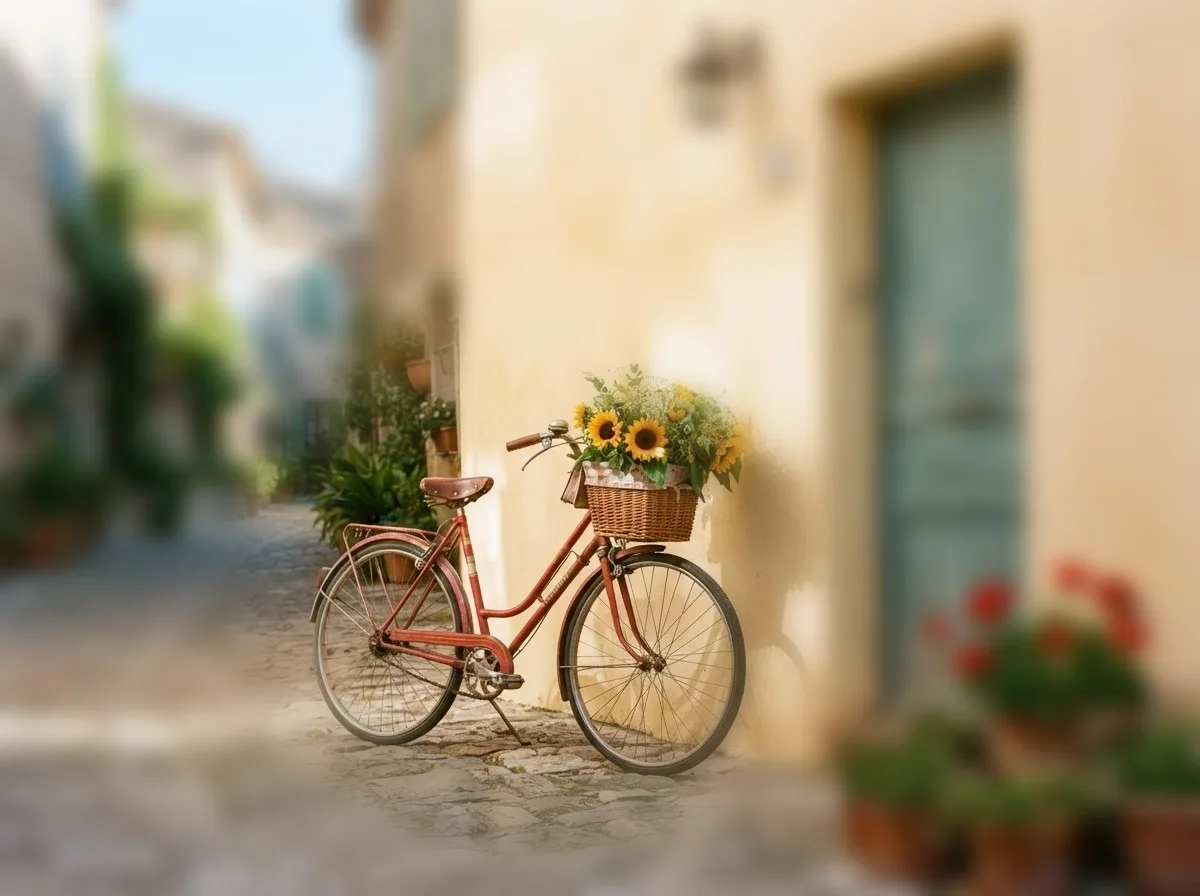
Choose All but one area and drag a box or an ellipse around your subject. Everything outside it is blurred; the soft edge slider (0–40% of the photo's short side) fades the blur in gradually so there is no hard line. On the sample, an ellipse around the bicycle with strength 30 (a 10.8 px radius) and a 15% soft edge kept the bike and its sunflowers crisp while the street behind softened; 39% of the photo's fine detail remained, against 0.4% when the whole photo is blurred at strength 10.
This is a quick, shape-based focus effect. It does not detect the subject's outline, so whatever sits inside the ellipse beside the subject stays sharp too, and a little blur reaches into the subject where the soft edge crosses it. Make the ellipse snug, and lower the soft edge for subjects with clean outlines.
How does the photo blur work?
The blur is a Gaussian blur, the standard soft, even blur of photo editors, computed in JavaScript as three box blurs in a row, which matches a Gaussian closely. It runs the same in every browser, including Safari, which does not support the canvas blur filter other browsers have. Colours are weighted by transparency first, so a transparent PNG gets no dark fringe at its edges.
The preview works on a copy of up to 1,100 px; the download repeats the same settings on the full-size photo (up to about 16.7 megapixels, the canvas limit of phone browsers). Because the radius is a share of the short side, the two match.
When should you blur a photo?
Before sharing a photo publicly, blur faces of people who did not agree to be shown, especially children, and number plates, house numbers and street signs that place your home. Before posting a screenshot, cover names, email addresses, order numbers and messages with a solid box. For design, a lightly blurred photo makes a calm background for text, a product or a profile picture, and a sharp subject on a soft background draws the eye where you want it.
- Privacy: faces, plates, house numbers, documents, screens.
- Design: backgrounds for text, product photos, a focus effect.
Which files work, and is the photo uploaded?
The tool opens JPG, PNG and WebP up to 40 megapixels and saves JPG, PNG or WebP. Nothing is uploaded and no account is needed: blurring and saving happen in your browser. HEIC photos from recent iPhones need converting to JPG first.
Your original file is never changed. Keep it if you might need the unblurred photo later, and share only the blurred download.
Why is the edge of my blurred area visible, or the blur too weak?
A visible box edge appears when a blurred area sits on a busy background: the blur borrows colour from just outside the box. Draw the box a little larger than the thing you hide, use an ellipse for faces, or use Solid box, which does not pretend to blend in.
If the blur looks weak on a large photo, remember the radius follows the short side: strength 50 is 17.9 px on an 896 px photo and about 60 px on a 3,000 px one, which look the same at the same viewing size. Raise the strength for privacy, and check the result with Hold to compare and at full size before sharing.
Frequently asked questions
How do I blur part of a photo?
Choose Selected areas, drag a box over what to hide, pick Blur, Pixelate or Solid box, and download.
Is this photo blur tool free?
Yes. It runs in your browser with no account, no watermark and no limit.
Is my photo uploaded?
No. The photo is blurred and saved on your device; only the optional sample comes from HueFold.
How do I blur a face in a photo?
Choose Selected areas and Ellipse, drag over the face and use Blur or Pixelate at a high strength.
Can blurred text be read back?
Lightly blurred or finely pixelated text sometimes can. Use Solid box for anything sensitive.
How do I blur the background of a photo?
Choose All but one area and drag around the subject; everything outside is blurred, with a soft edge you can adjust.
Can someone remove the blur from my download?
Not by switching it off: the pixels are replaced. Keep your original if you need the unblurred photo.
What does the strength number mean?
The blur radius as a share of the photo’s short side: 100 is 4%, 35.8 px on an 896 px tall photo.
Does it work on iPhone Safari?
Yes. The blur is computed in JavaScript, so it does not need the canvas filter Safari lacks.
Does blurring remove location data?
Yes. The download carries no EXIF data, so no camera details or GPS position.
Why is my blurred photo a smaller file?
Blur removes fine detail, which takes many bytes. The sample fell from 314,469 to 49,584 bytes at strength 100.
Related tools
- Blur Background — More on background blur for portraits and products.
- AI Text Remover — Remove a caption or watermark instead of covering it.
- Crop Image — Cut a private detail out of the frame altogether.
- Add Emoji to Photo — Cover a face with an emoji sticker instead.
- Photo Effects — 36 colour looks to finish the photo.
- Add Text to Photo — Write on the softened background.