Remove Audio From Video
Take the sound out of a video, turn it up or down, or save just the sound as M4A or WAV, in your browser. The picture keeps its size; nothing is uploaded.
Updated

How do you remove the audio from a video?
Open the video and press Make the silent MP4. The tool rebuilds the video with no sound track and the same picture, ready to download. To change the volume instead, choose New volume; to keep only the sound, choose Sound only.
The 6-second sample became a 1280 × 720 MP4 of 3,393 KB with no sound, and its sound on its own was 119 KB as M4A. Everything happens in your browser.
How to remove sound from a video
- Open a video MP4, MOV, WebM or any video your browser plays.
- Choose what to do No sound, New volume or Sound only.
- Check the waveform Red peaks would clip.
- Make and download An MP4, or the sound as M4A or WAV.
Remove the sound from a video
A real recording of this tool: the sample opened, its sound removed, the volume changed, and the sound saved on its own as M4A.
- The sample video is opened and its sound is drawn as a waveform.
- The silent MP4 is made.
- The volume is set to 200% and to 50%; peaks that would clip turn red.
- The sound is saved on its own as an M4A file.
How much of a video file is the sound?
Very little. The tool's MP4 of the 6-second sample at 50% volume was 3,512 KB; the same video with no sound was 3,393 KB, 119 KB smaller, which is almost exactly the size of the sound saved on its own as M4A (119 KB). As WAV, which stores every sample uncompressed, the same sound was 1,125 KB: AAC, the sound format in MP4 and M4A, is about nine times smaller.
So removing the sound is not a way to make a video smaller. Here the silent MP4 was even larger than the original sample (1,772 KB), because the original was encoded at a constant quality by a desktop encoder while this tool, like every browser tool, re-encodes the picture at a fixed, generous bitrate. To shrink a video, make its picture smaller with the video resizer or the video to MP4 converter.
| File | Size | Length | Contents |
|---|---|---|---|
| The sample, as it came (with sound) | 1,772 KB | 6.0 s | H.264 + AAC |
| The MP4 with no sound | 3,393 KB | 6.0 s | H.264 |
| The MP4 at 50% volume | 3,512 KB | 6.0 s | H.264 + AAC |
| The sound as M4A (AAC) | 119 KB | 6.0 s | AAC |
| The sound as WAV (16-bit) | 1,125 KB | 6.0 s | PCM |
How do you remove the sound from a video?
Open the video, keep No sound selected, and press Make the silent MP4. The video plays through once while each frame is encoded into a new MP4 with no sound track at all, not a track of silence. Download it when it is done.
The sample became a 1280 × 720 MP4 with all 144 frames and no sound, in 14 seconds. The picture keeps its size and frame timing.
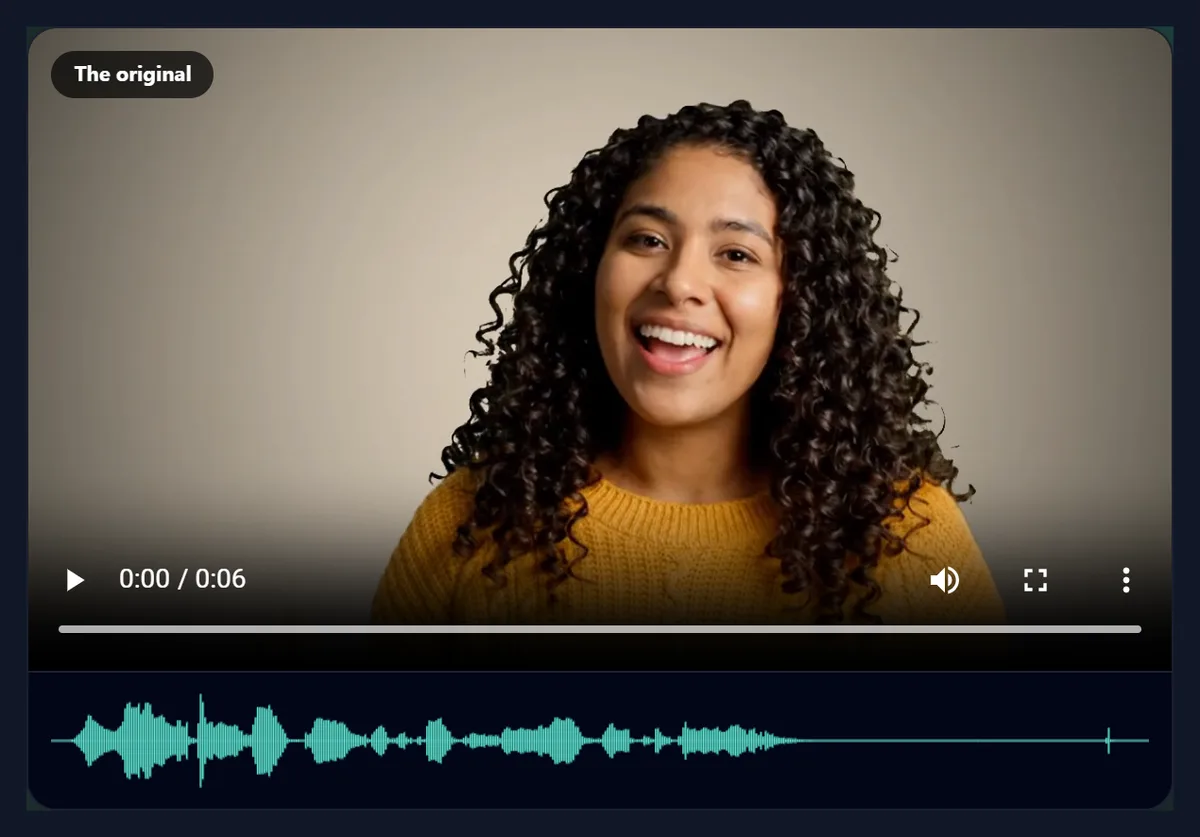
What does the waveform under the video show?
The sound of the whole video, left to right, with louder moments taller. The line above it gives the sound's length, whether it is mono or stereo, its sample rate and its average level: for the sample, -20.5 dBFS. A video with no sound track says so, and there is nothing to remove.
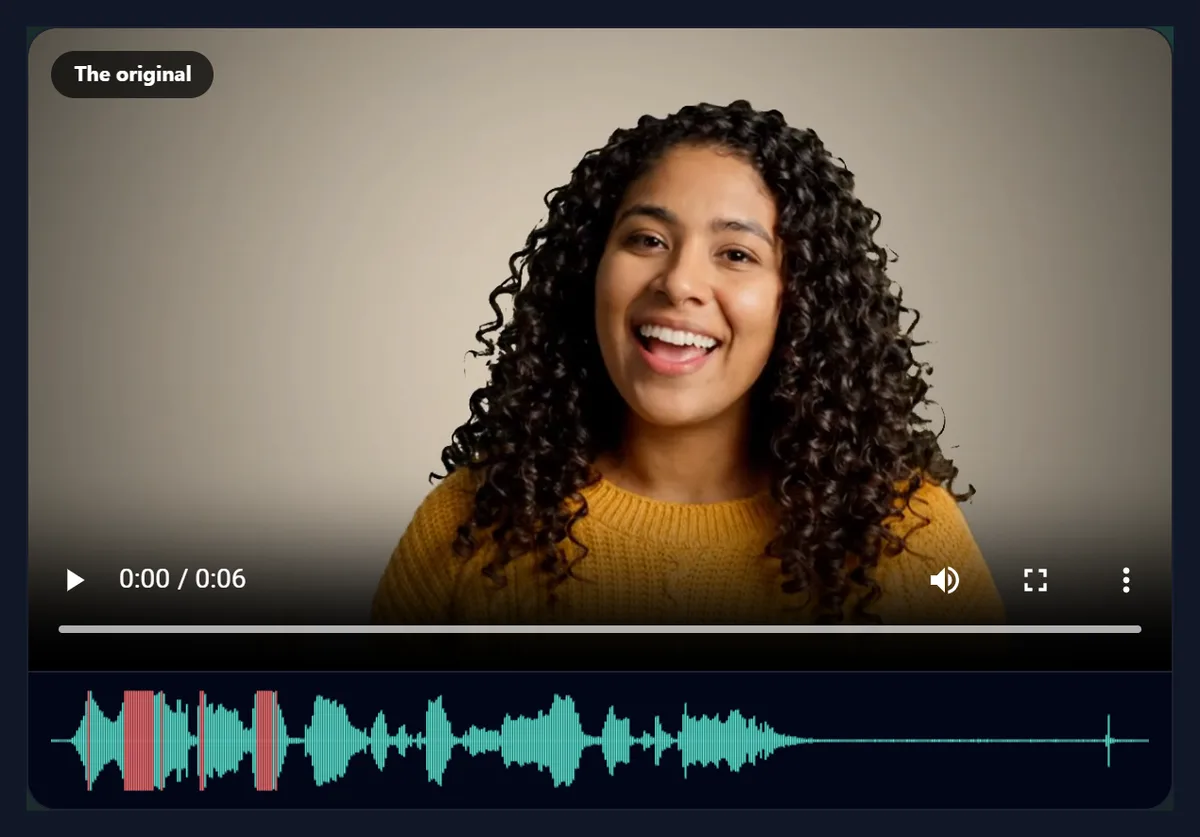
When you change the volume, the waveform grows or shrinks to match, and any peaks that would go past the loudest level a file can hold turn red: those parts would clip, which sounds like crackling distortion.

Can I make a video quieter or louder instead?
Yes. Choose New volume and set it from 0 to 300%. Below 100% the sound is turned down; 50% is about 6 decibels quieter, as the slider shows. Above 100% it is turned up, and loud parts may clip. The sample at 50% averaged -26.5 dB, against -20.5 dB for the original, as measured by ffmpeg.
At 200% it averaged -14.6 dB and peaked at full scale, 0 dB: its loudest words clipped, just where the waveform showed red. A quiet recording can usually take 150% to 200%; a loud one will distort. Watch the red on the waveform.
Can I save just the sound?
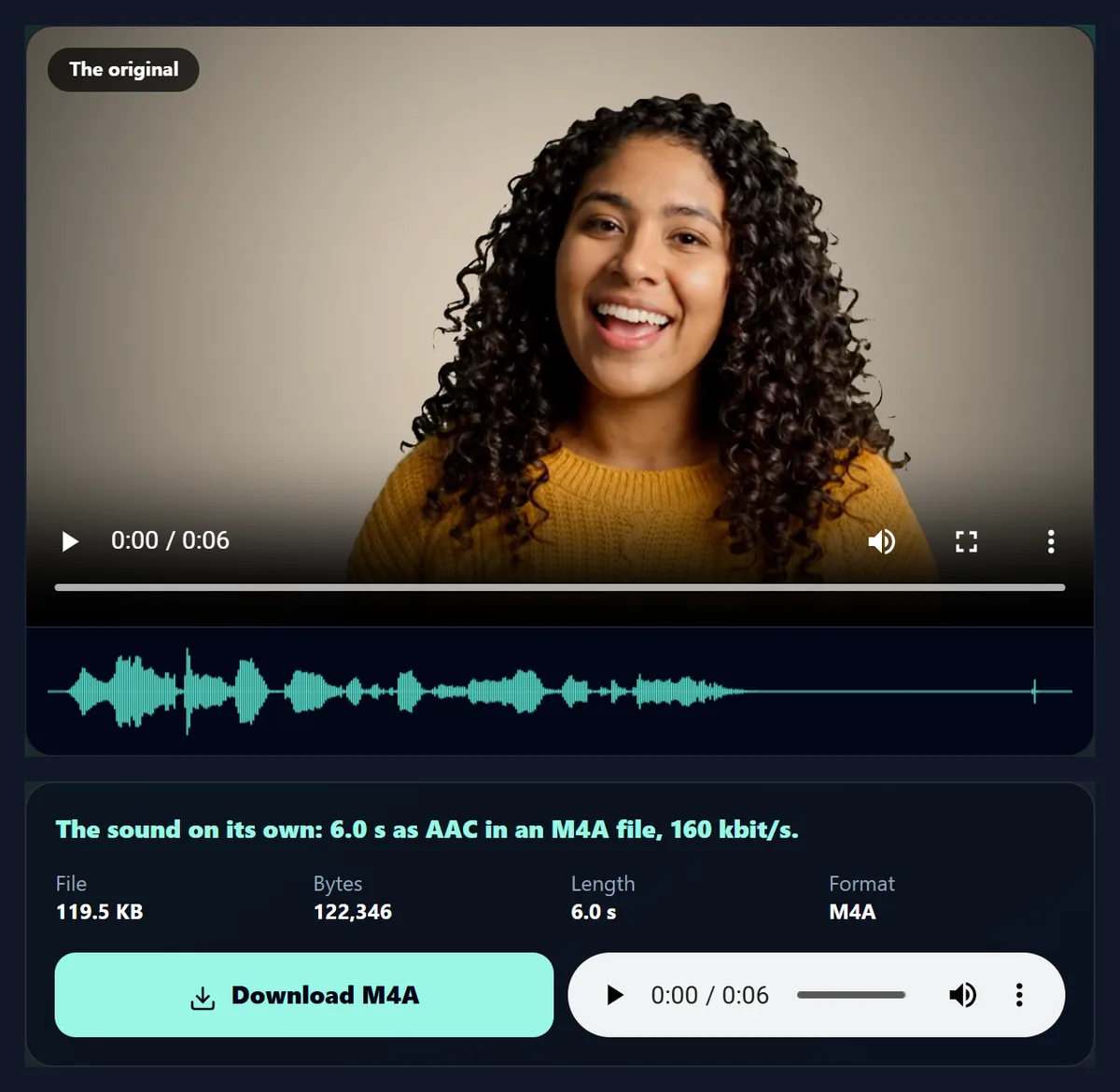
Yes. Choose Sound only and save it as M4A, AAC at 160 kilobits a second, which is small and plays on every phone and computer, or as WAV, 16-bit uncompressed, which is large but loses nothing more and opens in any audio editor. The sample's sound was 119 KB as M4A and 1,125 KB as WAV.
Saving the sound is quick: it does not play the video, it only encodes the sound, which took well under a second for the sample. Use it to keep the audio of a talk, a song you recorded or a voice note that was saved as a video.
Why remove the sound from a video?
To share a clip without background noise, private conversations or music you do not have the rights to; to use a video as a silent background on a website or in a presentation; to make a video that autoplays without annoying anyone; or to start again with new music or a voice-over.
To replace the sound rather than just remove it, use the add music to video tool: it can keep the original sound quietly under the music or drop it entirely.
Does removing the sound change the picture?
The picture is re-encoded, because the tool rebuilds the MP4 in your browser rather than copying the original stream, but at a generous bitrate, at least 4 megabits a second, and at the same size, so the change is hard to see. Every frame keeps its own moment in the video.
That is also why the silent file can be a little larger or smaller than the original's picture alone: it is a fresh encoding.
How long does it take?
Making a silent or re-levelled MP4 takes about twice as long as the video: it plays through at half speed (a quarter for 4K) so that no frame is missed, and the page tells you how long before you start. If a busy page makes it miss any frames, it reads the video again more slowly. Saving the sound only takes a moment.
Keep the tab in front while it works; browsers slow down hidden tabs.
Which videos does it work with?
Any video your browser can play, including MP4 and MOV from phones, WebM and MKV. The result is always an MP4 with H.264 video. If the browser can play the picture but not the sound, as with some codecs, the page says it found no sound.
For sound files, M4A plays in every browser and phone; WAV opens in every audio editor.
Can I mute only part of a video?
Not directly: this tool changes the sound of the whole video. To silence one stretch, cut the video into parts with the video splitter, remove the sound from the part you want quiet, and join the parts again with merge videos.
To lower a loud stretch rather than silence it, do the same with New volume on that part.
How do I replace the sound with a new recording?
Use the add music to video tool: choose your recording as the music file (any MP3, M4A or WAV your browser can open), set it to 100% and the video's own sound to 0%. The new sound starts with the video, and the MP4 has only your recording.
To keep a little of the original under the new sound, leave the video's own sound at 10% to 30% instead.
M4A or WAV: which should I save?
M4A for listening and sharing: it is small, about a ninth of the WAV, and plays on every phone, computer and messaging app. WAV for editing: it is the decoded sound exactly as the browser heard it, with nothing more taken away, so an audio editor can work on it without another round of compression.
If you will edit the sound and then put it back into a video, start from WAV.
What does the average level mean?
It is the root-mean-square level of the whole sound in decibels below full scale (dBFS): 0 dBFS is the loudest a file can hold, and every 6 dB lower is half the amplitude. The sample's voice averages −20.5 dBFS, with peaks close to full scale.
Comparing the level before and after a volume change shows exactly how much it moved: 50% is 6 dB quieter, 200% is 6 dB louder, until the peaks clip.
What is a good order for editing a video’s sound?
Trim and join the video first, then fix the sound, then add music. Removing or levelling the original sound before adding music means the music tool starts from a clean track, and each step is a new MP4 you can check before the next. Keep your original file untouched until you are happy with the result.
If you only need the picture, for a silent background loop on a website or a GIF, remove the sound and stop there.
Is the sound kept in stereo?
Yes, when the video is stereo. The sound is decoded at 48,000 samples a second with the channels it has: the sample is stereo, and the M4A and WAV saved from it were stereo too, as ffprobe confirms, so voices and music stay where they were from left to right.
Changing the volume scales both channels together, so the balance between left and right does not change.
Can I remove sound on my phone?
Yes, in a current browser on Android or an iPhone: choose the video from your gallery and save the result to your downloads. It works the same way on any phone or computer, and the file it makes has no sound track at all.
Keep the screen on while it works.
Is my video uploaded?
No. The video and its sound are decoded and the new file is made inside your browser tab. Nothing is sent to HueFold or anyone else, and there is no watermark or sign-up.
That matters most for exactly the videos people mute: ones with private conversations in the background.
Why does it say the video has no sound?
Either the video really has no sound track, or your browser cannot decode the sound's codec, which happens with some older or professional formats. Try Chrome or Edge, or convert the video with the video to MP4 converter first.
If the page says it cannot write MP4 sound, the browser has no AAC encoder; use a current Chrome, Edge or Safari, or choose No sound or WAV.
Frequently asked questions
How do I remove the sound from a video?
Open it and press Make the silent MP4.
Does it really remove the sound track?
Yes. The MP4 has no sound track at all.
Can I lower the volume instead?
Yes. Choose New volume and set 0 to 300%.
Can I save just the audio?
Yes, as M4A (AAC) or WAV.
Will the picture change?
It is re-encoded at the same size and a high bitrate.
Does it make the file smaller?
Only slightly: the sound is a small part of a video file.
Is my video uploaded?
No. Everything happens in your browser.
Is there a watermark?
No.
Related tools
- Add Music to Video — Put a song under a video.
- Video to MP4 — Convert any video to MP4.
- Video to GIF — A silent, looping GIF.
- Crop Videos — Cut the frame down.
- Merge Videos — Join clips into one.
- Video Resizer — Make a video smaller.