Video to GIF Maker
Make a GIF from any part of a video in your browser: choose the width and frame rate, speed it up, add a boomerang or a caption, and see the size before you save.
Updated

How do you turn a video into a GIF?
Open a video, drag the Start and End sliders to the part you want, choose a width and a frame rate, and press Make the GIF. The tool reads each frame of that part, builds the GIF in your browser and shows it with its size, frames and length, ready to download.
The sample's first 4 seconds at 480 pixels and 10 frames a second became a 480 × 270 GIF of 40 frames and 3.03 MB. Nothing is uploaded, and there is no watermark.
How to make a GIF from a video
- Open a video MP4, MOV, WebM or any video your browser plays.
- Choose the part Drag Start and End; the preview loops it.
- Pick width and frame rate The size and frame count update as you go.
- Make and download Add speed, boomerang or a caption first if you like.
Make a GIF from a video
A real recording of this tool: the sample video opened, the part chosen, the width and frame rate set, the GIF made and downloaded.
- The sample video is opened.
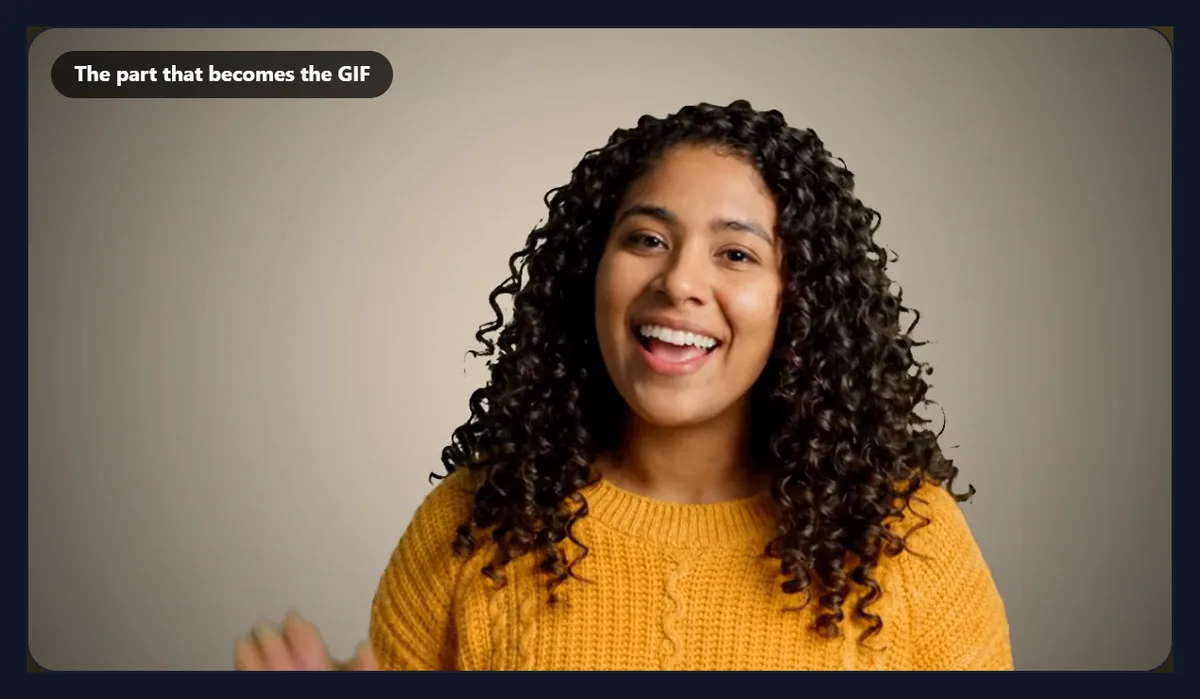
- The part that becomes the GIF is chosen with the Start and End sliders.
- The width and frame rate are set.
- The GIF is made, and its size and frames are shown.
- The GIF is downloaded.
How big will my GIF be?
Bigger than most people expect, and it grows with every frame. The same 4 seconds of the sample video at 480 pixels wide came to 1.52 MB at 5 frames a second, 3.03 MB at 10 and 4.54 MB at 15. Each frame cost almost the same, between 77.4 KB and 77.7 KB, so the size is close to the number of frames times the cost of one frame.
That is because a GIF has no real video compression: every frame is stored as a picture of its own, squeezed only by the simple LZW packing GIF has always used. A video codec stores the changes between frames instead, which is why a few seconds of MP4 is a fraction of the size. The tool shows the frame count and the size before you download, so you can lower the frame rate or the width if the file is too large.
| Frames a second | Frames | GIF size |
|---|---|---|
| 5 | 20 | 1.52 MB |
| 8 | 32 | 2.42 MB |
| 10 | 40 | 3.03 MB |
| 12 | 48 | 3.63 MB |
| 15 | 60 | 4.54 MB |
Which width should I choose?
The width matters even more than the frame rate, because the cost of a frame grows with its area. At 10 frames a second, the same 4 seconds were 899.8 KB at 240 pixels wide and 7.27 MB at 800. Doubling the width multiplies the area by four, and the file grew by nearly as much.
For a reaction GIF in a chat, 320 or 480 pixels is plenty: it is shown small anyway. Choose 640 or 800 only when the GIF will be seen large, such as on a web page. The tool never makes the GIF wider than the video, and it keeps the video's shape, so a 16:9 video becomes a 16:9 GIF.
| Width | Picture | GIF size | Per frame |
|---|---|---|---|
| 240 px | 240 × 136 | 0.88 MB | 22.5 KB |
| 320 px | 320 × 180 | 1.46 MB | 37.4 KB |
| 480 px | 480 × 270 | 3.03 MB | 77.5 KB |
| 640 px | 640 × 360 | 5.04 MB | 128.9 KB |
| 800 px | 800 × 450 | 7.27 MB | 186 KB |
How does the video to GIF maker work?
Open a video and it plays the part that will become the GIF, over and over, so you can see exactly what you will get. When you press Make the GIF, the tool works out the moment of every frame (at 10 frames a second, one every tenth of a second), asks the browser to show the video at each of those moments in turn, and copies each picture at the width you chose. Reading frames by seeking to exact moments, rather than playing the video and grabbing what comes, means no frame is skipped or doubled.
The frames are then handed to gif.js, an open-source GIF encoder that runs in the page, which chooses the best 256 colours for each frame and writes the GIF. Making the 4-second sample at 10 frames a second took about five seconds in a desktop browser; the button shows the progress.
What is inside a GIF?
A list of pictures, each with its own delay. The 10 frames a second GIF has 40 frames, each shown for 100 milliseconds. The figure shows four of them, a second apart, taken from the GIF the tool made: the woman starts to wave between the second and third.
Because each frame is a whole picture, you can open a GIF in many image editors and see the frames as layers. Browsers, chat apps and phones play them one after the other, then start again from the first.

Why do some frames last 80 ms and others 90 ms?
Because a GIF can only store a frame's delay in hundredths of a second. At 12 frames a second a frame should last 83.3 milliseconds, which GIF cannot say, so the tool alternates delays of 80 and 90 milliseconds in the right proportion. The 48 frames still add up to exactly 4 seconds, so the GIF plays at the speed of the video. At 8 frames a second the delays alternate 120 and 130.
Frame rates that divide evenly into hundredths, such as 5 and 10, have one delay throughout: 200 and 100 milliseconds. Browsers slow very short delays, of 10 milliseconds or less, down to a tenth of a second; at 15 frames a second the delays here are 60 and 70 milliseconds, well above that, so they play at their real speed.
Why does my GIF look grainier than the video?
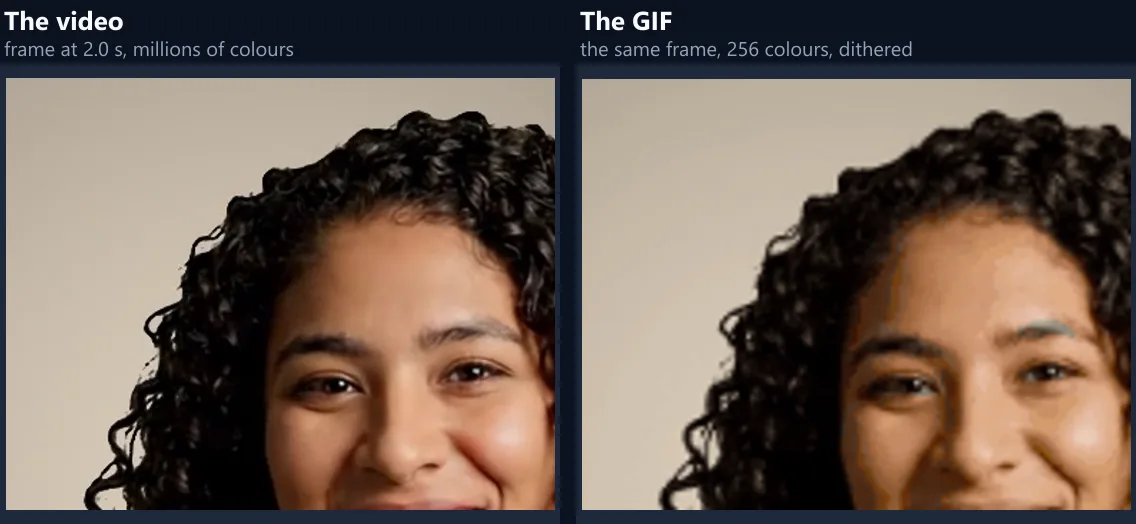
A GIF frame can only hold 256 colours, while a video frame can hold millions. The encoder picks the 256 that best fit each frame, which works well for flat colours and cartoons and less well for skin, sky and soft shadows, where smooth gradients become visible steps. The figure shows the same moment of the sample from the video and from the GIF, enlarged: the hair and the face keep their shape, but the shading is coarser.
There is no setting that gives a GIF more than 256 colours in a frame. If the look matters more than GIF itself, an animated WebP or an MP4 keeps full colour at a smaller size; the free video to GIF converter makes both.
How do I choose which part becomes the GIF?
Use the Start and End sliders. The preview plays only the part between them, in a loop, and the line under the settings says how many frames that makes, the GIF's size in pixels and how long it lasts. The part starts as the first 4 seconds of the video.
A GIF can have at most 300 frames here, which is 30 seconds at 10 frames a second or 20 seconds at 15. Short GIFs work best: 2 to 6 seconds is typical for a reaction or a product loop, and every extra second adds to the file.
Can I speed up or slow down the GIF?
Yes: choose 0.5×, 1×, 1.5× or 2×. At 2× the tool takes its frames twice as far apart in the video but shows them for the same time, so the GIF plays twice as fast and has half as many frames. The same 4 seconds at 2× make a 2-second GIF of 20 frames at 10 frames a second, half as many as at 1×, so the file is much smaller.
At 0.5× the frames are taken half as far apart, so the movement is slower and smoother but the GIF has twice as many frames and is twice as large. Slow motion works best on a short part.
What is a boomerang GIF?
A GIF that plays forwards and then backwards, so the loop has no jump. Tick Boomerang and the tool adds the frames again in reverse, leaving out the first and last so they are not shown twice. The sample's 4 seconds at 2× speed with boomerang came to 38 frames over 3.8 seconds and 2.88 MB: 20 frames forwards and 18 back.
Boomerangs suit movements that look natural in reverse, such as a wave, a pour or a jump. They double the frames, so keep the part short.
Can I add text to the GIF?
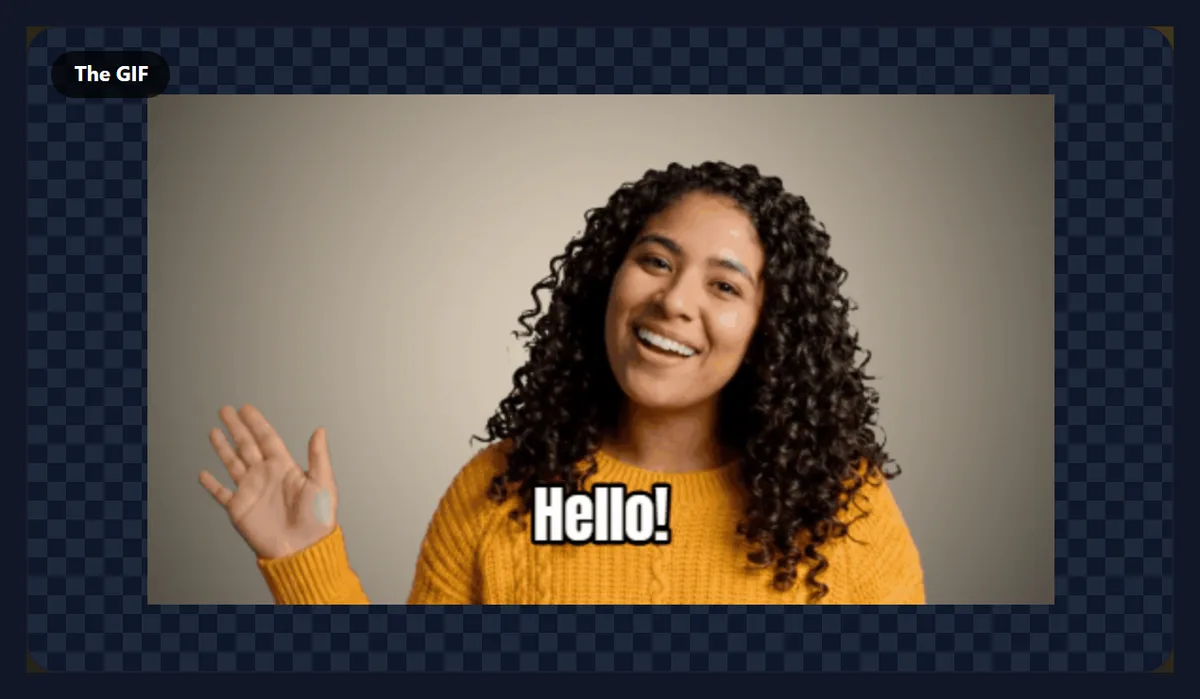
Yes. Type a caption of up to 60 characters and it is drawn on every frame, near the bottom, in white Anton letters with a black outline, the classic meme look that stays readable on any picture. The sample with the caption Hello! came to 2.98 MB, a little smaller than without it (3.03 MB), because the still text covers a strip of the moving picture.
For more control over text, such as its timing, position and entrance, add the text to the video first with the add text to video tool and then make the GIF from that MP4.
Will my GIF loop forever?
Yes, by default: the GIF tells players to repeat it endlessly, which is what most people expect. Tick Play once instead of looping and the GIF is written without the loop instruction, so it plays once and stops on its last frame. Browsers honour this; some chat apps loop every GIF regardless.
To make a loop look seamless, choose a part where the last frame looks like the first, or use the boomerang.
Where can I use the GIF?
Almost anywhere that shows pictures: chat apps, email, Slack and Teams, forums, documents, presentations and web pages all play GIFs, which is their great strength. They need no player, have no sound to mute and start at once.
Many sites and apps limit the size of uploads, and some convert large GIFs to video. If yours refuses the file, make it smaller with a lower width or frame rate, or use the free video to GIF converter, which shrinks the GIF to fit a size limit for you.
Should I use a GIF or a video?
Use a GIF when it must play everywhere without a click, such as in an email or a chat that does not autoplay video, and when it is short. Use an MP4 when it is longer, needs sound, or needs full colour: it is far smaller for the same picture. For a web page, a muted, looping MP4 or an animated WebP usually looks better and loads faster than a GIF.
The free video to GIF converter turns the same part of a video into a GIF, an animated WebP or an MP4, so you can compare the files before choosing.
Can I make a GIF on my phone?
Yes, in a current browser on Android or an iPhone. Choose a video from your gallery or files and make the GIF as on a computer; it is saved to your downloads. Phones have less memory, so keep the GIF short and at 480 pixels or less.
Phone videos are often 4K or 1080p, but the GIF only needs the width you choose, so the large video is no problem.
Is my video uploaded?
No. The video is opened, its frames are read and the GIF is made inside your browser tab; nothing is sent to HueFold or anyone else, and there is no account, watermark or limit on how many GIFs you make.
Because nothing is uploaded, a large video opens as quickly as your device can read it.
Why will my video not open, or the GIF not finish?
If the video will not open, the browser cannot play its codec; open it in Chrome or Edge, or convert it to MP4 first with the video to MP4 converter. If the Make button is greyed out, the part has more than 300 frames: shorten it or lower the frame rate.
If making a large GIF is slow or the tab runs out of memory, lower the width or the frame rate: an 800-pixel GIF at 15 frames a second holds many large pictures in memory at once.
Frequently asked questions
How do I make a GIF from a video?
Open the video, choose the part, width and frame rate, and press Make the GIF.
How long can the GIF be?
Up to 300 frames: 30 seconds at 10 frames a second.
What frame rate should I use?
10 is smooth enough for most GIFs; 5 to 8 for smaller files.
Why is my GIF so large?
Every frame is a whole picture. Lower the width or frame rate.
Can I add text?
Yes, a caption of up to 60 characters on every frame.
Can I make a boomerang?
Yes. Tick Boomerang and it plays forwards, then backwards.
Does the GIF have sound?
No. GIFs cannot hold sound; use MP4 for that.
Is my video uploaded?
No. The GIF is made in your browser.
Is there a watermark?
No, and no sign-up.
Related tools
- Free Video to GIF Converter — GIF, WebP or MP4 with a size limit.
- Add Text to Video — Timed titles and captions.
- Crop Videos — Crop the frame first.
- Video to MP4 — Convert any video to MP4.
- Add Music to GIF — Turn a GIF into a video with sound.
- Add Text to GIF — Write on an existing GIF.