Slow Motion Video
Slow a video down in your browser: 0.75×, 0.5×, 0.25× or 0.1×, all of it or one moment, with blended in-between frames and the sound kept at its own pitch.
Updated
How do you make a slow motion video?
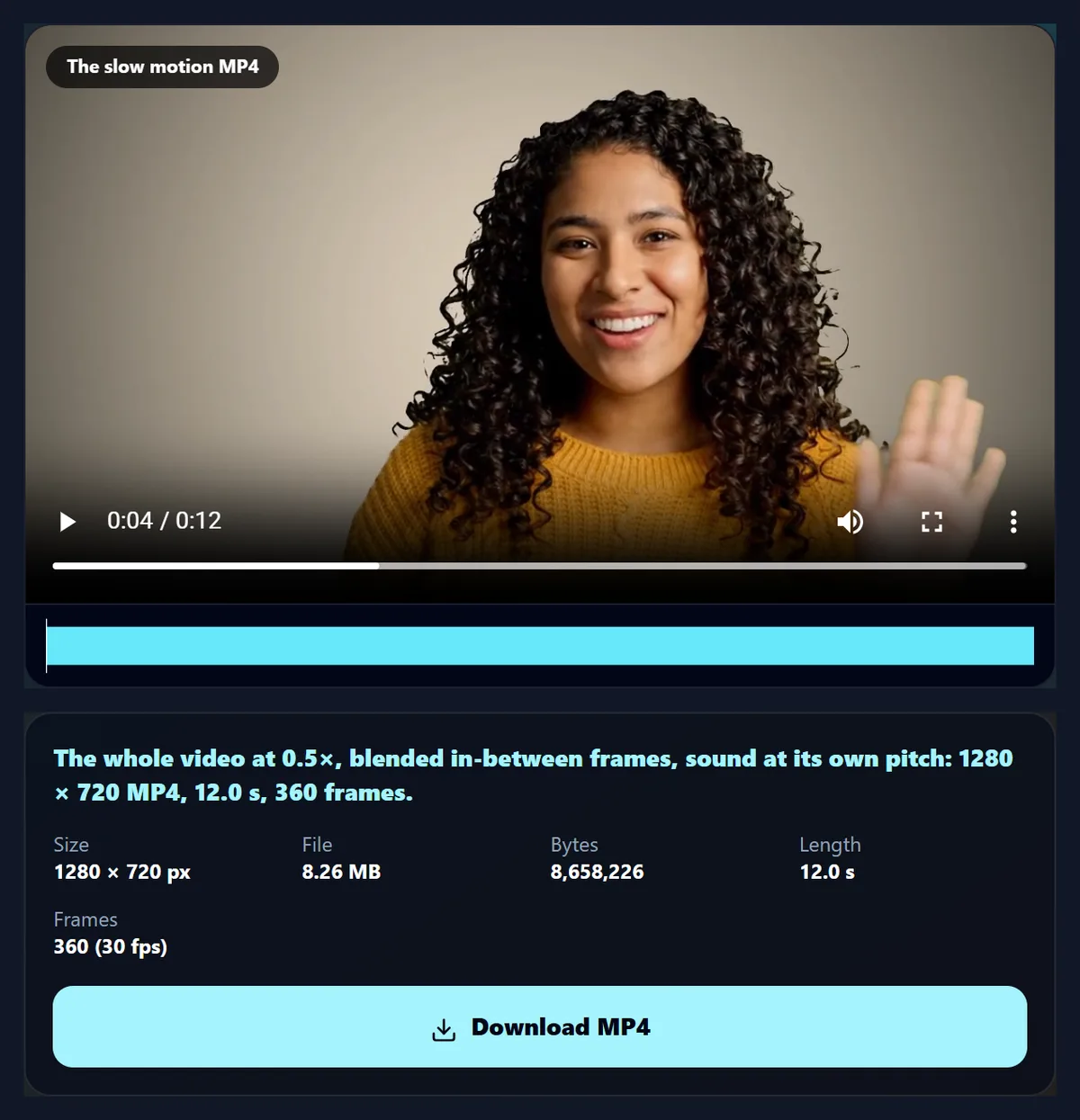
Open a video, choose a speed and whether to slow it all or just one part, pick blended or repeated in-between frames and what to do with the sound, and press Make the slow motion video. The MP4 runs at a steady 30 frames a second.
The 6-second sample at 0.5× became a 12.0-second MP4 of 360 frames, its sound slowed at its own pitch. Everything happens in your browser.
How to make a slow motion video
- Open a video Any video your browser plays.
- Choose a speed 0.75×, 0.5×, 0.25× or 0.1×.
- All or one part Set From and To for a replay.
- Make and download An MP4 at 30 frames a second.
Slow down a wave
A real recording of this tool: the sample opened, the speeds tried, the speed previewed, and the slow motion MP4 made and played.
- The sample video is opened.
- The quarter and half speeds are chosen.
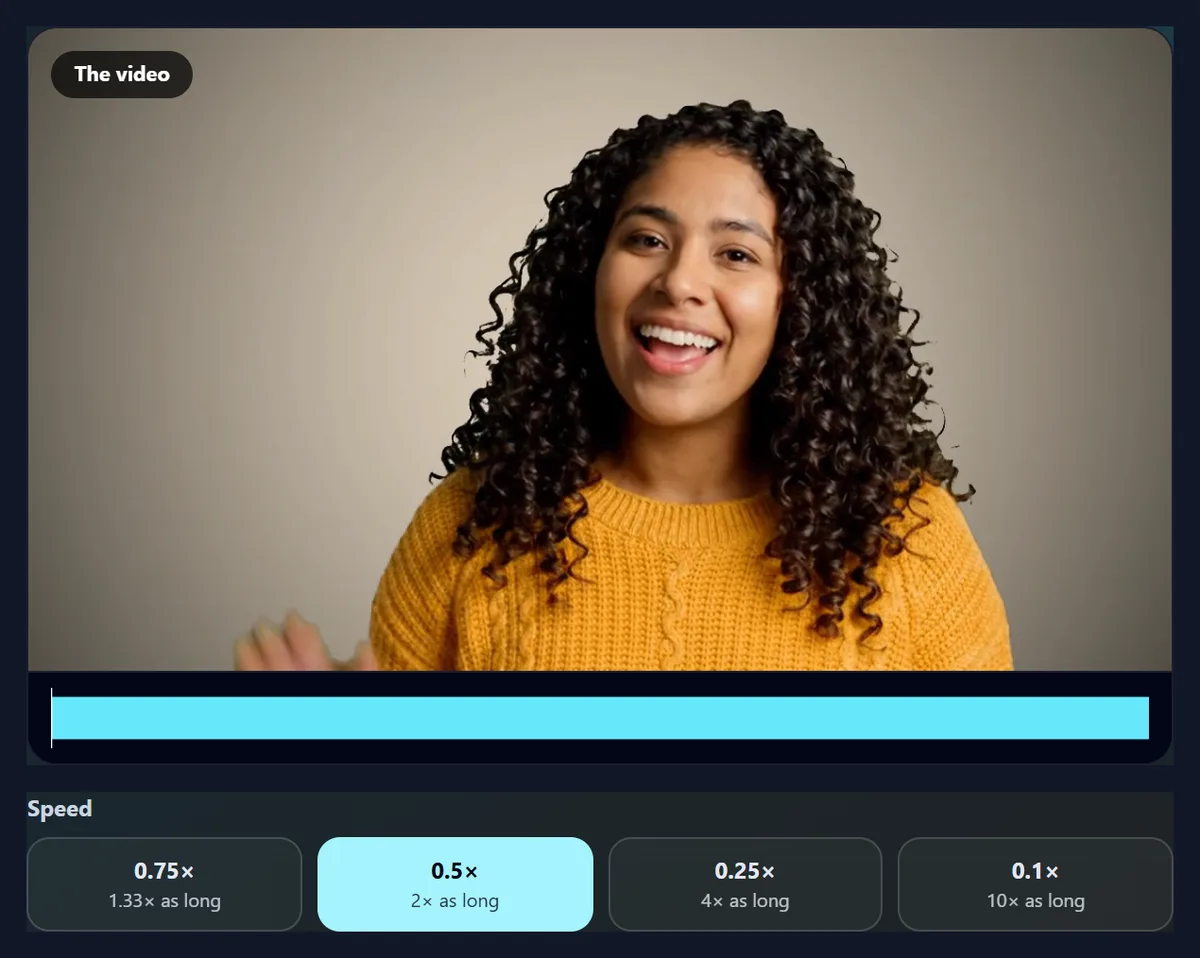
- The speed is previewed.
- The slow motion MP4 is made and plays.
How long will the slow motion video be?
The slowed part lasts as many times longer as the speed is slower. The 6-second sample came out 8.0 seconds long at 0.75×, 12.0 at 0.5× and 24.0 at 0.25×, each at a steady 30 frames a second: 240, 360 and 720 frames, from a video that has 144.
The extra frames are made from the real ones: blended from the two either side, or the nearest one repeated. Slowing just one moment adds only that moment's extra time: the sample's wave, 1.5 to 3.5 seconds, at 0.25× made the whole video 12.0 seconds long.
| Speed | Length | Frames | MP4 size |
|---|---|---|---|
| 0.75× | 8.0 s | 240 at 30 fps | 5.52 MB |
| 0.5× | 12.0 s | 360 at 30 fps | 8.26 MB |
| 0.25× | 24.0 s | 720 at 30 fps | 16.60 MB |
| 0.25×, 1.5–3.5 s only | 12.0 s | 360 at 30 fps | 8.41 MB |
How do you make a slow motion video?
Open the video, choose a speed (0.75×, 0.5×, 0.25× or 0.1×), and choose whether to slow the whole video or just one part. Pick blended or repeated in-between frames and what happens to the sound, then press Make the slow motion video. Preview the speed first if you like: the browser plays the video at that speed.
At 0.5×, the sample became a 1280 × 720 MP4 of 12.0 seconds with its sound slowed at its own pitch.
Where do the extra frames come from?
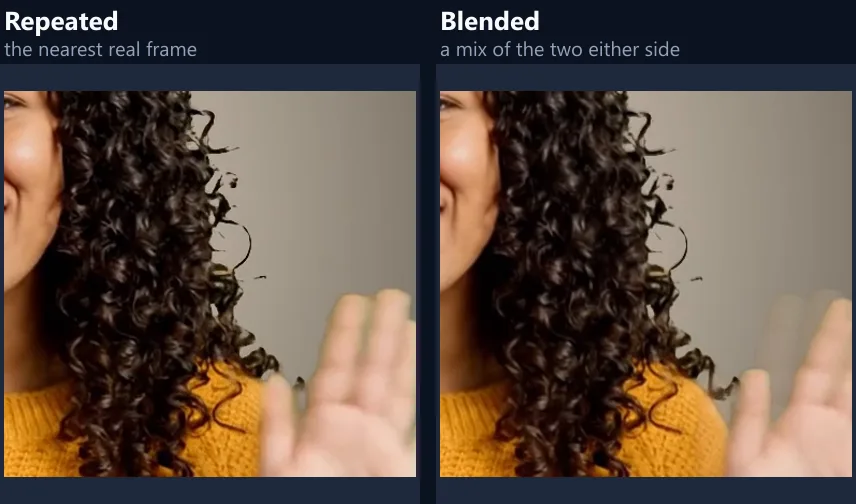
A phone video has 24 to 60 frames a second. Slowed to a quarter, those frames would be spread four times further apart and the movement would stutter. The tool writes a steady 30 frames a second instead, and fills each gap from the two real frames either side: Blended mixes them in proportion, so movement looks smoother; Repeated shows the nearest real frame, crisper but steppier.
Blending cannot invent detail that was never filmed: a fast movement blends into a soft double image rather than a sharp new frame. For the smoothest slow motion, film at a high frame rate, such as a phone's 120 or 240 fps slow-motion mode.
Can I slow down just one moment?
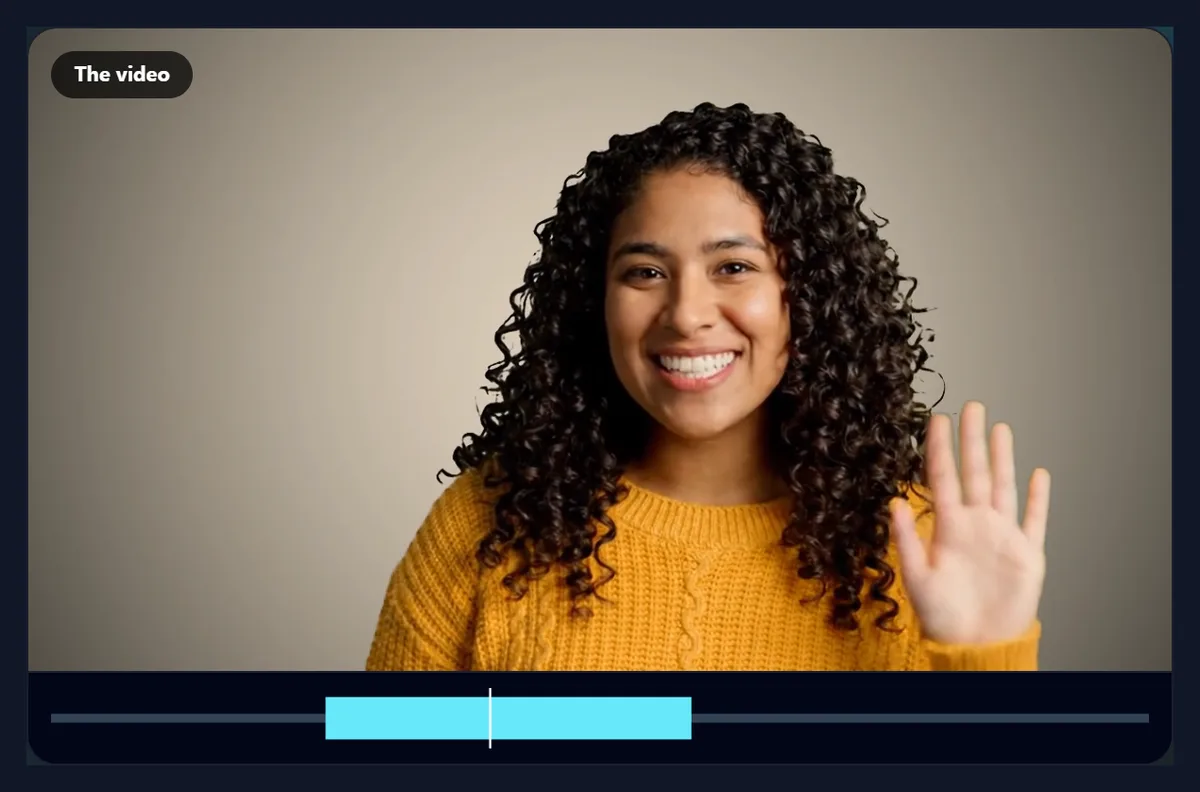
Yes: choose Just one part and set From and To. The video plays normally up to that moment, slows down through it, and plays normally again afterwards: the classic sports and action replay. The timeline under the video shows the slowed part in colour.
The sample with only the wave slowed, 1.5 to 3.5 seconds at 0.25×, was 12.0 seconds long.
What happens to the sound?
Same pitch slows the sound down without making it deeper: it is cut into overlapping windows about 50 milliseconds long, spread out, and each nudged to where it best continues the one before, so voices keep their pitch. Deeper slows it as a tape would, so it drops in pitch as it slows, the classic slow-motion growl. None removes the sound.
Very slow speeds make any sound smear, whichever you choose; for 0.25× and slower many people use music instead. Outside a slowed part, the sound plays as it was.
Which speed should I choose?
0.75× for a subtle, dreamy feel; 0.5× for clear slow motion of everyday movement; 0.25× for dramatic action such as a jump, a splash or a hair flip; 0.1× for a moment you want to stretch out, best on a short part of a high frame rate video.
Slower speeds make longer videos and take longer to make.
How long does it take?
The video plays through once at half speed, or a quarter for 0.25× and slower, while every in-between frame is written: about twice to four times the original length. The page says how long before you start.
Keep the tab in front while it works; browsers slow hidden tabs.
Does slow motion lower the quality?
The picture is re-encoded as H.264 at its own size (up to 1080p) and a generous bitrate. The real frames keep their detail; the in-between frames are made from them. At 0.25× with repeated frames, the sample was 15.06 MB; with blended frames, 16.60 MB.
Every output frame keeps its exact moment, so the sound and the picture stay in step.
Which clips make the best slow motion?
Clips with clear, fast movement: a jump, a splash, a hair flip, a ball, a dancer, a pour. Slow motion turns a blur of action into something people can watch. Clips filmed at a high frame rate, such as 60 fps or a phone's slow-motion mode, slow down far more smoothly, because there are more real frames to spread out.
Static scenes gain nothing from slowing down; save it for the moment of action.
How do I make an action replay?
Choose Just one part and set From and To around the action, then choose 0.25×: the video plays normally, slows through the moment, and picks up speed again after it. For a classic replay, make the slowed video and join it after the original with the merge videos tool.
Keep the slowed part short, two or three seconds of the original: at 0.25× that is already eight to twelve seconds.
Why is the result 30 frames a second?
A steady 30 frames a second plays smoothly everywhere and gives the in-between frames somewhere to go: the tool works out each output frame's moment in the original and blends or picks the frames either side. The real frames of the original keep their detail.
The result panel shows the number of frames, which is the length in seconds times 30.
Which sound setting should I choose?
Same pitch for speech and music you want to stay recognisable at 0.75× or 0.5×. Deeper for the dramatic, low slow-motion sound of films, especially at 0.25× and below. None when the slowed sound would only distract, and add music afterwards with the add music to video tool.
Outside a slowed part, the sound always plays as it was.
Can I speed a video up instead?
Not with this tool, which only slows down. Making a part of a video faster is the opposite job; the video to GIF maker can speed up a short part up to 2× as a GIF.
To shorten a video instead, cut out the parts you do not need with the video splitter.
Can I make a slow-motion GIF?
Yes: slow the video down here, then open the MP4 in the video to GIF tool and choose the part. The GIF keeps the slow motion, without sound.
For a GIF, keep the slowed part short, since every frame adds to the file.
Which videos can I slow down?
Any video your browser can play: MP4 and MOV from phones, WebM, MKV and more. The result is an MP4 up to 1080p with H.264 video and AAC sound.
If a video will not open, convert it with the video to MP4 converter first.
Why does 0.25× take longer to make?
At a quarter speed every real frame becomes about five output frames, each blended and encoded. To keep up without missing frames, the tool plays the video at a quarter of its speed while it works, rather than half, so a 6-second clip takes about 24 seconds. At 0.1× it plays at a quarter speed too, but writes about twelve frames for each real one.
If the page says frames were missed, it reads the video again more slowly so the result has them all.
How long a video can I slow down?
There is no set limit, but slowing multiplies the length: a minute at 0.25× becomes four minutes of 30 fps video, which takes a while to make and is a large file. For long videos, slow down just the part that matters with Just one part.
The page shows the new length before you start.
Can I preview the slow motion first?
Yes: Preview the speed plays your video in the stage at the chosen speed, slowing down only inside the part when you slow just one part, with its sound at its own pitch. It shows the speed and the timing, though not the blended in-between frames, which are only in the MP4.
Stop the preview at any time, change the speed or the part, and preview again.
Can I make slow motion on my phone?
Yes, in a current browser on Android or an iPhone. Keep the screen on while it works; slow speeds on long videos take a while.
If your phone has a slow-motion camera mode, film with it for the smoothest result, then use this tool to slow a part further or to fix the speed.
Is my video uploaded?
No. The video is slowed, its frames made and its sound stretched inside your browser tab. Nothing is sent to HueFold or anyone else, and there is no watermark or sign-up.
Large videos are not slowed by your internet connection.
Why does the preview sound different?
The preview is the browser playing your video at the chosen speed, which usually keeps the pitch; the MP4 uses the sound setting you chose. If the page says some frames were missed, it reads the video again more slowly so that none are lost: wait for it to finish.
If the page says it cannot write MP4 at this size, use a current Chrome, Edge or Safari.
Frequently asked questions
How do I slow down a video?
Choose a speed and press Make the slow motion video.
Can I slow down only part of a video?
Yes. Choose Just one part and set From and To.
Does the sound get deeper?
Not with Same pitch; choose Deeper for the tape effect.
Will slow motion be smooth?
Blended in-between frames help; filming at a high frame rate helps most.
How slow can it go?
Down to 0.1×, ten times longer.
What frame rate is the MP4?
A steady 30 frames a second, whatever the speed, with in-between frames made from the real ones.
Is my video uploaded?
No. Everything happens in your browser.
Is there a watermark?
No.
Related tools
- Video Splitter — Cut out the moment first.
- Video to GIF — A slow-motion GIF.
- Add Music to Video — Music under the replay.
- Merge Videos — Join it with other clips.
- Crop Videos — Crop the frame.
- Video Enhancer — Fix light and colour.