Speech Bubble Maker
Add comic speech bubbles to any photo: speech, rounded, thought, shout or whisper, with a tail you drag to whoever is talking and text that sizes itself to fit. Save the photo, or just the bubbles as a transparent PNG.
Updated
How do you add a speech bubble to a photo?
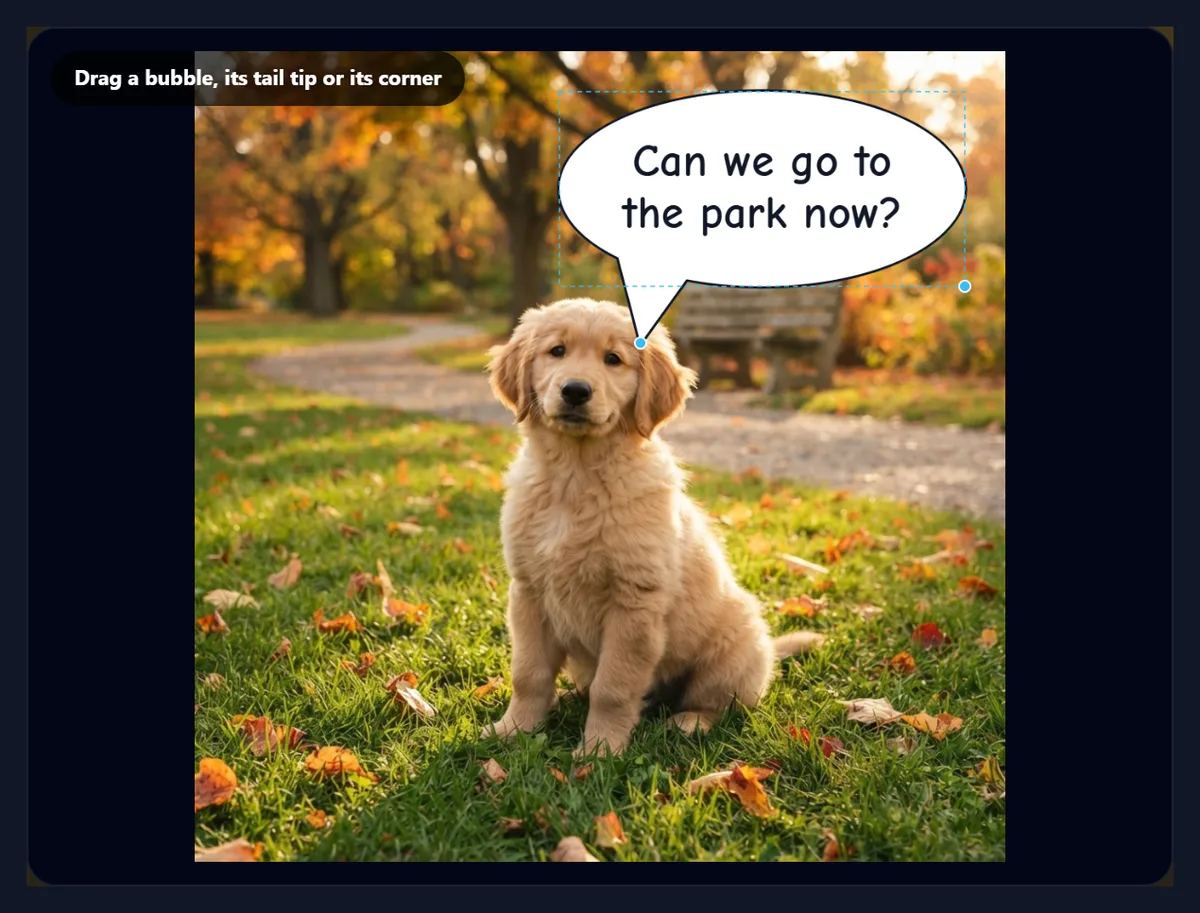
Open a photo and a speech bubble appears on it. Type your words, and they wrap and size themselves to fill the bubble. Drag the bubble where you want it, drag the tip of its tail to the person or pet who is talking, and choose the shape, colour and font. Add more bubbles for a conversation, then download the photo as JPG, PNG or WebP, or tick Bubbles only for the bubbles alone on a transparent background.
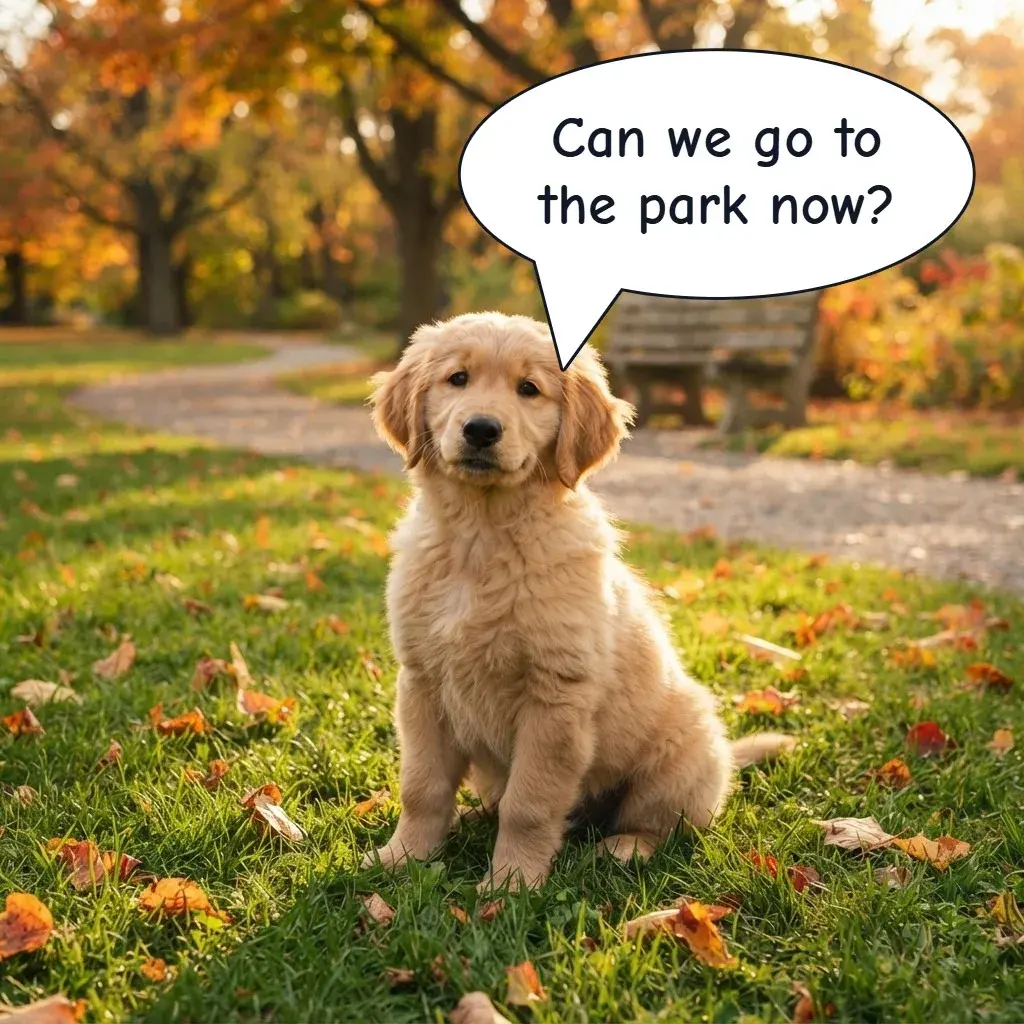
On the 1024 × 1024 sample, a seven-word question fitted on 2 lines at 57 px, and the finished JPG was 292 KB. Everything happens in your browser: nothing is uploaded and no account is needed.
How to add speech bubbles
- Open a photo Choose a JPG, PNG or WebP, or try the sample.
- Type the words The text wraps and sizes itself to fit the bubble.
- Place it Drag the bubble, its tail tip and its corner; pick a shape and colour.
- Download Save the photo as JPG, PNG or WebP, or just the bubbles as a PNG.
Add speech bubbles to a photo
A real recording of this tool: a speech bubble on the sample photo, new text that sizes itself, the thought, shout and speech shapes, the tail dragged, a second bubble added, and the photo downloaded.
- The sample puppy photo opens with a speech bubble.
- New text is typed, and it resizes to fit the bubble.
- The bubble is switched to Thought, Shout and back to Speech.
- The tail tip is dragged to a new spot.
- A second, yellow thought bubble is added.
- The photo is downloaded.
How does the text fit inside the bubble?
It sizes itself. Every time you type, the tool searches the font sizes, wrapping the words to the bubble's width at each size it tries, and keeps the largest size at which every line fits inside the bubble. The space it uses is an inner box of 70% of the bubble's width and 62% of its height, the part of an oval that stays clear of the curved edge, so letters never touch the outline. There is also a ceiling, 40% of the bubble's height, so a single word does not turn into one giant letter.
On the sample photo, which is 1024 pixels wide, the same bubble held "Hi!" at 98 px, "Can we go to the park now?" on 2 lines at 57 px, and a 25-word sentence on 4 lines at 27 px. The line under the controls tells you the size and the number of lines on the full-size photo as you type. If the text gets too small to read, make the bubble bigger with its corner handle or the Size slider, or say it in fewer words: comics keep balloons short for the same reason.
| Text in the bubble | Words | Text size | Lines |
|---|---|---|---|
| Hi! | 1 | 98 px | 1 |
| Park now? | 2 | 80 px | 1 |
| Can we go to the park now? | 7 | 57 px | 2 |
| Can we go to the park now? I have been good all morning. | 13 | 37 px | 3 |
| Can we go to the park now? I have been good all morning, … | 25 | 27 px | 4 |
Which bubble shapes can I use?
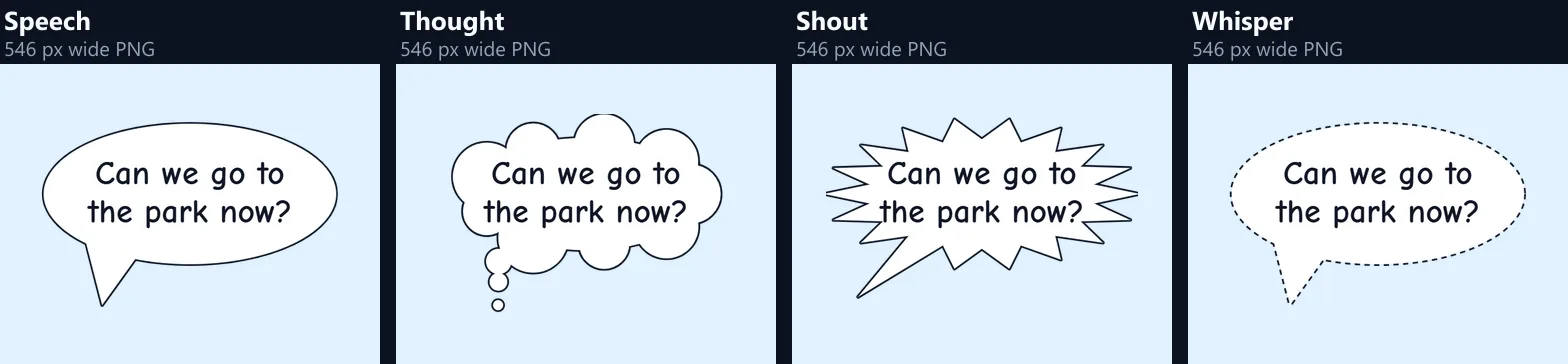
Five, each with its own meaning in comics. Speech is the classic oval with a pointed tail: ordinary talking. Rounded is a box with rounded corners and the same tail, the shape many web comics and chat-style memes use. Thought is a cloud of overlapping circles with a trail of three shrinking bubbles instead of a tail: what someone thinks but does not say. Shout is a spiky burst with one longer spike towards the speaker: yelling, surprise or a sound effect. Whisper is the speech oval drawn with a dashed outline: something said quietly.
Every shape is drawn by the tool as a vector outline and filled, so its edges stay smooth at any photo size. The thought cloud and the shout burst are built around the same oval as the speech bubble, so switching shape keeps the bubble in place and the text the same size.
How do I point the tail at the person speaking?
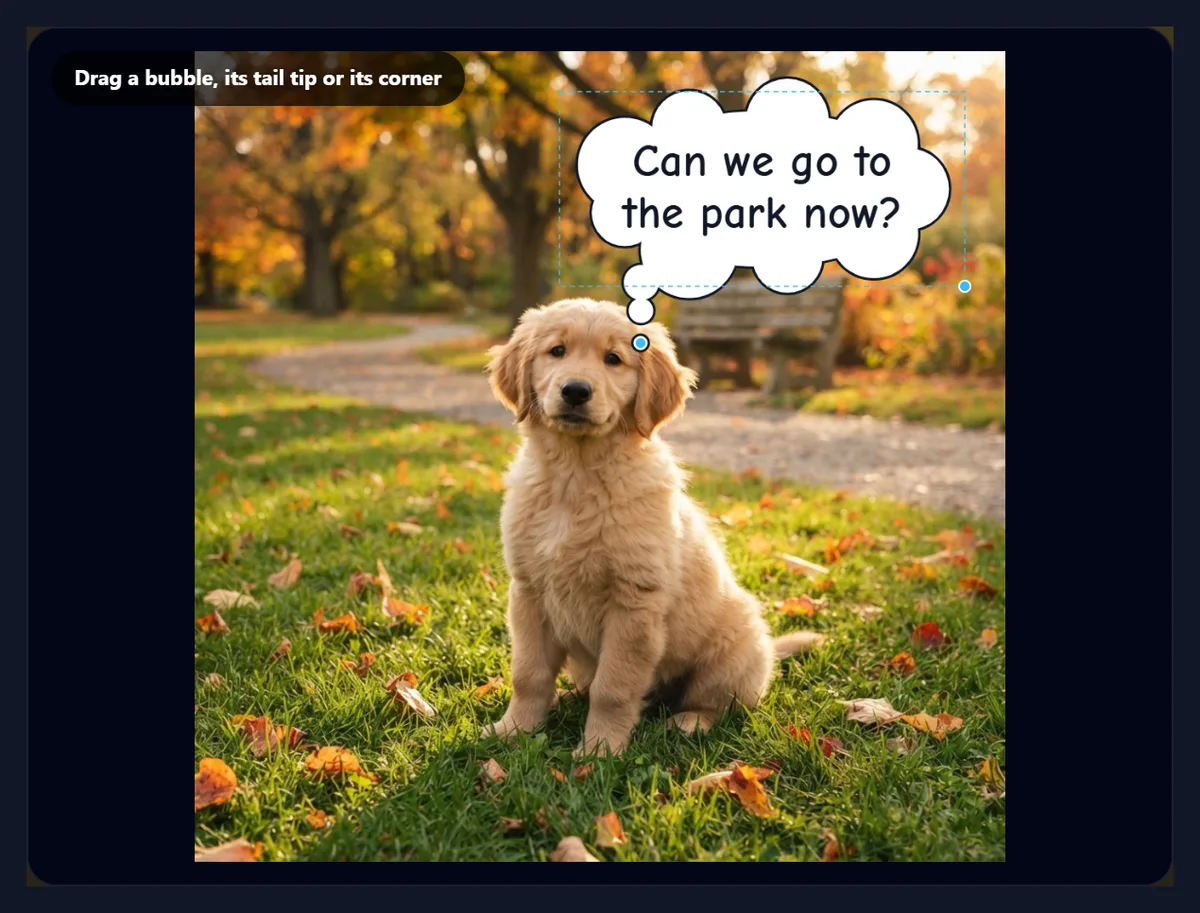
Drag the round handle at the tip of the tail. The tail always starts from the edge of the bubble, its base turning to face the tip, so you can point it in any direction: down at a face, sideways to someone at the edge of the photo, or up. Point it at the speaker's mouth, or just short of it; in comics the tail usually stops before it touches the face. For the thought bubble, the same handle moves the end of the trail of small circles.
Drag the bubble itself to move it with its tail, and drag the handle at its lower right corner to make it wider or taller. The handles and the dashed frame show only in the preview: the file you download has the bubbles and nothing else.
Can I add more than one bubble?
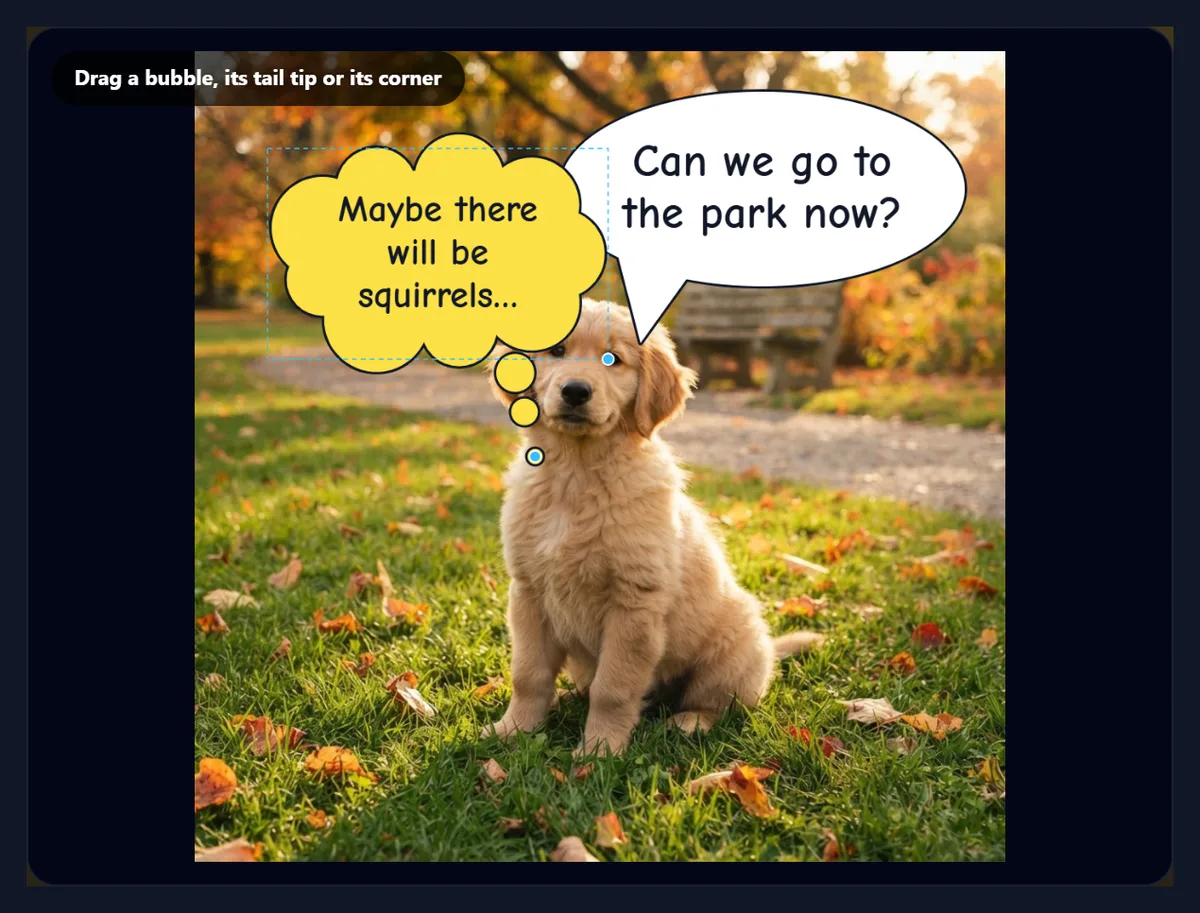
Yes, up to six. Add a bubble and it appears on the photo, selected, ready for its own text, shape, colour, font and outline; click any bubble in the preview to select it again, and Delete this bubble removes the selected one. Bubbles are drawn in the order they were added, so a newer one sits on top where two overlap. A conversation reads top to bottom and left to right, so put the first line highest.
The second figure here has two: the puppy's question in a white speech bubble and its thought in a yellow thought bubble. Saved as PNG at the photo's full 1024 × 1024 size it was 1.90 MB; as JPG at 92% quality the one-bubble version was 292 KB.
Can I change the colour, font and outline?
Yes, per bubble. The colours are White, Yellow, Pink and Sky with dark text, and Black with white text. The fonts are free Google Fonts in four styles: comic (Comic Neue, the default, and Bangers), clean sans (Montserrat Black and Inter Bold), tall display letters (Anton and Bebas Neue) and handwritten (Lobster, Pacifico and Permanent Marker). The outline goes from none to 8; its width is measured against the photo, so it looks the same on a small or a large photo.
For readability, keep dark text on a light bubble or the reverse, which every preset does, and a bold outline when the photo behind is busy. Bangers or Anton suit a shout; Comic Neue reads well at small sizes; a script font suits a whisper or a thought.
Can I save just the bubbles, without the photo?
Yes: tick Bubbles only. The download is then a PNG with a transparent background, cropped to the bubbles and their tails with a small margin, ready to place over a photo or video in another app, or in a design. The speech bubble from the sample, saved this way, was 192,192 pixels in all: 55% fully solid (the bubble and its text), 44% fully clear and 0.7% partly clear, which is the smooth edge of the outline. The file was 40.1 KB.
Because the bubbles are placed as shares of the photo, they keep the size and position they had on the photo. A transparent bubble can also be used as a sticker or over a video in an editor that accepts PNG overlays.
Which format should I download?
JPG for the photo with its bubbles, at a quality you choose: it is the smallest for photos, 292 KB for the 1024 × 1024 sample at 92%. PNG when the text must be perfectly crisp, for example for print, or when you need transparency: the same picture as PNG was 1.90 MB, because PNG stores every pixel of the photo exactly. WebP is between the two and works on the web and in most apps.
The file is made at the photo's full size, not the preview's; very large photos are scaled to the largest canvas the browser can safely draw, and the export panel shows the real pixel size and file size before you download.
How do I make bubbles easy to read?
Keep the words few: a bubble with seven words stays large and readable on a phone, one with twenty-five does not. Place bubbles in empty parts of the photo, such as sky, a wall or grass, and never over a face. Point each tail at its speaker, and keep the reading order from top left to bottom right. If the photo will be shown small, as a thumbnail or in a feed, make the bubble larger and the outline bolder.
Check the line under the controls: it shows the text size on the full-size photo. A photo 1,000 pixels wide shown across a phone screen about 390 points wide is shrunk to 39%, so 30 px text appears at about 12 points: readable, but smaller than most body text.
What are speech bubbles used for?
Memes and funny pet photos, comic strips made from real photos, social posts that give a product or a person a voice, classroom worksheets and stories, instructions and tips over a screenshot, and captions for family photos and cards. A thought bubble is handy for showing what a customer wants; a shout bubble for a sale or an announcement.
For a set of frames, such as a comic strip, use the same font and colours on every photo so the strip looks consistent, then arrange the pictures with the photo grid or combine images tools.
Is my photo uploaded?
No. The photo is opened, drawn and saved inside your browser tab; nothing is sent to HueFold or anyone else, and no account is needed. The fonts are free Google Fonts that the page loads when it opens, the same way many websites do; your photo and your text stay on your device.
The tool works on phones too: drag the handles with a finger, and the download is saved to your files or photos, depending on the phone.
Why does my text look small, or my bubble cut off?
Small text means the bubble is too small for the words: make it larger with the corner handle or the Size slider, or shorten the text. A bubble or tail that runs off the photo's edge is cut there in the download, since the file is the size of the photo; drag it back inside. If a font looks plain, it may still be loading on a slow connection: wait a moment and the preview redraws with it.
If a JPG looks soft around the letters, raise the quality or save as PNG. If a bubble covers something important, drag it, or make it narrower so the text wraps onto more lines.
Frequently asked questions
How do I add a speech bubble to a photo?
Open the photo, type your text, drag the bubble and its tail into place, and download.
Can I make a thought bubble?
Yes. Choose Thought for a cloud with a trail of small circles.
How many bubbles can I add?
Up to six per photo, each with its own text, shape and colour.
Why is my text so small?
The bubble is small for the words. Make it bigger with the corner handle, or use fewer words.
Can I download the bubbles without the photo?
Yes. Tick Bubbles only for a transparent PNG cropped to the bubbles.
Which fonts can I use?
Nine free Google Fonts: comic, sans, display and handwritten styles.
Is my photo uploaded?
No. Everything happens in your browser.
Does it work on a phone?
Yes. Drag the handles with your finger.
Is it free?
Yes, with no account and no watermark.
Related tools
- Add Text to Photo — Text without a bubble, in many styles.
- Add Emoji to Photo — Emoji stickers on a photo.
- Text Effects — 3D, neon and outline text as PNG.
- Stickers — Stickers to add to designs.
- Design and Photo Grids — Arrange photos into a comic strip.
- Combine Images — Put photos side by side.