Free Stock Photos
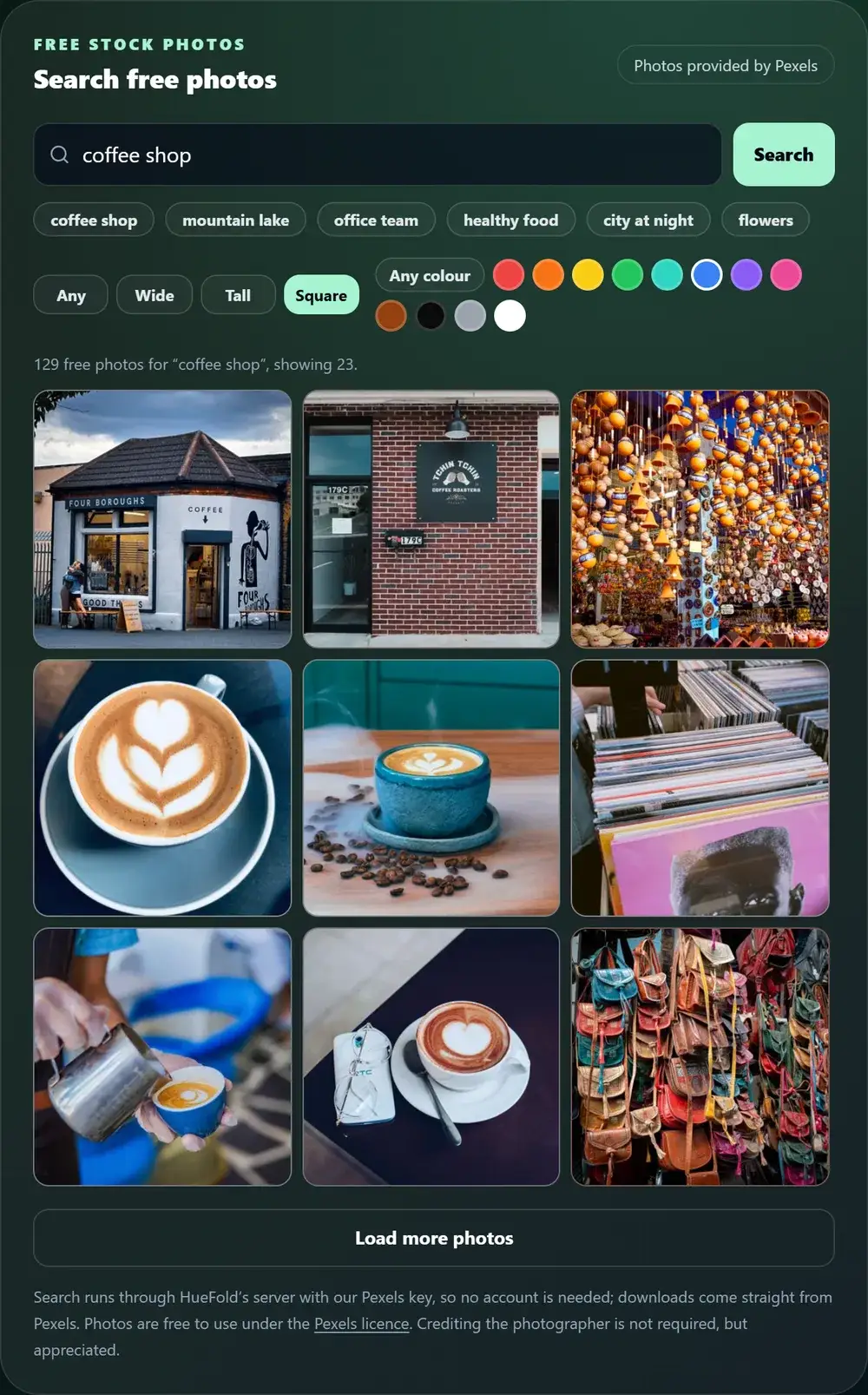
Search the free Pexels photo library without an account: type a word, keep only wide, tall or square photos, or pick a dominant colour. Open a photo to see who took it, download it at web size or full size, or open it straight in a HueFold photo tool.
Updated

Where can you find free stock photos to use?
Search above. The tool looks through Pexels, a large library of free photos shared by photographers, and shows the results with each photographer's name. Every photo can be used for free, in personal and commercial work, and edited; crediting the photographer is not required, though Pexels says it is always appreciated. You do not need an account here or at Pexels: the search runs through HueFold's server and the download comes straight from Pexels.
“Free” has a few limits worth knowing before you use a photo. You may not sell an unaltered copy, for example as a poster or a print; you may not imply that a person or brand in the photo endorses your product; you may not show identifiable people in a bad or offensive light; and you may not put the photos on another stock or wallpaper site. The guide below covers each one.
The numbers on this page were measured through the tool on 20 October 2026: how many results ordinary searches return, and how large each download size of one photo really is. The Pexels library changes over time, so result counts drift.
How to find and download a free stock photo
- Search Type what you need, such as “coffee shop” or “mountain lake”, or tap one of the suggestions. An empty search shows Pexels’ curated photos.
- Narrow it down Keep only Wide, Tall or Square photos, and pick a colour to find photos dominated by it. Load more brings the next 24.
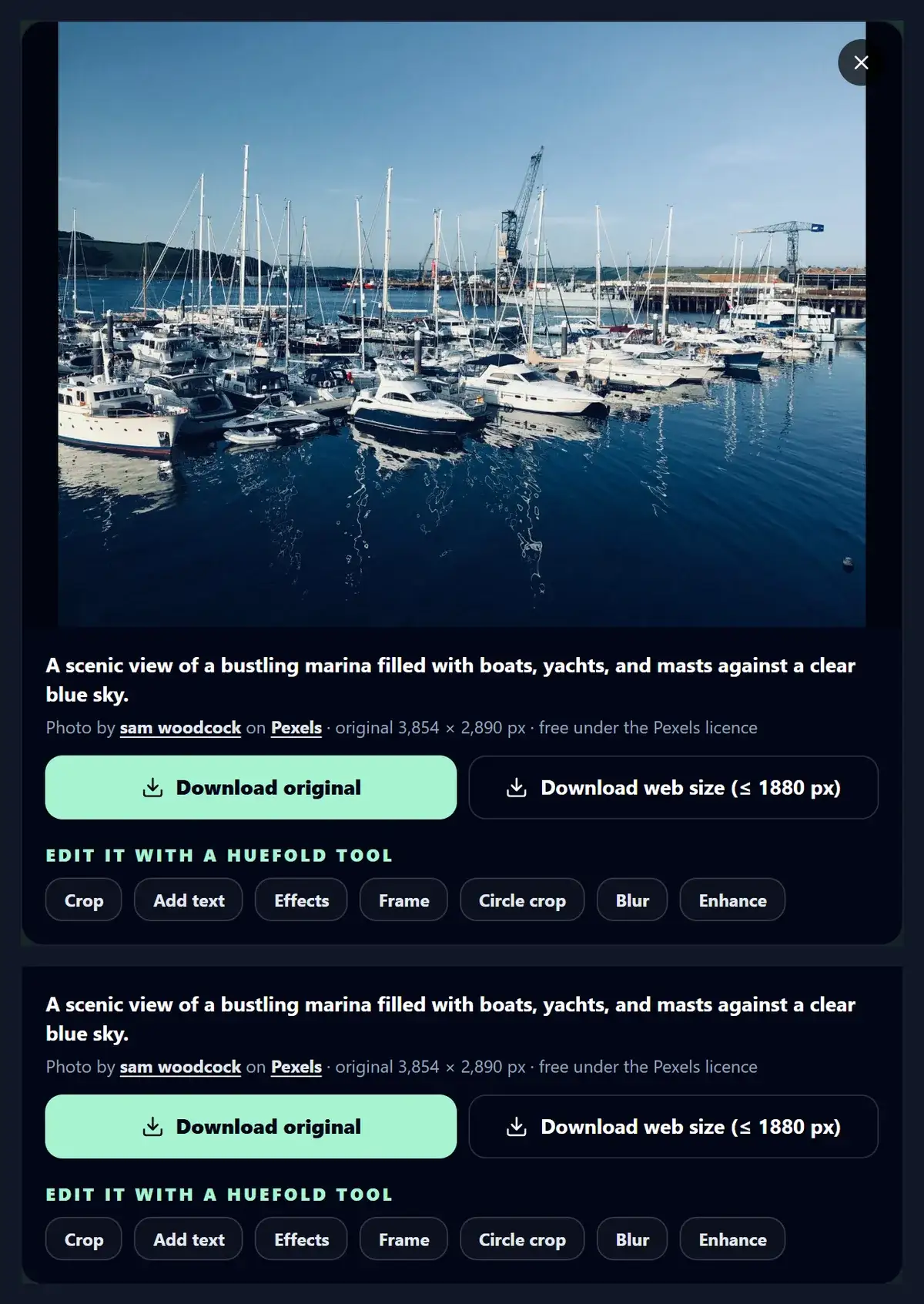
- Open a photo See it larger with its description, its original size and the photographer’s name, linked to their Pexels profile.
- Download or edit Download the original or the web size (up to 1880 px), or open the photo in Crop, Add text, Effects, Frames, Circle crop, Blur or Enhance.
Search, filter and download a free stock photo
A real screen recording of this page: a search for coffee shop photos, the Tall and brown filters, an opened photo with its credit, and a web-size download from Pexels.
- The search “coffee shop” is typed and run.
- The Tall filter keeps portrait photos only.
- The brown colour filter keeps photos dominated by brown.
- A photo is opened, showing its description and photographer credit.
- The web size is downloaded from Pexels.
How many free photos does a search find?
Thousands for everyday subjects. Through this tool, “harbour” returned 7,846 photos, and “coffee shop”, “mountain lake”, “office team”, “healthy food”, “city at night” and “flowers” each returned 8,000, which appears to be the most Pexels counts for one search. Filters cut that down quickly: “coffee shop” limited to Square photos returned 1,126.
More results are not always better. Two words (“coffee shop interior” rather than “coffee”) and the orientation filter usually get you to a usable photo faster than scrolling. Results arrive 24 at a time; Load more fetches the next page.
| Search | Results | Notes |
|---|---|---|
| harbour | 7,846 | |
| coffee shop | 8,000 | the highest count Pexels returned |
| coffee shop, Square only | 1,126 | orientation filter |
| mountain lake | 8,000 | |
| office team | 8,000 | |
| healthy food | 8,000 | |
| city at night | 8,000 |
Which size should you download?
Pexels serves every photo at several sizes, and the tool offers the two that matter. Download original gets the photo exactly as the photographer uploaded it, often several megabytes. Download web size gets a copy scaled to fit 1880 × 1300 px (Pexels' 940 × 650 at double density), which is wide enough for nearly any screen, slide or social post at a fraction of the bytes.
We measured one result, a 3854 × 2890 px harbour photo by sam woodcock. The original was 1,260,383 bytes; the web size 1734 × 1300 px and 336,810 bytes, about a quarter; the thumbnail size the result grid shows was 467 × 350 px and 31,728 bytes. Choose the original for print or heavy cropping, the web size for everything else.
| Size | Pixels | Bytes |
|---|---|---|
| Thumbnail (results grid) | 467 × 350 | 31,728 |
| Large (preview) | 867 × 650 | 98,653 |
| Web size (download) | 1734 × 1300 | 336,810 |
| Original (download) | 3854 × 2890 | 1,260,383 |
Can you use Pexels photos for free, even commercially?
Yes. Under the Pexels licence, all photos and videos on Pexels are free to use, and you can modify them; that covers websites, social posts, ads, presentations, products and client work. Attribution is not required.
The licence lists what is not allowed. Identifiable people may not appear in a bad light or in a way that is offensive. You may not sell unaltered copies of a photo, for example as a poster, a print or on a physical product, without modifying it first. You may not imply endorsement of your product by people or brands shown in the photo. You may not redistribute or sell the photos on other stock photo or wallpaper platforms. And you may not use them as part of a trademark, design mark, trade name, business name or service mark. Read the licence on Pexels before a sensitive use; HueFold does not grant any rights beyond it.
- Free for personal and commercial use, and editable.
- No credit required, though appreciated.
- Not for unaltered resale, endorsements, logos or other stock sites.
- Identifiable people never in a bad light.
How do you credit the photographer?
Open the photo: the tool shows “Photo by [name] on Pexels”, with the name linked to the photographer's Pexels profile and “Pexels” linked to the photo's own page. Copy that line into your caption, the slide's notes or your website's credits. The files you download are also named after the photographer and the photo, such as pexels-sam-woodcock-707551.jpg, so you can still find the credit later.
A credit is optional under the licence, but photographers on Pexels share their work for free, and a credit is the main thing they get back for it.
How do you find photos in a particular shape or colour?
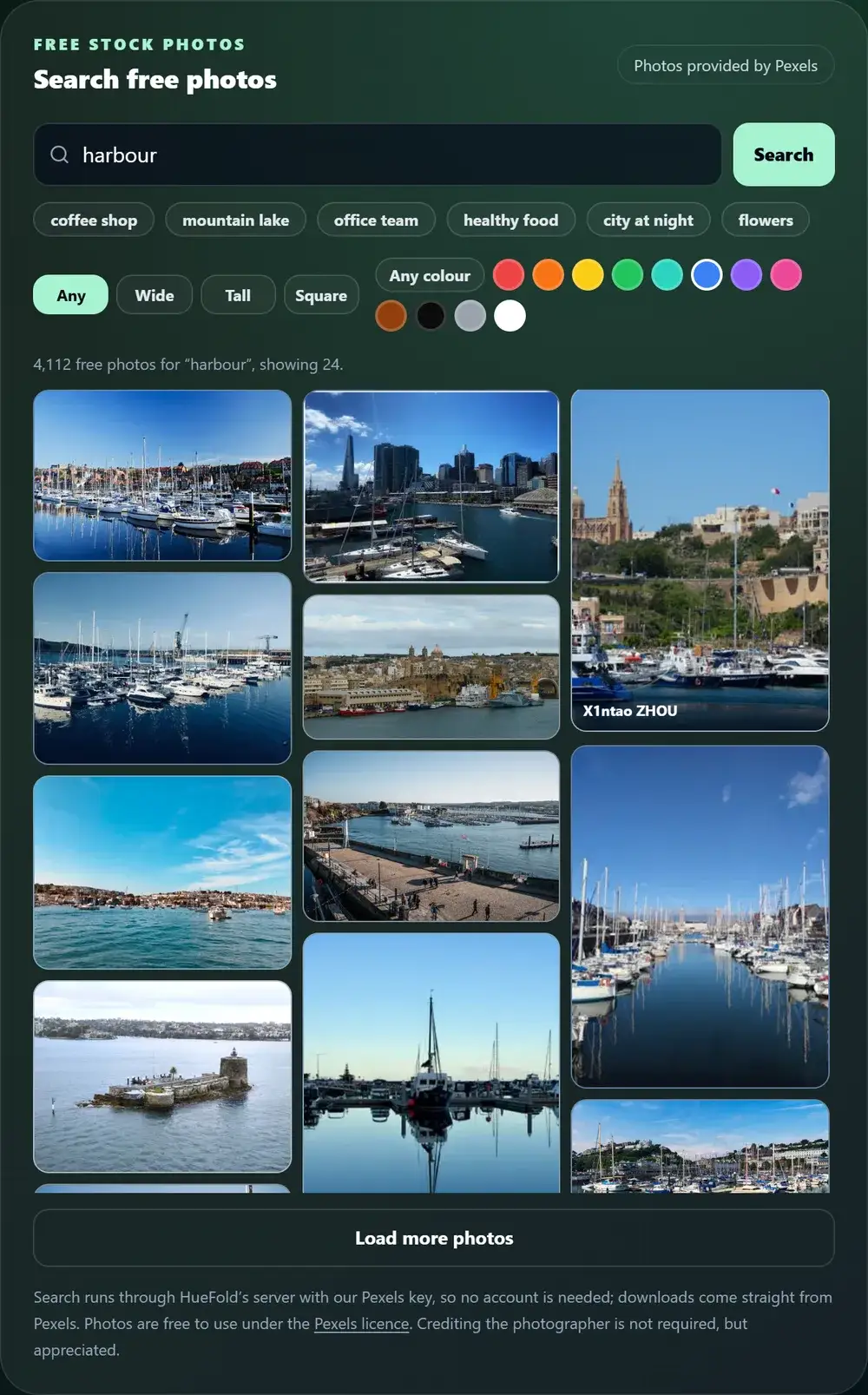
Use the filters under the search box. Wide keeps landscape photos, Tall keeps portrait photos for stories and posters, and Square keeps square ones for profile and feed posts. The colour swatches (red, orange, yellow, green, turquoise, blue, violet, pink, brown, black, grey and white) keep photos where that colour dominates, which helps a set of images match a brand or a slide theme.
Filters apply to the current search immediately, and you can combine one orientation with one colour.
Can you edit a stock photo right away?
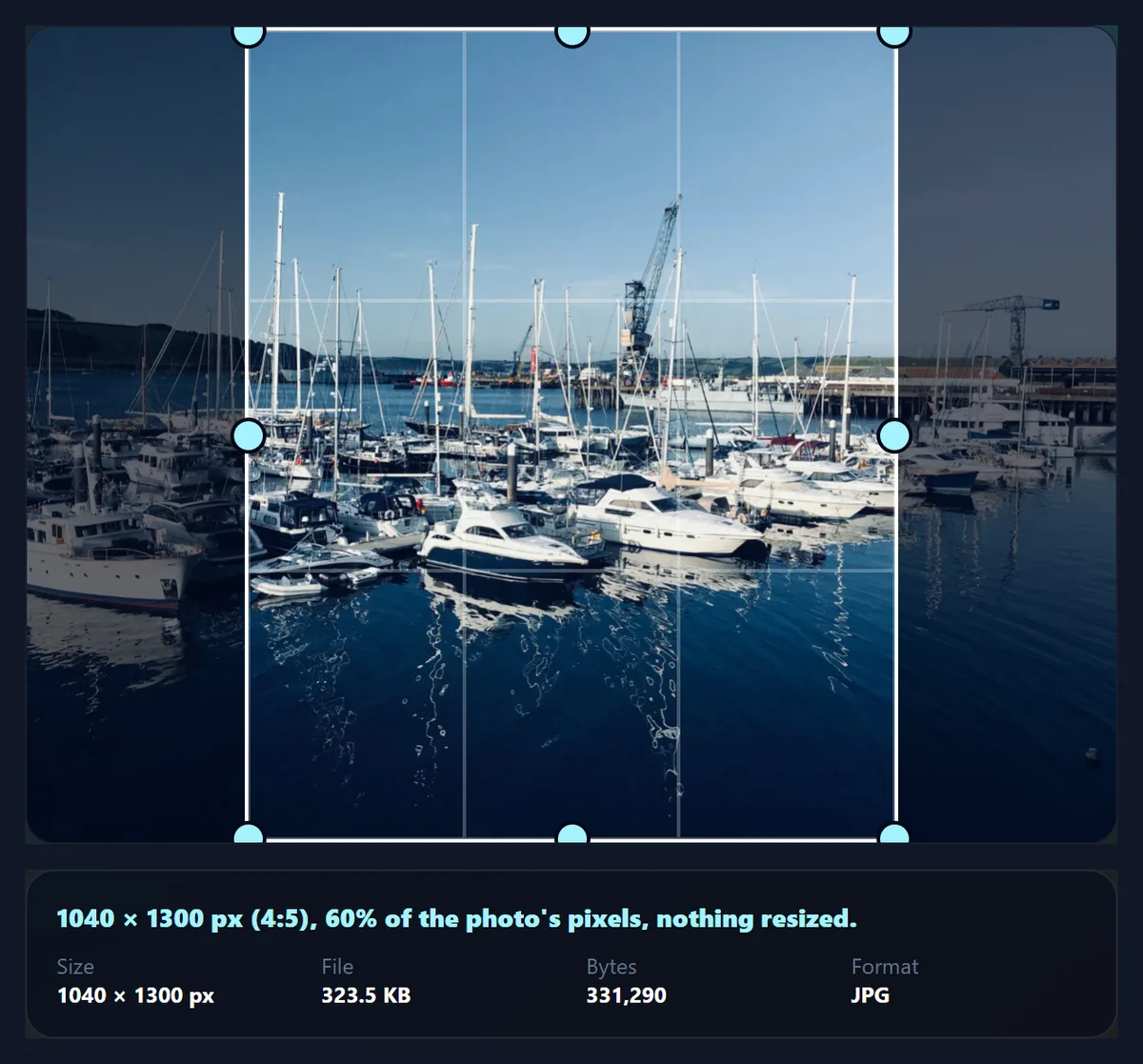
Yes. Under an opened photo, “Edit it with a HueFold tool” opens it in Crop, Add text, Effects, Frame, Circle crop, Blur or Enhance, already loaded. The tool receives the web-size copy straight from Pexels' image server, so nothing passes through an account or an upload. In the figure, a harbour photo from the search opened in the crop tool at 1734 × 1300 px and was cropped to a 1040 × 1300 px 4:5 post.
The HueFold editor's own photo panel searches the same Pexels library, so photos found here can also be used inside a full design.
How do you pick a stock photo that does not look like stock?
Search for the situation, not the concept: “two people reviewing a laptop” finds more natural photos than “teamwork”. Prefer candid moments over people smiling at the camera, and photos with empty space where your text will go, such as sky, a wall or a table. Open the photo before you use it and look at the whole frame: brand names, logos and recognisable products in the background are what the licence's endorsement rule is about, and they date a picture quickly.
For a set that belongs together, keep the same orientation and colour filter for every photo, then give them one look with Photo Effects. Different photographers' colours line up far better after the same grade.
- Search for a situation, in plain words.
- Leave room for text: sky, walls, tables.
- Check the whole frame for logos and brands.
- Same filters and one look for a series.
How does the search work, and what is stored?
Your search goes to HueFold's server, which asks the Pexels API with HueFold's key, keeps only what the page shows (the photo's sizes, description, average colour, photographer and links) and checks that every image address is on Pexels' image server. Identical searches are kept for an hour, so a popular search does not use up the shared allowance, and each visitor can run up to 40 searches a minute. Nothing about you is sent to Pexels with the search.
Thumbnails, previews and downloads load directly from Pexels' image server in your browser. Pexels asks apps that use its API to show a prominent link to Pexels and to credit photographers where possible; the tool does both.
Why are there no results, or why did the search stop working?
No results usually means the words were too specific or misspelt; try one or two plain words, and remove the colour and orientation filters.
“Too many searches in a minute” means the 40-a-minute limit was reached; wait a moment. “Stock photos are unavailable right now” means Pexels did not answer or refused the request, for example while its hourly allowance is used up; the page asks you to try again in a minute rather than showing stale or invented results.
Frequently asked questions
Are these stock photos really free?
Yes. Pexels photos are free to use and edit, including commercially, under the Pexels licence.
Do I need to credit the photographer?
No, but it is appreciated. The tool shows “Photo by [name] on Pexels” with links you can copy.
Do I need an account?
No account here or at Pexels. Searching and downloading are open to everyone.
Can I use the photos commercially?
Yes, with the licence’s limits: no unaltered resale, no implied endorsement, no logos, no other stock sites.
Can I sell a stock photo as a print?
Not unaltered. The licence forbids selling unmodified copies such as posters or prints.
What sizes can I download?
The original as uploaded, or a web size up to 1880 × 1300 px. For a 3854 × 2890 photo that was 1.26 MB against 336,810 bytes.
Can I find only vertical photos?
Yes. Choose Tall. Wide keeps landscape photos and Square keeps square ones.
Can I search by colour?
Yes. Pick one of twelve colours to keep photos dominated by it.
Can I edit a photo I find?
Yes. Open it and choose Crop, Add text, Effects, Frame, Circle crop, Blur or Enhance.
Where do the photos come from?
From Pexels, through its API. HueFold does not host or own them.
Why do the results change?
The Pexels library changes over time, and identical searches are only kept for an hour.
Related tools
- Add Text to Photo — Put a headline on a stock photo, with a contrast check.
- Crop Image — Crop a stock photo to 1:1, 4:5 or 9:16.
- Photo Effects — Give stock photos one consistent look.
- Combine Images — Put several stock photos side by side.
- Free Stock Videos — Free video clips for your projects.
- Background Remover — Cut the subject out of a stock photo.