Summarizer
Summarize text, a PDF or a Word file in your browser: its key sentences as a paragraph or bullet points, with the key words and each sentence shown in place. Free, no sign-up, nothing uploaded.
Updated
How do you summarize a text?
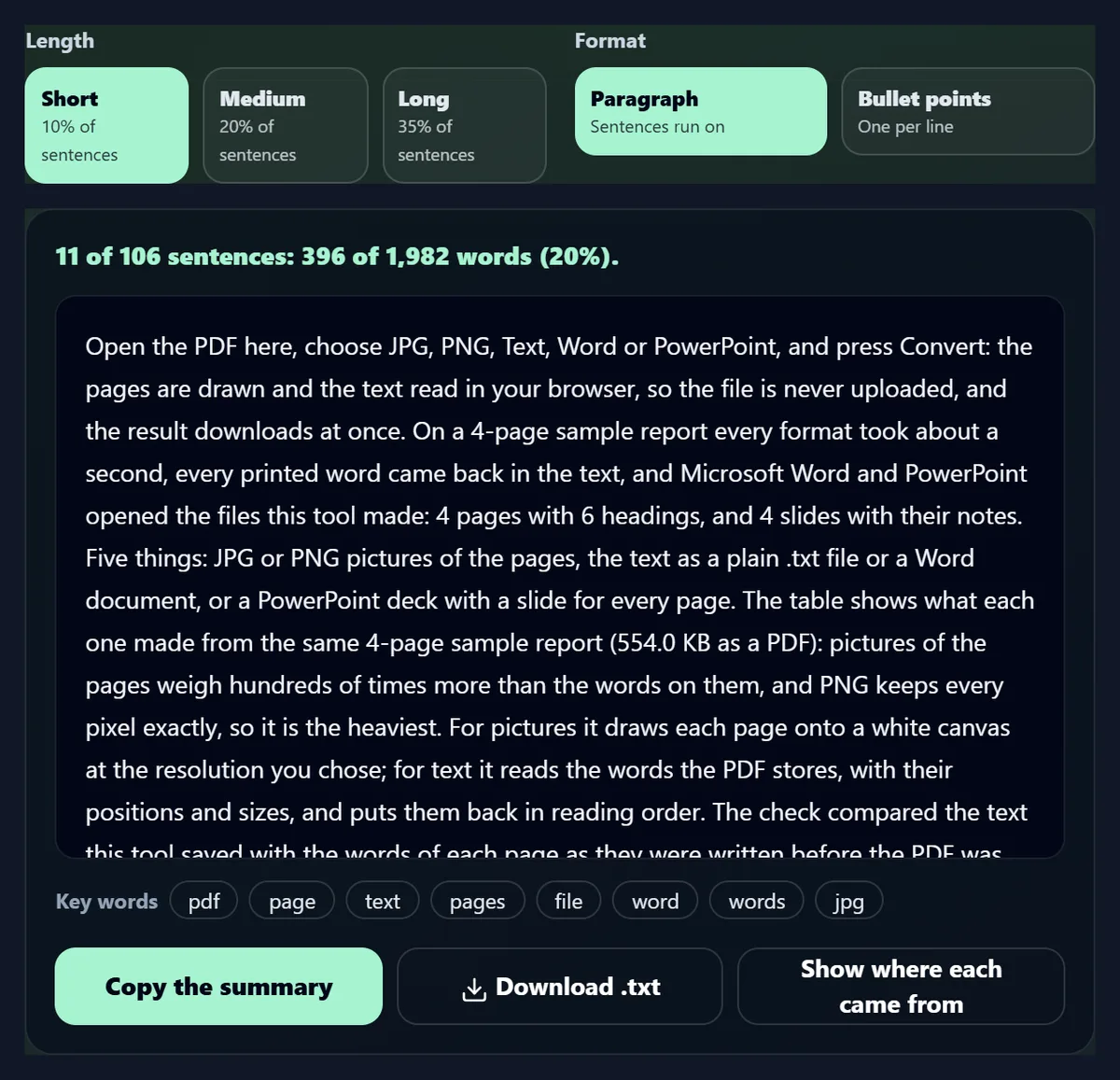
Paste the text here or open a TXT, PDF or Word file, choose Short, Medium or Long, and press Summarize: the sentences most connected to the rest of the text are kept, in their original order, as a paragraph or bullet points. Nothing is rewritten, so nothing is invented.
A 1,982-word guide became 396 words at Short and 652 at Medium in about 32 milliseconds, and the text never left the browser.
How to summarize a text
- Add the text Paste it, or open TXT, PDF or Word.
- Choose the length Short, Medium or Long.
- Pick a format Paragraph or bullet points.
- Copy or save Check the sources, then copy or download.
Summarize a text
A real recording of this tool: the sample guide loaded, Short chosen, the summary made, shown as bullet points and its sentences found in the text.
- The sample text is loaded into the box.
- Short is chosen.
- Summarize picks the key sentences.
- The summary is shown as bullet points, then each sentence is shown highlighted in the whole text.
How long is each summary?
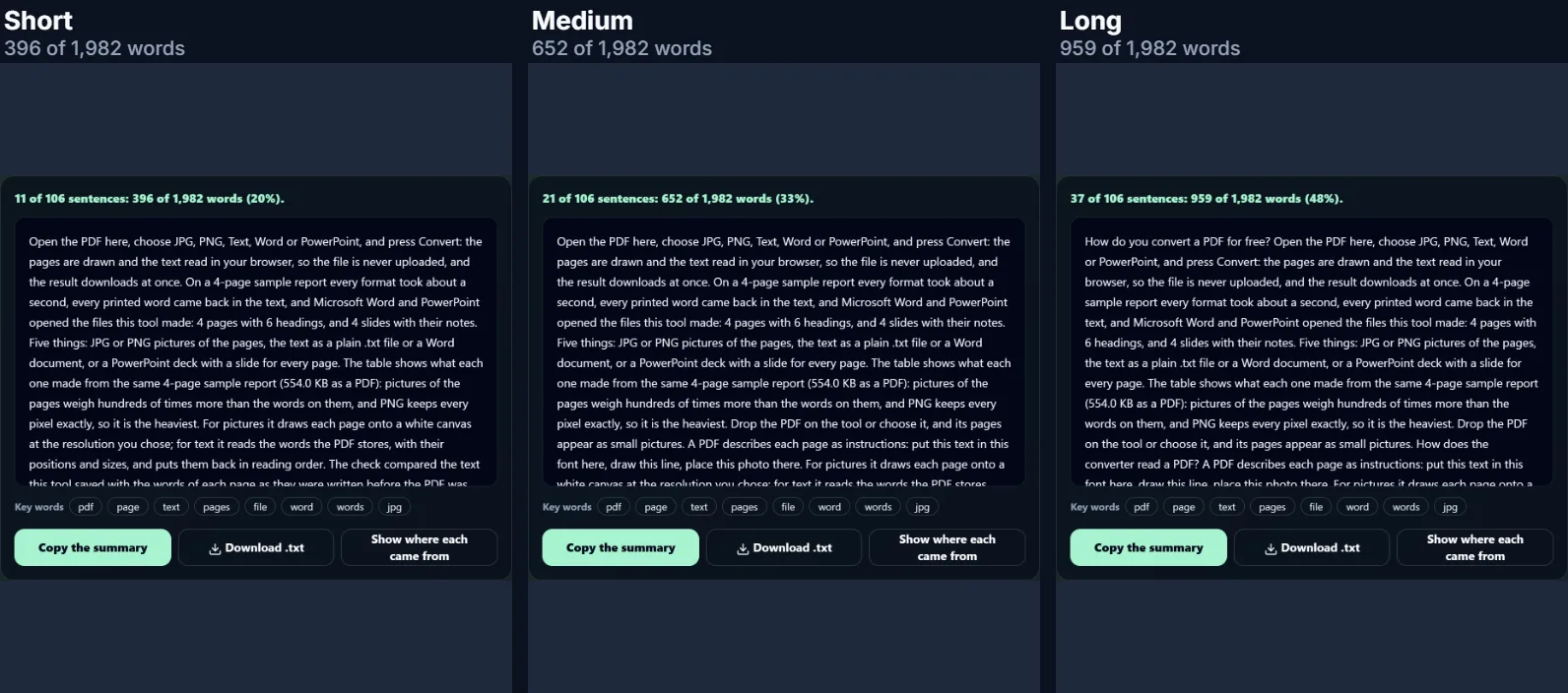
Short keeps a tenth of the sentences, Medium a fifth and Long about a third (at least two, three and five). On the sample, a 1,982-word guide from this site with 106 sentences, that gave 11, 21 and 37 sentences: 396, 652 and 959 words.
The share of words is higher than the share of sentences (20% of the words for Short) because the sentences that carry a text's main ideas tend to be its fuller ones; short sentences such as “No.” are rarely picked.
| Length | Sentences kept | Words | Share of the words |
|---|---|---|---|
| Short | 11 of 106 | 396 | 20% |
| Medium | 21 of 106 | 652 | 33% |
| Long | 37 of 106 | 959 | 48% |
What do the three lengths look like?
The figure shows the same guide summarized at Short, Medium and Long, as the tool shows them: on this text each longer summary contains the shorter one's sentences and adds the next most central ones.
All three keep the guide's opening answer, which is the sentence most connected to the rest.
How do I summarize a text?
Paste the text into the box, or open a TXT, PDF or Word file, choose Short, Medium or Long and a paragraph or bullet points, and press Summarize. The summary appears at once with the text's key words under it; copy it, save it as a .txt file, or press Show where each came from to see the chosen sentences highlighted in the whole text.
Summarizing the 1,982-word sample took about 32 milliseconds on the test laptop. There is no sign-up and no limit on how many texts you summarize.
How does the summarizer choose sentences?
It looks for the sentences most connected to the rest of the text. Every sentence is compared with every other by the words they share, leaving out common words such as the and of; a sentence that shares words with many others, which themselves share words with many others, scores highly. This is TextRank, the idea behind web search's PageRank applied to sentences.
The best-scoring sentences are kept until the length you chose is reached, skipping a sentence that repeats one already kept, and then put back in the order they appear, so the summary reads in the text's own order.
Is this an AI summarizer?
No. It does not rewrite anything: every sentence in the summary is a sentence from your text, word for word. That means it cannot get a fact wrong or invent something that was not said, which an AI that writes its own summary can do; and it runs in your browser, so the text is never sent anywhere.
The trade-off is that it cannot merge two ideas into one shorter sentence or change the wording. For a text whose points are spread thinly over many sentences, a summary of picked sentences is longer than one written from scratch.
Can I see where each sentence came from?
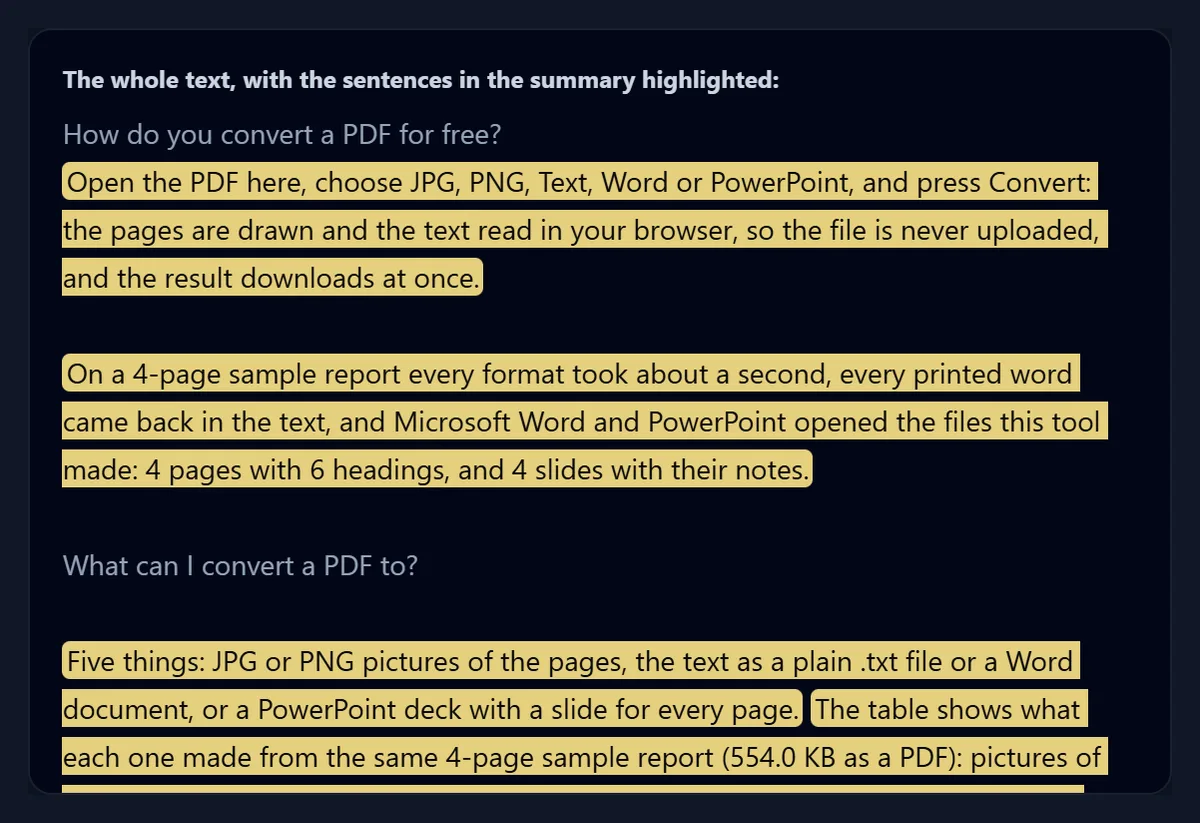
Yes: Show where each came from opens the whole text with the summary's sentences highlighted, in place. It is the quickest way to check that the summary did not leave out something that matters to you, and to read a little around a sentence when you need its context.
Headings and short lines stay unhighlighted unless the text has little else, as explained below.
Can I get the summary as bullet points?
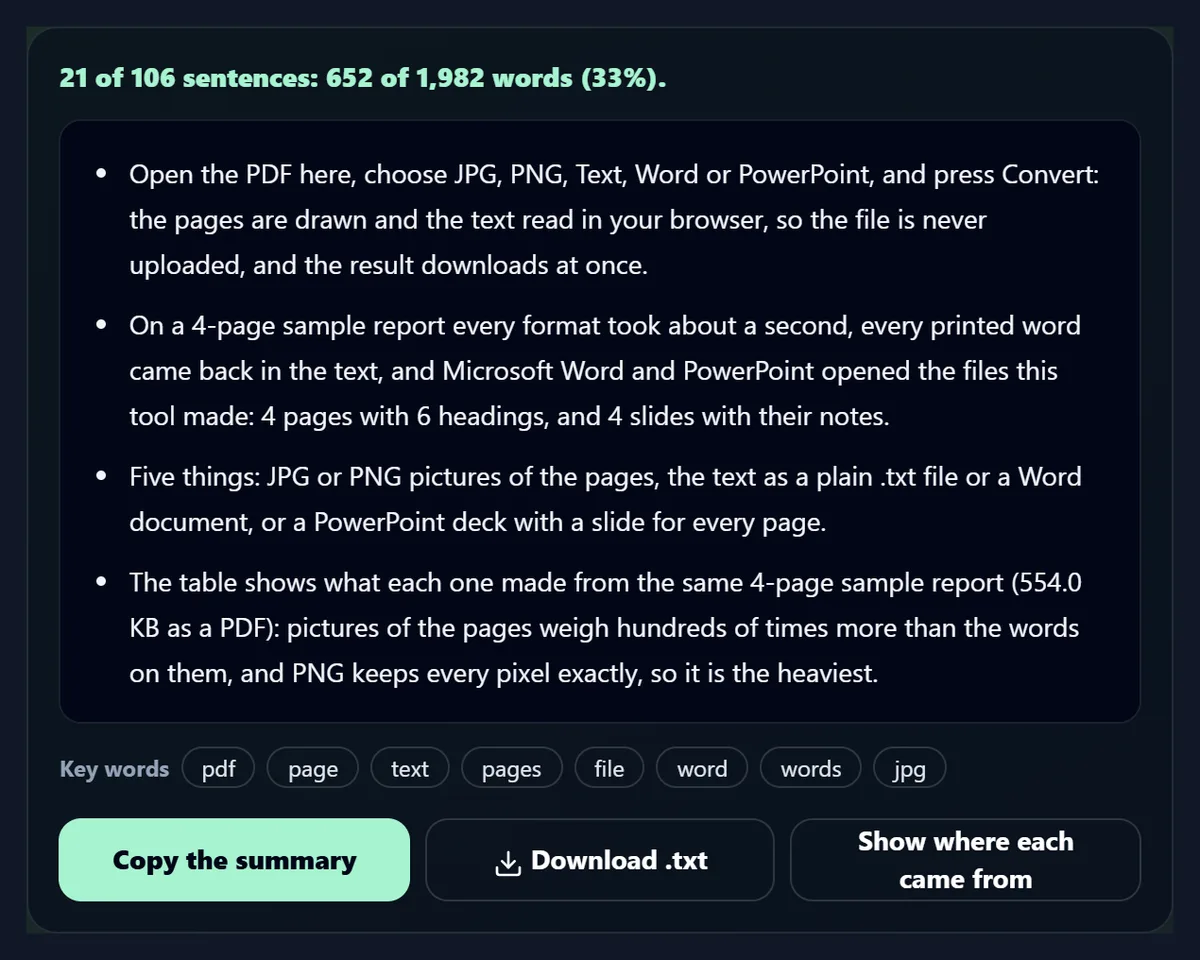
Yes: choose Bullet points and each sentence of the summary becomes a bullet, which suits notes, slides and email updates. Paragraph runs the sentences together as one block. Copy and the .txt file use the format on screen.
Switching between them never changes which sentences are in the summary.
Can I summarize a PDF or a Word file?
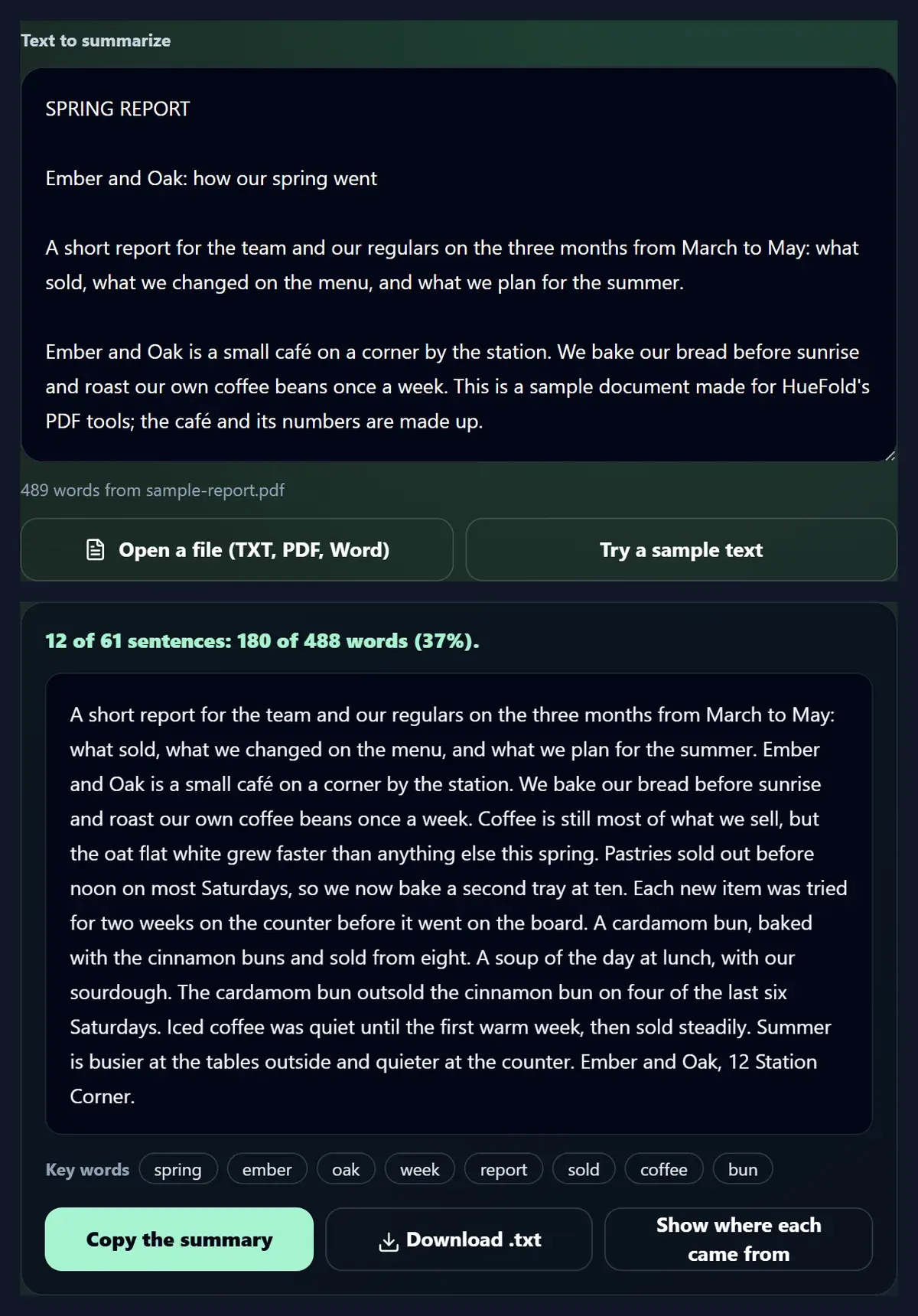
Yes: Open a file reads TXT and Markdown files, PDFs (with the same reader as the PDF converter on this site) and Word .docx files, and puts their text in the box. The four-page café report from the PDF pages gave 488 words; at Medium the summary kept 12 of its 61 sentences, 180 words.
Its Word version, made by the PDF converter, gave the same text and exactly the same summary.
Why are headings and page numbers left out?
Because they are not sentences. Text taken from a PDF is full of lines that do not end with a full stop, such as headings, page footers like “Page 1 of 4” and table rows, and they often share many words with the rest of the text, so a plain ranking would pick them. The summarizer prefers lines that end like a sentence and are at least six words long, and uses the others only when a text has nothing else.
This was added after testing on the café report, whose first summaries included a page footer and a table header.
What are the key words?
The eight subject words used most often in the text, each at least twice, with common words left out. For the sample they were: pdf, page, text, pages, file, word, words, jpg. They are a quick check that the summary is about what the text is about, and handy as tags or search terms.
Plural and singular forms count separately, as page and pages do above.
Which length should I choose?
Short for the gist of an article or a report you may not read in full; Medium for notes you will keep; Long when you need most of the points but not the examples and asides. For texts under a page, Short can be just two or three sentences, which may be all you need.
If a summary feels too thin, try the next length up rather than reading the whole text: on the sample, each length kept every sentence of the shorter ones and added more.
Which texts summarize well?
Articles, reports, essays, guides, meeting notes and long emails: prose where each paragraph makes a point in full sentences. Texts that are mostly lists, tables, dialogue or poetry summarize less well, because their meaning is not carried by whole sentences that repeat the main words.
Very short texts are summarized too, but there is little to gain below a few paragraphs; the tool needs at least 20 words.
Can a summary miss something important?
Yes. A point made once, in words the rest of the text does not repeat, can rank low and be left out, even if it is the most important thing to you: a deadline, a price, a single warning. Use the highlighted text to check before relying on a summary for a decision.
That is true of every summary, written by a person or a machine; this one at least never states anything the text did not.
How long a text can I summarize?
Up to 60,000 words, about a short book; for longer texts the first 60,000 are summarized and the tool says so. Every sentence is compared with every other, so the time grows quickly with length: the 1,982-word sample took about 32 milliseconds, and a 20,970-word text, ten versions of it, took 2.5 seconds with the same code on the test laptop.
Summarizing chapter by chapter often gives a more useful result for a long document anyway.
Does it work in other languages?
It is made for English: the list of common words it ignores and the abbreviations it knows (Dr., e.g., U.S.) are English. Texts in other languages that use full stops between sentences are still summarized, but less sharply, because their common words count as subject words.
To summarize a text in another language, translating it first and summarizing the English gives better results.
How much reading does a summary save?
As much as it leaves out. The short summary of the sample is 20% of its words, so reading it takes about a fifth of the time the whole guide would; the long one is 48%, about half. The highlighted view then lets you dip into the full text only where a point needs more detail.
For texts you must understand fully, such as a contract, read the whole text: a summary is a guide to it, not a replacement.
How do I use it to study?
Summarize one chapter or article at a time at Medium, as bullet points, and save each summary as a .txt file named after the chapter. Read the summary first to see the shape of the argument, then the chapter, then the summary again to fix it in memory. The key words make good headings for flash cards.
Because the bullets are the author's own sentences, they can be quoted in an essay with a reference, which a reworded summary cannot.
Can it write an abstract or a conclusion?
It can give you a first draft. The short summary of a report or paper is its most central sentences in order, which is close to what an abstract needs; edit it into flowing prose, check the numbers, and add anything the method left out.
Because nothing is reworded, the draft keeps the original author's terms and claims exactly, which makes checking it quick.
Is my text uploaded?
No. The text you paste or open is read and summarized inside this browser tab and nothing is sent to HueFold or anyone else; there is no account, no sign-up and no history. The PDF reader, pdf.js, is loaded only when you open a PDF.
That makes it suitable for drafts, contracts and notes you would not paste into an online AI service.
Does it work on a phone?
Yes, in a current browser on Android or an iPhone: paste text, or open a PDF or Word file from your files, and copy the summary into a message or a note.
Bullet points are easier to read on a small screen.
What can I use summaries for?
Deciding whether a long article is worth reading, revision notes from a chapter, the key points of a report for a meeting, a first draft of an abstract or an email update, or the main points of minutes for people who missed the meeting.
Put the points on a sticky note board to sort them, or translate the summary for a colleague.
Frequently asked questions
Is the summarizer free?
Yes: no account, no sign-up and no limit.
Is my text uploaded?
No. It is summarized inside your browser.
Does it use AI?
No. It picks the text’s own key sentences; nothing is rewritten.
Can I summarize a PDF?
Yes, and Word .docx and TXT files too.
How short is a short summary?
A tenth of the sentences, at least two.
Can I get bullet points?
Yes: choose Bullet points.
Can I see where the sentences came from?
Yes: they are highlighted in the whole text.
Which languages does it support?
It is made for English; other languages work less sharply.
How long can the text be?
Up to 60,000 words.
Related tools
- Free PDF Converter — A PDF’s text as .txt or Word.
- Translate — The summary in another language.
- Sticky Notes — Sort the points on a board.
- Voice Recorder — Read the summary aloud.
- PDF to PPT — A report as slides.
- AI Voice Generator — A summary as a voiceover.