Text Animations
Animate a line of text in seconds: typewriter, rise, pop, fade in words, slide in, wave, blur in, zoom, neon flicker or highlight, in your font and colours, as a square, story or wide MP4 made in your browser.
Updated

How do you animate text?
Type your text, pick one of ten animations, and set the font, colours, text size and length. The preview plays the animation on a loop. Choose the video size and press Make the video: the MP4 is made in your browser, frame by frame, and is ready to download in seconds.
Every file is a standard H.264 MP4 at 30 frames a second. The 5-second square clips of the default line were 156 KB to 1.02 MB each.
Nothing is uploaded and no account is needed.
How to animate text
- Type your text A few words read best.
- Pick an animation Ten, from typewriter to neon flicker.
- Style it Font, colours, text size and length.
- Make the video Square, story or wide MP4, then download it.
Animate text into an MP4
A real recording of this tool: the Rise animation, then Typewriter, Wave and Highlight, and the video made in the browser and downloaded as an MP4.
- The text animation tool opens with Big things start small rising into place.
- Typewriter, Wave and Highlight are tried.
- Make the video draws every frame and encodes the MP4 in the browser.
- The MP4 is downloaded.
How big is a text animation video?
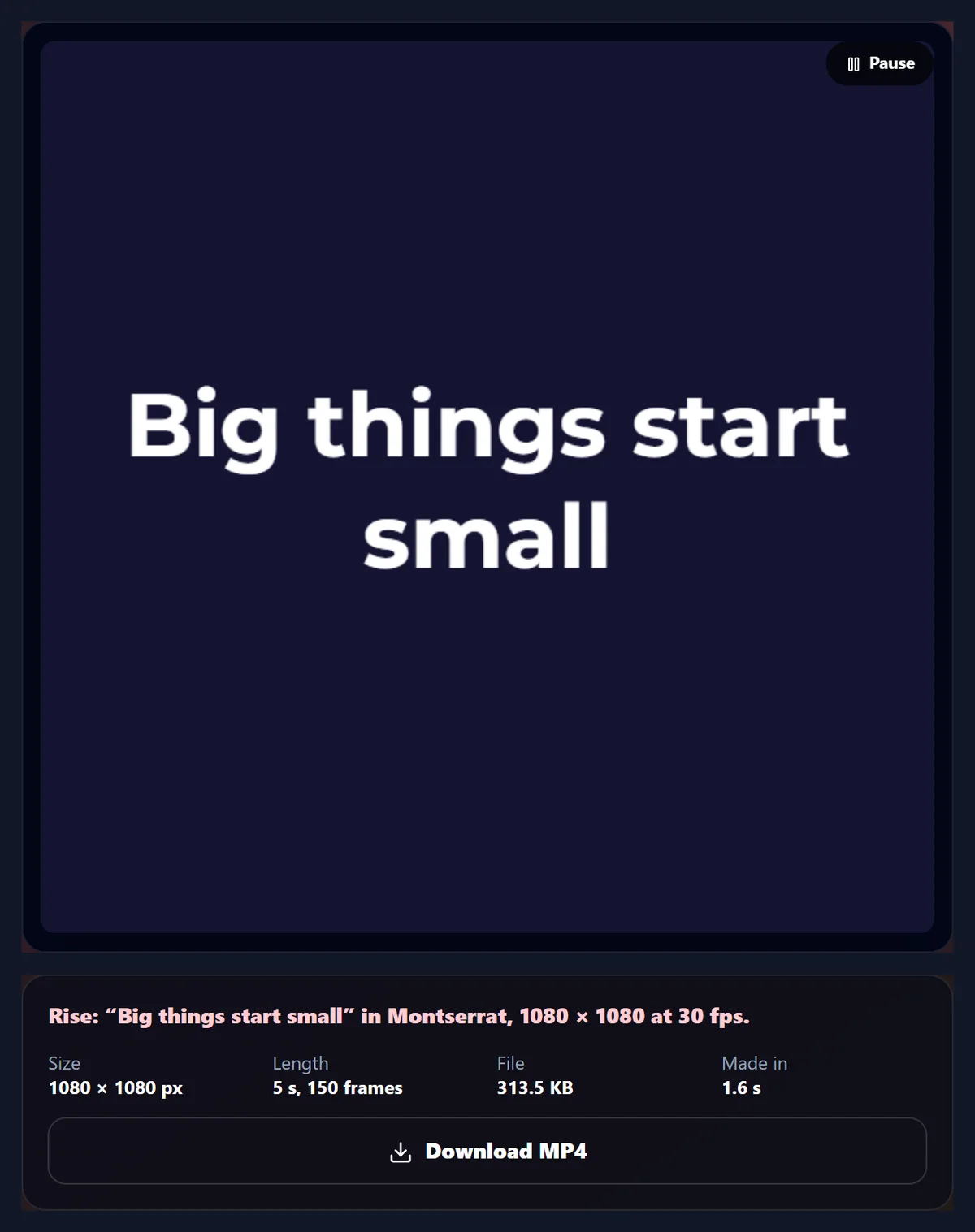
Small: a few hundred kilobytes for a 5-second clip. The same line, Big things start small in Montserrat Bold, was made into a 1080 × 1080 MP4 with each of the ten animations; the files ranged from 156 KB (Highlight) to 1.02 MB (Zoom). A video compresses the change from one frame to the next, so animations that move the whole text in every frame, like zoom and blur, are bigger than ones that reveal it in place, like typewriter and highlight.
Every file was a standard H.264 MP4 at 30 frames a second: 150 frames and 5.000 seconds exactly, checked with ffprobe. In Chrome on the test laptop each took between 1.0 and 3.4 seconds to make; slower devices take longer, but the result is the same.
| Animation | MP4 | Made in |
|---|---|---|
| Typewriter | 187 KB | 3.4 s |
| Rise | 313.5 KB | 1.6 s |
| Pop | 388.4 KB | 1.3 s |
| Fade in words | 291.9 KB | 1.1 s |
| Slide in | 356.6 KB | 1.0 s |
| Wave | 267.6 KB | 1.2 s |
| Blur in | 593.2 KB | 1.8 s |
| Zoom | 1.02 MB | 1.3 s |
| Neon flicker | 375.4 KB | 1.0 s |
| Highlight | 156 KB | 1.1 s |
Which animations are there?
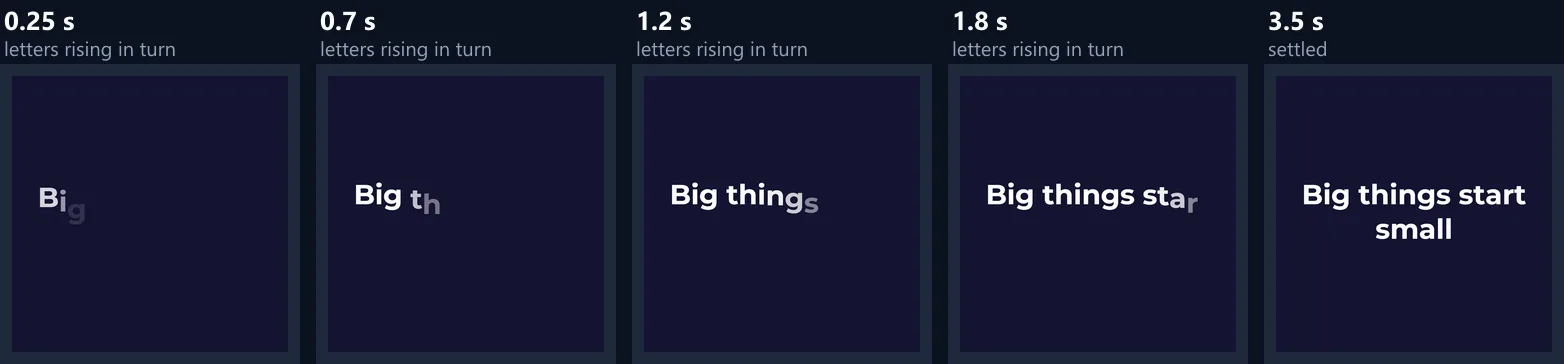
Ten. Typewriter types the text letter by letter with a blinking cursor. Rise floats each letter up into place, one after another. Pop bounces letters in with a small overshoot. Fade in words brings in one word at a time. Slide in moves words in from the left. Wave ripples the letters up and down on a loop. Blur in brings the whole line into focus. Zoom shrinks it from large into place. Neon flicker switches letters on like a faulty sign, then holds them steady. Highlight sweeps a marker bar behind each word.
Each one plays in over the first part of the clip, holds the finished text, and fades out over the last half second, so the clip loops cleanly on platforms that repeat videos.
How is the timing worked out?
The play-in takes up to 60% of the clip and is spread across the letters or words, so a longer text animates each letter a little faster and the whole line still lands at the same moment. The length can be set from 3 to 10 seconds: 3 to 5 suits a title or a reel caption; longer clips hold the finished text for reading.
Every frame of the video is drawn from the same timing as the preview, at exact 1/30-second steps, so the file is what you saw on the page, frame for frame, with no dropped frames even on a slow device.

Which video size should I choose?
Square 1080 for feed posts on Instagram, Facebook and LinkedIn; Story 1080 × 1920 for stories, reels, TikTok and YouTube Shorts; Wide 1920 × 1080 for YouTube, slides and screens. The text size is set as a share of the shorter side, so the same setting looks the same on every size.
Long text wraps onto several lines at word breaks, and if a word or the whole block would still not fit, the text is made smaller until it does, inside a safe margin round the edge.
Can I change the font and colours?
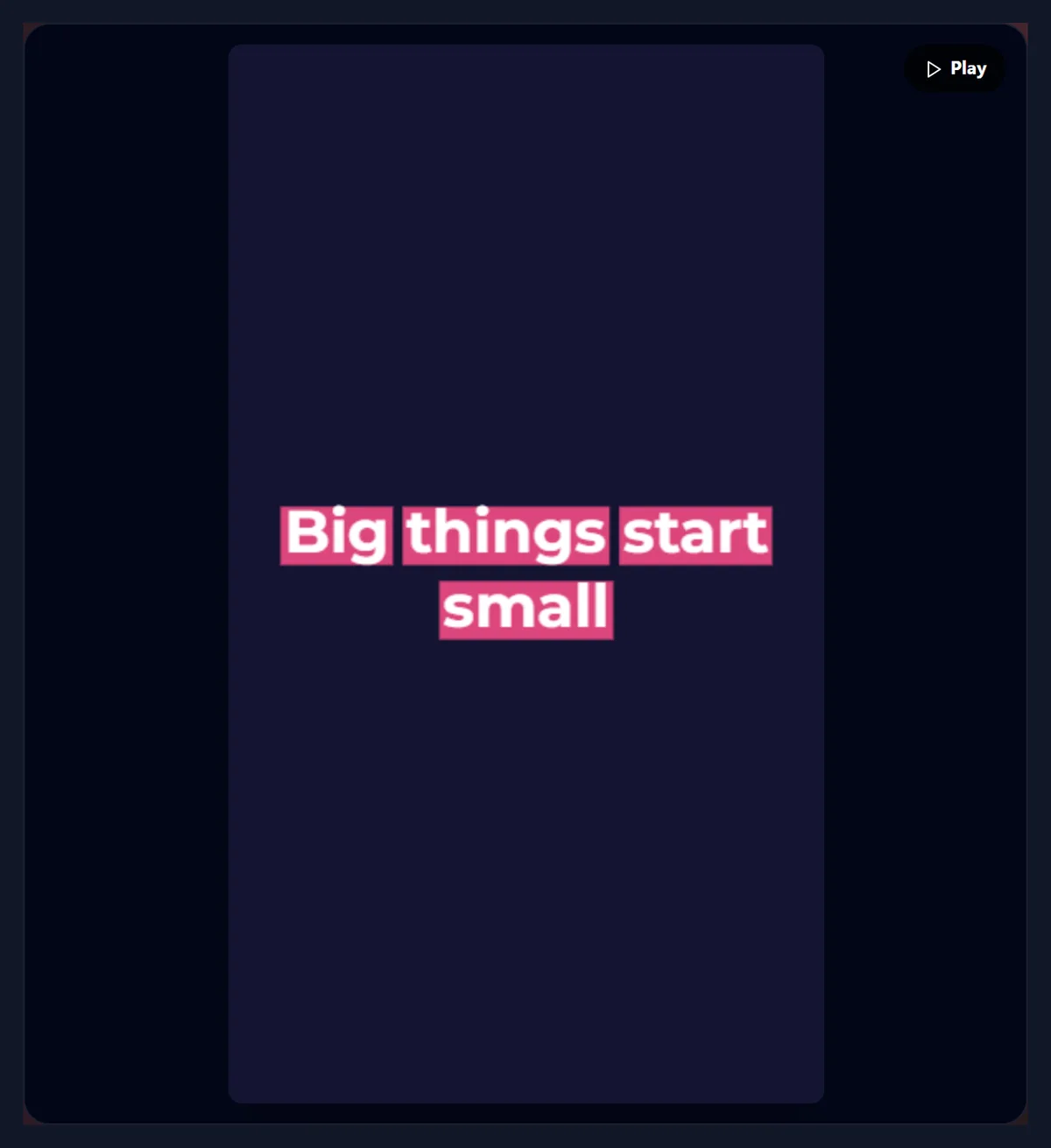
Yes. Choose one of eleven free fonts, from geometric Montserrat and Poppins to Playfair Display and Anton, with bold where the font has it, and set three colours: the text, an accent (the highlight bar, the typewriter cursor and the neon glow) and the background.
High contrast reads best on a phone: light text on a dark background or the reverse. For Neon flicker, a dark background and a bright accent give the glow; for Highlight, choose an accent that the text colour stands out against.
How is the MP4 made?
In your browser. The tool draws each frame on a canvas and passes it to the browser's own video encoder (WebCodecs), which writes H.264 into an MP4 file. Chrome, Edge, Safari 17 and Firefox 130 or newer can do this; in older browsers the preview is recorded in real time instead, which takes as long as the clip and gives an MP4 or WebM depending on the browser.
The video has no sound, so it can be dropped into any editor and placed over music or other footage.
Will it loop smoothly?
Yes. Every animation except Highlight fades the text out over the last half second, so when the clip repeats it goes from empty to playing in again without a jump; Highlight fades its bars out instead and keeps the words. Wave keeps rippling the whole time, so it also suits a clip that loops for a long time.
For a GIF-like loop on a website, use the MP4 in a video element set to play automatically, muted and looping: it is far smaller than a GIF of the same clip.
How long should text stay on screen?
Long enough to read twice. People read about three to four words a second on a phone; a five-word line needs about two seconds once it has finished animating. With a 5-second clip, the play-in takes up to 3 seconds and the text then holds until the last half second, which suits a short line. For a longer line, set the length to 7 or 8 seconds.
Animations that reveal letter by letter, such as Typewriter and Rise, take the whole play-in to show the last word; animations that bring in the whole line, such as Blur in and Zoom, are readable sooner.
Is this the same as captions?
No. Captions follow speech in a video, line by line and in time with the sound; a text animation is one designed line, like a title card. For a video with speech, captions belong in a video editor or a captioning tool that follows the audio.
Text animations work well before or after captioned footage: an animated title to open a reel, then captions over the speech.
What are text animations used for?
Reel and story titles, quote posts, announcements and sales, opening and closing cards for videos, lower-third style captions, event countdown cards, slides, and short loops for digital signage. A short animated line gets more attention in a feed than the same line as a still image.
Keep it short: three to eight words read comfortably in the time an animation takes; longer text is better as a still image or as captions.
Can I put the animation over a video?
Yes. Download the MP4 and add it as a layer in a video editor, or make the background colour match the video's first frame. For text over moving footage, an editor with a timeline gives you full control over when the text comes and goes, such as HueFold's own editor in video mode.
Because the background is a solid colour, the clip can also be keyed out in an editor with a chroma key if you choose a background colour that does not appear in the text.
How do I match my brand?
Set the background to your brand's main colour, the text to the colour you use on it, and the accent to your second colour; pick the font closest to your brand's typeface from the eleven. Use the same animation for every clip in a series, such as Rise for titles and Highlight for key points, so viewers learn the pattern.
Save one clip in each size you post (square, story and wide) with the same settings, rather than cropping one size into another, so the text is never cut off.
Where can I post the MP4?
Anywhere that takes video: Instagram posts, reels and stories, TikTok, YouTube Shorts and videos, Facebook, LinkedIn, X, WhatsApp status, and presentation and website builders. H.264 MP4 is the format every one of them accepts, and a 5-second 1080 px clip of a few hundred kilobytes uploads in moments even on a phone connection.
Most apps add their own music; if you need the clip silent, mute the app's soundtrack when posting.
Is anything uploaded?
No. The text, the frames and the MP4 are all made in your browser; nothing is sent to HueFold and no account is needed. The fonts are loaded from HueFold's own server like any web font.
Because the work happens on your device, a phone takes longer than a laptop to make the video, and a 10-second 1080 × 1920 story is the heaviest job; the progress is shown on the button.
Why does my video not play or look different?
If a video does not play in an app, check that the app accepts MP4 with H.264, which almost all do; a WebM from an older browser may need converting to MP4. If the text is cut at the edge, make the text size smaller or the text shorter; if the font looks wrong, wait a moment after changing it so the font finishes loading before making the video.
If the preview stutters on a slow device, the video will not: its frames are made one by one at exact times, not recorded from the screen.
Frequently asked questions
How do I make animated text?
Type it, choose an animation and press Make the video; download the MP4.
Is the video an MP4?
Yes, H.264 at 30 frames a second, in browsers with WebCodecs.
Can I make a vertical video for reels?
Yes. Choose Story 1080 × 1920.
Can I change the font?
Yes, eleven free fonts, with bold where available.
Does the video loop?
Yes. The text fades out at the end so the clip repeats cleanly.
Does the video have sound?
No. Add music in a video editor.
Is anything uploaded?
No. The video is made in your browser.
How long can the animation be?
From 3 to 10 seconds.
Is it free?
Yes, with no account or watermark.
Related tools
- Add Text to Video — Put text over a video.
- Text Effects — Still text with effects.
- Curved Text Generator — Text on an arch or a circle.
- Video to GIF — Turn the clip into a GIF.
- Add Music to Video — Add a soundtrack.
- Photo Animation — Animate a still photo.